
How line crossing detection works, where it beats motion alerts, how to place and tune a virtual tripwire, and what Singapore's PDPA expects from you.
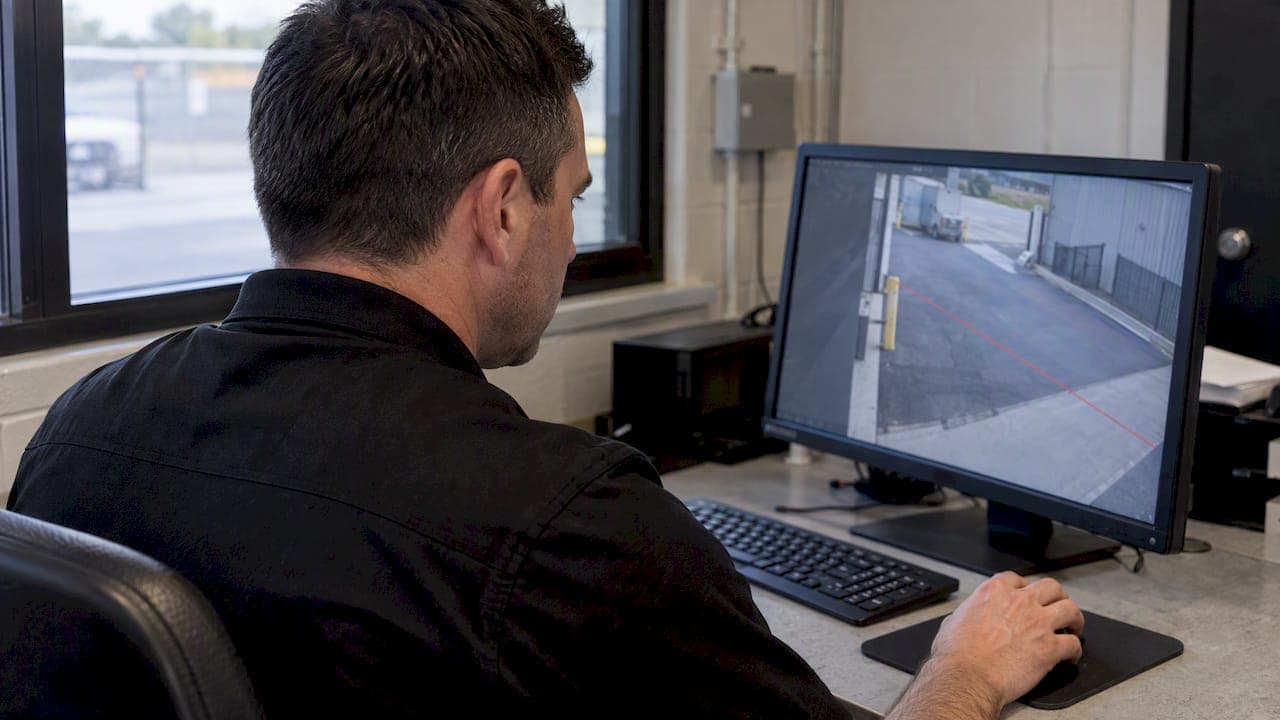
Line Crossing Detection: How Virtual Tripwires Work

Line crossing detection lets a camera raise an alert when a person or vehicle crosses a line you draw on its image. It watches a boundary, not a whole area, so it suits fence lines, gates, doorways and perimeters. It works well when the camera is mounted correctly, the rule filters by object class and the alert reaches someone who can act on it. When any of those three is missing, it produces noise.
This guide is for security managers, facility teams and integrators in Singapore who need to specify, install or tune it. It covers how the feature works, how it differs from intrusion zones, how to place the line, how to cut false alarms and what the PDPA requires.
TL;DR
- A virtual tripwire is a configurable line across the camera's view that triggers an alert when an object crosses it. It monitors a boundary, while a detection zone monitors an area (SafetyScope glossary).
- Never alert on "any movement". Filter by object class (person or vehicle) and calibrate sensitivity, or foliage, shadows and small animals will flood your operators.
- Camera angle decides performance. Poor mounting cannot be fixed with software settings.
- In Singapore, cameras that capture personal data need clear notice of the purpose of surveillance under the PDPA.
- Alerts are only useful if verified and routed. Pair the tripwire with exception-based monitoring, not a wall of screens.
Table of Contents
- What line crossing detection does
- Where a tripwire earns its place
- Getting the physical setup right first
- Configuring the rule so it stays quiet
- Edge analytics, server analytics and AI verification
- Perspective: the line is a trigger, not a guard
- Singapore compliance: PDPA and notification
- From alert to action: designing the control room
- A simple tuning example
- Buying checklist
- How BeyondSensor can help
- FAQ
- Sources
What line crossing detection does
You open the camera's configuration, draw a line on the live image and choose a direction: A to B, B to A, or both. When a qualifying object crosses, the camera or analytics server generates an event. That event can trigger a push notification, a relay output, a recording bookmark or a prompt in your video management system.
The same idea goes by several names. Tripwire detection, virtual tripwire and cross line detection all describe it. Camera manuals list it next to a family of related analytics: motion detection, smart motion, scene change, intrusion, loitering, missing and unattended object, line crossing and face detection. Each answers a different question, and picking the wrong one is the most common specification error we see described by installers.
Line crossing versus intrusion detection
The two are often confused because both guard a boundary.
| Feature | What you draw | Triggers when | Best for |
|---|---|---|---|
| Line crossing | A line, with direction | An object passes over it | Fences, gates, doorways, one-way flows |
| Intrusion (region) | A polygon | An object enters or stays in the area | Yards, rooftops, restricted zones |
| Loitering | A polygon plus a time limit | An object stays too long | Entrances, ATMs, loading bays |
| Basic motion | A grid or mask | Pixels change | Low-risk indoor spaces |
Use a line when the question is "did something cross this boundary, and which way?" Use a region when the question is "is anyone inside this area?" A line gives you direction, which matters for a rule such as "alert only on entry into the compound, not on exit".
Where a tripwire earns its place
Line crossing is strongest where a physical boundary already exists and crossing it is the event that matters.
- Perimeter fences and walls at industrial sites, utilities and data centres, where you want a warning before someone reaches the building.
- Gates and vehicle lanes, with the object class set to vehicle and direction set to inbound.
- Rooftop edges and plant room doors that should never see foot traffic out of hours.
- Waterfront and construction boundaries where a region would catch workers legitimately inside the site.
- Doorways and corridors, where direction-aware counting or after-hours entry alerts are useful.
It is a poor choice for crowded, busy scenes where people cross all day. A line there fires constantly. In those places, use schedules, so the rule is armed only after hours, or choose a different analytic.
Getting the physical setup right first
The most overlooked part of any deployment is the install. Industry guidance is blunt: no matter how advanced the algorithm, a camera mounted at a poor angle will underperform. The bad angles are the ones pointing straight down at the ground, mounted too low, or capturing head-on traffic.
Practical rules for placement:
- Cross the line at an angle, not head-on. The camera should see subjects moving across its view, so a person's body clearly passes over the line. Targets walking straight toward or away from the lens change size but barely move across pixels.
- Keep the line away from the image edge. Installers have long reported that a line drawn too close to the side of the view can fail to trigger because the object is only partly visible when it crosses. Leave a margin so the whole object is in frame at the moment of crossing.
- Mount high enough to avoid tampering, low enough to classify. If the camera is too high or too steep, a person looks like a blob and the classifier cannot tell them from an animal.
- Control the light. Backlighting, headlight glare and strong shadows create false events. Check the scene at dusk, midday and at night with infrared on.
- Remove clutter on the line. Trees, flags, banners and reflective surfaces near the line are alarm generators. Trim or relocate them before you tune software.
For how sensor and camera positions should be planned against standards and validated in a pilot, see our note on security sensor placement. A structured security site survey before you buy hardware also saves a second visit.
Configuring the rule so it stays quiet
False alarms kill analytics projects. Operators who see ten meaningless alerts an hour stop looking, and the one real event gets ignored. The fix is configuration discipline.
Filter by object class
Practitioners agree that a tripwire should never be set to alert on any movement. Without class filtering, wind-blown foliage, changing shadows and small animals all cross the line. Select "person", "vehicle" or both depending on the boundary. A fence line at night usually needs person only. A gate lane needs vehicle.

Calibrate sensitivity
Many enterprise-grade products expose sensitivity as a scale such as 1 to 10 or 1 to 100. Higher values detect motion more easily but risk more false positives, while low values suit only the most obvious events. Start in the middle, walk the line yourself at different speeds, then adjust in small steps. Scales differ by manufacturer, so check your product's manual rather than assuming what a given number means.
Set direction and schedule
If you only care about entry, choose one direction. If the boundary is busy during working hours, arm the rule only outside them. A rule that is always armed on a busy line is a rule that gets switched off.
Test and keep a log
Run a one-week trial with alerts logged but not escalated. Count events, review them, and record which were true. Adjust and repeat before going live. This is the cheapest insurance against alarm fatigue.

Check the plumbing
An alert is only as good as its timestamp and its path. Cameras with drifting clocks make event review in an investigation painful, so see our guide to on-site NTP for CCTV. Analytics devices also sit on your network, so apply the camera network hardening steps before exposing them.
Edge analytics, server analytics and AI verification
There are three places the logic can run.
- On the camera (edge). Cheap to deploy and works without extra servers. Accuracy depends on the camera's chipset, and the rule set is fixed by the manufacturer.
- On a recorder or server. More processing power and often better classification, but it adds a point of failure and licensing per channel.
- In a verification layer. The tripwire event is passed to an AI model that looks at the clip and decides whether it is a real threat before a human sees it.
The third approach is where the industry is heading. A line-crossing event is a cheap trigger. Verifying it is the expensive part, and it is where operator time is lost. For a primer on the wider category, read what smart surveillance analytics means for security teams.
Perspective: the line is a trigger, not a guard
We see the same pattern in the region. A site buys cameras with line crossing built in, switches it on at default settings and, within a fortnight, the control room is muting the alerts. The feature did not fail. The workflow around it did.
Our view is that a tripwire should be treated as the first stage of a decision, not the decision itself. The camera says "something crossed". Something else has to answer "is it a person, are they authorized, and what should happen now?" That second step is where we put our engineering effort. Our approach to exception-based monitoring is to let AI handle routine review, because AI never blinks, and to send people only the events that need judgment. In our BeyondPatrol product, a Patrol Agent uses Vision Language Models (VLMs) to look at a scene with multimodal understanding rather than just pixel change.
The second point is multi-vendor reality. Most Singapore sites already run cameras from several makers. We build around integration with what is installed, and we validate locally, so the result fits regional compliance and field conditions rather than a lab demo.
The third point is humility about hardware. No analytic rescues a bad camera position. Fix the mounting first, then the rule, then the workflow, in that order.
— Eumir
Singapore compliance: PDPA and notification
Any camera that records identifiable people collects personal data. In Singapore, the PDPC's advisory guidelines say organisations may collect footage beyond their premises but must notify people of the purpose, for example with signs at entry points. You do not have to reveal exact camera positions. Where locations are kept covert for security reasons, you still notify people generally that surveillance is in operation.
What this means for a tripwire project:
- Put up prominent notices stating the purpose, such as security. A camera icon alone is not enough.
- Check the field of view. A perimeter camera that also sees a public footpath or a neighbour's window raises the stakes. Use privacy masks where you can.
- Prefer less data. The same guidelines encourage anonymisation where possible. Configuring a system to store event metadata rather than raw footage can reduce exposure, if it still meets your security purpose. The PDPC explains what anonymised data means and when data does not qualify.
- Plan retention and redaction. Footage that is kept must be handled responsibly. Our article on CCTV video redaction in Singapore covers why this has to be planned before auto-overwrite.
For your specific facility, confirm obligations with your data protection officer or legal counsel. The PDPC's published guidance is the authoritative reference, and it can be updated.
From alert to action: designing the control room
A tripwire alert that lands on a screen nobody watches is worthless. Decide the response path before you draw a single line.
- Who receives the alert? Name a role, not a person, and a backup.
- What do they see? A short clip and a snapshot with the line highlighted beat a raw live feed.
- What are they allowed to do? Talk down, dispatch a guard, call the police, or dismiss with a reason code.
- How is it recorded? Every alert should end with a disposition, so you can measure true and false rates by line and by hour.
If you run a monitoring room, layout matters as much as analytics. See our guidance on secure video wall design for control rooms.
A simple tuning example
Take a fenced yard with one camera covering a 30 metre stretch of fence. This is an illustrative scenario, not a client case.
- Week 0: The camera is remounted so it views the fence from an oblique angle, and a branch is trimmed.
- Week 1: Line drawn along the fence with margin from the frame edge, direction set to outside-to-inside, class set to person, armed 8 pm to 7 am. Alerts are logged only.
- Week 2: Review shows most events were cats and a swinging sign. Class filter tightened, sensitivity lowered a step, sign secured.
- Week 3: Alerts go to the duty officer's phone with a clip. Dispositions are tracked.
The point is the sequence: physical fix, narrow rule, trial, then escalation.
Buying checklist
When you compare solutions, ask each vendor or integrator:
- Does the tripwire support direction, object classes and schedules?
- Can it run on the cameras you already own, or does it need replacements?
- Is there a verification layer that reduces false alerts before a human sees them?
- Where is data processed and stored, and can it be limited to metadata?
- Can alerts feed your existing VMS and incident process?
- Who validates the setup on your site, and is there a pilot before full rollout?
How BeyondSensor can help
We work with system integrators, facility owners and agencies across Singapore, Malaysia and the Philippines. If you want line crossing events verified by AI and turned into a managed patrol workflow, look at BeyondPatrol for virtual guard tours and BeyondWatch for video analytics. Integrators who need design and deployment support can start with Solution Integration, and teams unsure where to begin can reach us through the BeyondSensor home page. Pricing is not published, so contact us for a scoped proposal.
FAQ
Is line crossing detection better than motion detection?
For boundaries, usually yes. Basic motion detection reacts to any pixel change, so it produces many false positives, whereas a tripwire reacts only to objects that pass a defined line, ideally filtered by person or vehicle. Motion detection still has a place for low-risk interior spaces.
Why does my line crossing detection not trigger?
The most common causes are a line drawn too close to the edge of the image, a head-on camera angle, an object class that excludes the target, and sensitivity set too low. Check that the rule is armed for the current time and that the direction setting matches the way the subject moved. Test by walking across the line yourself.
Do I need a sign if I use CCTV analytics in Singapore?
Yes, where the cameras collect personal data. The PDPC guidance expects clear notification of the purpose of surveillance, for example through signage at entry points. You do not need to disclose exact camera locations. Confirm details for your site with your data protection officer.
What is the difference between a tripwire and an intrusion zone?
A tripwire is a line that fires when something crosses it, and it can be direction-aware. An intrusion zone is an area that fires when something enters or stays inside. Use a line for boundaries and a zone for restricted areas.
Sources
- SafetyScope: virtual tripwire in security
- Honeywell Video Analytics User Guide (09/2024)
- PDPC: Advisory Guidelines on the PDPA for Selected Topics
Recommended
Read More Articles
Privacy Masking for CCTV in Singapore: Setup and PDPA Guide
How to set up privacy masking on CCTV in Singapore: static vs AI masks, PDPA access-request rules, a step-by-step setup and common mistakes to avoid.
Geofencing Alerts for Site Security: Setup Guide for Singapore
How to design geofencing alerts that flag real security events, cut alert fatigue and stay within PDPA and IPA rules at Singapore sites.
CCTV Operator Training in Singapore: Skills, Courses and Costs
What CCTV operator training involves in Singapore: the PRSF course, fees and subsidies, the 31 December 2026 deadline, and skills for AI-assisted control rooms.
Role-Based Access Control: A Practical Guide for Singapore Security Teams
How role-based access control works, where it breaks (role explosion, stale roles), and how to apply it to both cyber and physical security in Singapore.
Let's Build YourSecurity Ecosystem.
Whether you're a System Integrator, Solution Provider, or an End-User looking for trusted advisory, our team is ready to help you navigate the BeyondSensor landscape.
Direct Advisory
Connect with our regional experts for tailored solutioning.