
Role-Based Access Control: A Practical Guide for Singapore Security Teams
How role-based access control works, where it breaks (role explosion, stale roles), and how to apply it to both cyber and physical security in Singapore.
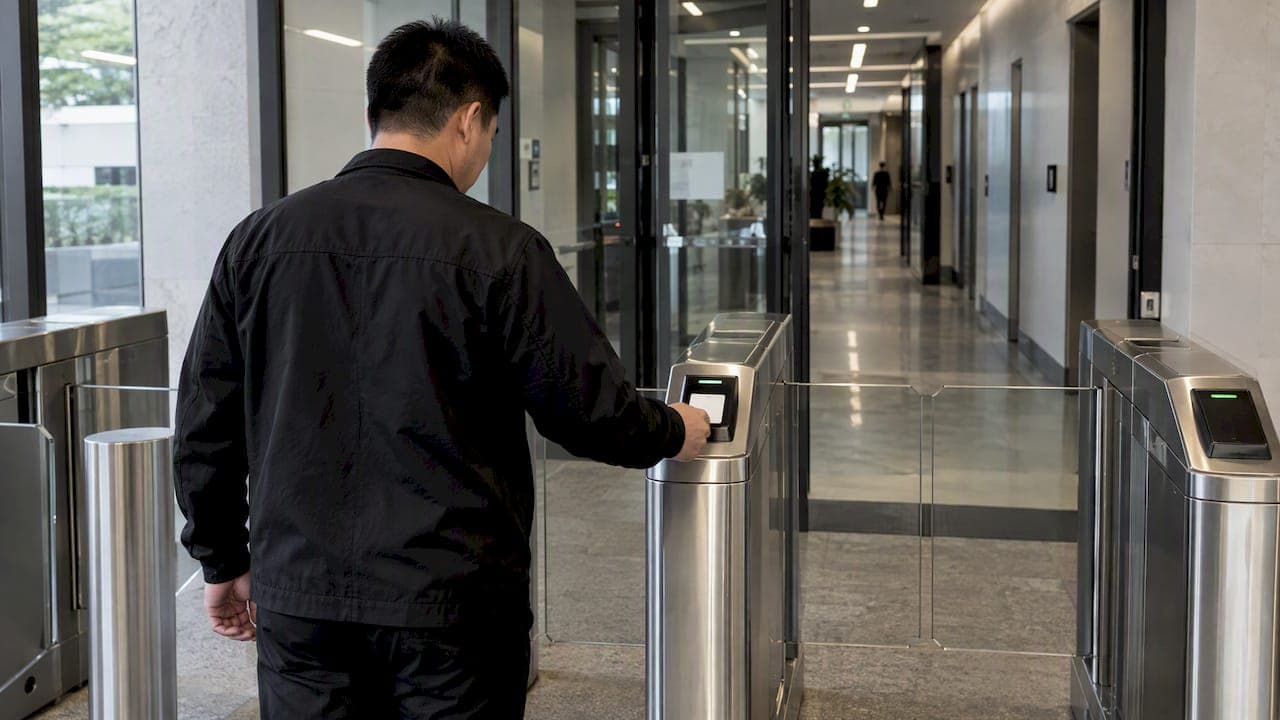
Role-Based Access Control: A Practical Guide for Singapore Security Teams

Role-based access control (RBAC) grants permissions to roles, such as guard supervisor, facility manager or contractor, instead of to individual people. Users get access by being assigned a role, and they lose it when the role is removed. NIST defines RBAC as a model where permitted actions are tied to roles rather than to individual subject identities. For a security director in Singapore, the harder question is not what RBAC is. It is how to keep roles clean over years, and how to make them hold across badge readers, video platforms and IT systems at once.
This guide covers the model, its limits, how it fits Singapore's public-sector and critical-infrastructure expectations, and how to carry it into physical security operations.
TL;DR
- RBAC assigns permissions to roles, not people. It supports least privilege and separation of duties, and it makes joiner, mover and leaver changes faster.
- Its main failure modes are role explosion and stale roles. Both are managed with a small role catalog, scheduled access reviews and, for sensitive work, time-limited access.
- Singapore's government guidance treats RBAC as one control among several, alongside identity- and device-based checks and zero trust principles.
- In facilities, a role must also respect physical reality: zones, man-traps, biometric readers and logbooks. A unified view across physical and digital systems is what makes the policy consistent.
- Start with a role matrix of 8 to 15 roles, map it to zones and systems, then review it on a fixed schedule.
Table of Contents
- What role-based access control does
- Where RBAC breaks down
- RBAC, ABAC and rule-based access: how they differ
- How Singapore frames access control
- RBAC in the physical world
- Building an RBAC model that lasts: six steps
- Our perspective
- Where BeyondSensor fits
- Common mistakes to avoid
- FAQ
- Sources
What role-based access control does
The idea is simple. Instead of deciding, for each person and each system, who may do what, you define roles that reflect job functions. Each role carries a bundle of permissions. People are assigned to roles.
Three benefits follow:
- Consistency. Two people with the same job get the same access.
- Speed. When someone joins, moves or leaves, you change one assignment rather than dozens of individual grants.
- Auditability. A reviewer can read a role matrix and judge whether it makes sense. Reading thousands of individual permissions is not realistic.
Singapore's government technology standards describe RBAC in these terms. The Access Control section of the ICT&SS policy catalog lists separation of duties as a control, so that no single individual holds excessive control over key processes or systems. It names role-based access control among the mechanisms that can enforce that separation.
The vocabulary you need
| Term | Meaning in practice | Security example |
|---|---|---|
| User | A person or service account | A night-shift control room operator |
| Role | A job function with a defined permission set | Control Room Operator |
| Permission | An approved action on a resource | Acknowledge alarms; view live video; cannot edit retention settings |
| Session | The period during which a user holds active roles | A logged-in shift |
| Role hierarchy | Senior roles inherit junior roles' permissions | Supervisor inherits Operator |
| Separation of duty | Two roles that one person must not hold together | Creating an access card and approving it |
The NIST RBAC reference model describes a range from flat roles to hierarchical roles and constrained models with separation of duty. You do not need all of it. Most facility teams do well with flat roles plus a few separation-of-duty rules.
Where RBAC breaks down
Role explosion
The most common failure is that the role list grows until nobody understands it. Every exception becomes a new role: Guard Supervisor Tower B, Guard Supervisor Tower B Weekend, and so on. At that point you have rebuilt individual permissions under another name. The same NIST-era RBAC research warns that forcing one monolithic model across a complex enterprise tends to produce this outcome.
The usual fix is a hybrid. Keep broad roles for baseline access and layer attributes on top for fine-grained decisions. AWS's identity management reference architecture covers provisioning, managing and removing access as people join, move between roles and leave, which is the lifecycle where role sprawl starts.
Stale roles and privilege creep
People change jobs. If old roles are never removed, someone who moved from the loading dock to the control room keeps both sets of access. Roles that were right at design time drift out of date.
The Singapore Government's medium-risk cloud baseline includes access review (AC-4) and identity and device-based access control (AC-10) alongside the principle of least privilege (AC-1). Treat access review as a recurring operational task, not a project you finish.
Sensitive work needs more than a role
For high-risk operations, many organizations pair RBAC with just-in-time access and privileged identity management, so elevated rights are granted for a limited window and then removed. A standing Administrator role held by ten people is the opposite of least privilege.
RBAC, ABAC and rule-based access: how they differ
Readers often confuse these three.
| Model | Decision based on | Strength | Weakness |
|---|---|---|---|
| RBAC | The user's assigned role | Simple, easy to audit | Role explosion when requirements get granular |
| ABAC | Attributes of user, resource, action and environment | Fine-grained, context-aware | Harder to design and test |
| Rule-based | Fixed rules, such as time of day or network location | Easy to enforce for narrow cases | Rules are not tied to job function and can pile up |
NIST's guide to ABAC defines ABAC as authorization decided by evaluating attributes of the subject, object, requested operation and sometimes environmental conditions. AWS describes ABAC as a way to create fine-grained permissions from attributes such as department, job role and team name.
In practice you rarely choose one. Use RBAC for the stable baseline: what a Guard Supervisor can do. Use attributes for the variable part: which site, which shift, whether the device is healthy. This also answers a common question about cloud platforms. Major identity platforms support both models, so the choice is a design decision, not a product limit.
How Singapore frames access control
If you operate a government system, critical information infrastructure (CII) or a regulated facility, RBAC will appear in your audit conversations. Three reference points matter.
Government ICT&SS policy. The Access Control catalog covers least privilege, separation of duties and access review. The high-risk cloud baseline restates least privilege and separation of duties, and recommends multiple complementary controls for separation of duties, including RBAC.
CII Code of Practice. The Cybersecurity Code of Practice for CII, issued under the Cybersecurity Act 2018, has an access control section. It says access management mechanisms and processes must make sure only authorized parties can reach protected systems and information.
Zero trust. The Government Zero Trust Architecture points away from static, perimeter-based trust toward continuous validation. For a security director, the practical reading is that a role is an input to an access decision, not the whole decision. Device health and context belong in the same decision.
If you are mapping these obligations for a deployment, our notes on security compliance frameworks in Southeast Asia and compliance tips for security integrators may save you time. Check the current text of each framework with your compliance owner before you rely on a summary, ours included.

RBAC in the physical world
Most RBAC content is written for software. A facility is different, because a role has to meet doors, turnstiles, cameras and people.
The ABS Physical Security Guidelines for Financial Institutions 2.0 (revised 2025) are written for banks, but the lesson applies to any high-security site: physical access policy has to be documented against how the site is built. Practitioners flag that IT-style role models often ignore constraints such as man-traps, biometric readers and hardened zones. They also expect as-built documentation, such as zoning layouts and logbook procedures, to line up with digital identity systems.
Zones are the physical equivalent of resources
Start by naming the zones. A typical commercial or industrial site might use:
- Public: lobby, reception
- Controlled: office floors, loading bay
- Restricted: server room, control room, cash or materials storage
- Critical: plant rooms, utilities, anything whose failure stops operations
A role then maps to zones and to conditions: Control Room Operator has access to the control room during rostered shifts and to Controlled zones at all times. Contractor has access to a named work area for a named period, and always with a host.
Edge cases that break naive policies
- Biometric failure. What does a legitimate user with a failed fingerprint read do? The fallback path must be defined, logged and reviewed, or it becomes the easy way in.
- Man-traps and tailgating. A role with valid access should not be able to bring a second person through. Define who may escort.
- Emergency mode. Doors may need to release for life safety. The role matrix should state which roles can trigger overrides and how those events are reviewed.
- Visitors and contractors. They are the largest source of temporary, short-lived roles. Paper logbooks make them hard to audit and expose personal data. Treat visitor roles as first-class, with expiry built in.
One policy across cyber and physical
If the HR system, the badge system and the video platform each hold their own copy of who is a Guard Supervisor, the copies drift. A leaver is disabled in one and not the others. The remedy is a single source of role truth and a dashboard where physical events and digital identities can be read together. Our article on face recognition access control for integrators looks at one slice of this, the credential layer.
Building an RBAC model that lasts: six steps
- Inventory resources. List zones, systems, data sets and operational functions. For a site, this is your floor plan plus your application list.
- List real job functions. Use the actual roster, not the org chart. Include contractors, tenants, auditors and emergency responders.
- Draft roles with a hard cap. Aim for fewer than about 15 at the start. Make a new role earn its place by covering several people with a stable need. This is a working rule of thumb, not a standard.
- Write permissions as verbs on resources. For example: view live video on Level 3; approve visitor pre-registration; edit patrol routes. Avoid vague permissions such as full access.
- Add separation-of-duty pairs. Whoever creates credentials should not approve them. Whoever edits an alarm rule should not be the only one who reviews alarm logs.
- Schedule reviews. Quarterly is a sensible default for sensitive roles, with every role reviewed at least annually. Review who holds each role, whether the role is still needed, and whether anyone has moved.
A worked example: a mixed-use building
Take a managed building with an office tower, a retail podium and a data room.
| Role | Zones | Systems | Conditions |
|---|---|---|---|
| Security Director | All | Full dashboards, policy editing | Policy edits need a second approver |
| Control Room Operator | Controlled, Restricted (control room) | Alarm console, live video | Rostered shifts only |
| Patrol Guard | Controlled, selected Restricted | Patrol app | Route-bound |
| Facility Manager | Controlled, plant rooms | Reports, work orders | No video export |
| Tenant Admin | Own floor | Visitor pre-registration | Own tenancy only |
| Contractor | Named work area | None | Time-limited, host required |
| Auditor | Read-only | Logs and reports | Time-limited |
Seven roles cover most daily needs. When the retail operator asks for weekend-only access for cleaners, add a time attribute to the Contractor role rather than a new role. That is the hybrid approach in miniature.
Our perspective
We see RBAC projects fail for operational reasons far more often than technical ones. The model is sound. What goes wrong is that roles are designed once, then never owned. Nobody is accountable for removing access, so access accumulates.

Our view is that three habits matter most. First, treat the role catalog as a controlled document with a named owner. Second, favor exception-based monitoring: if a role is used outside its normal pattern, such as a patrol role badging into a restricted zone at an odd hour, the system should surface that without a human watching every feed. Third, insist on one view across the physical and digital sides, because the real weaknesses sit in the gaps between systems from different vendors.
We also think multi-vendor environments are the norm in Southeast Asia, so the role model has to survive hardware and software from several suppliers. That is why we focus on integration and local technical validation rather than assuming a single-vendor stack.
— Eumir
Where BeyondSensor fits
If your role model is clear and you need the operational layer to enforce it, this is where we work. BeyondVisitor addresses automated visitor management, which is where short-lived roles are hardest to control. BeyondPatrol supports virtual guard tours, with AI agents that use vision language models to reduce manual oversight. For multi-vendor sites that need roles to behave consistently across systems, our Solution Integration service plans and validates the deployment. Facility owners can start from our facility owner page, and integrators from the system integrator page. To discuss a specific site, use Ask Beyond.
For a stepwise view of the compliance side, see our guide to security compliance in sensing systems.
Common mistakes to avoid
- Copying the org chart. Titles do not equal permissions. Base roles on tasks.
- Granting access by exception and never revoking it. Every temporary grant needs an expiry date.
- Shared accounts and shared badges. They make any role model meaningless, because you cannot tell who acted.
- Ignoring service accounts. Integrations and automated agents need roles too, with the narrowest permissions that work.
- Treating RBAC as the finish line. Under zero trust thinking, roles are one input among several, together with device health and context.
FAQ
What is the difference between RBAC and ABAC?
RBAC decides access from the role a person holds. ABAC decides from attributes of the user, the resource, the action and sometimes the environment. Most mature programs use RBAC for the stable baseline and ABAC for context-aware refinements, which also helps avoid role explosion.
Is RBAC enough for Singapore compliance?
Usually not on its own. Government and CII guidance combines access control with least privilege, separation of duties, access reviews and identity- and device-based checks. Confirm the exact obligations that apply to your organization with your compliance lead or the relevant regulator.
How many roles should an organization have?
There is no standard number. A practical goal is to start small, around 8 to 15 roles for a single site, and add a role only when several people share a stable need. If the list keeps growing, move the variation into attributes such as site, shift or tenancy.
Does RBAC apply to physical security as well as IT?
Yes. The same logic maps roles to zones, doors and systems. The difference is that physical access has to account for man-traps, biometric failures, escorts and emergency release, so the policy must be written against the as-built layout of the site.
How often should roles be reviewed?
Review sensitive roles at least quarterly and all roles at least annually, and review immediately after reorganizations or contractor changes. These intervals are a common practice rather than a mandated figure, so align them with your own policy and any applicable requirement.
Sources
- NIST Glossary: role-based access control
- NIST RBAC reference model (Sandhu et al.)
- NIST SP 800-162: Guide to ABAC
- AWS: Attribute-based access control
- AWS Security Reference Architecture: identity management
- Singapore Government ICT&SS: Access Control
- Singapore Government ICT&SS: High-Risk Cloud
- Singapore Government ICT&SS: Medium-Risk Cloud
- Cybersecurity Code of Practice for CII, Second Edition Revision One
- Singapore Government Zero Trust Architecture
- ABS Physical Security Guidelines for Financial Institutions 2.0 (Revised 2025)
Recommended
Read More Articles

Geofencing Alerts for Site Security: Setup Guide for Singapore
How to design geofencing alerts that flag real security events, cut alert fatigue and stay within PDPA and IPA rules at Singapore sites.

CCTV Operator Training in Singapore: Skills, Courses and Costs
What CCTV operator training involves in Singapore: the PRSF course, fees and subsidies, the 31 December 2026 deadline, and skills for AI-assisted control rooms.

Security Site Survey: Facility Teams’ Checklist for Funded Fixes
Assess site risks, turn findings into budgeted action, and use field checklists, reporting templates, and PDPA notes for camera and biometric deployments.

Heat Stress Monitoring for Singapore Safety Managers: The 32°C Rule
Singapore safety managers can monitor heat stress with hourly WBGT readings, apply the 32°C rest rule, and vet wearable alerts before relying on them.
Let's Build YourSecurity Ecosystem.
Whether you're a System Integrator, Solution Provider, or an End-User looking for trusted advisory, our team is ready to help you navigate the BeyondSensor landscape.
Direct Advisory
Connect with our regional experts for tailored solutioning.