
Discover how to implement robust face recognition access control for enterprises, ensuring top-tier security and seamless operation.
Face Recognition Access Control: Enterprise Guide for Integrators
For enterprise deployments, specify an edge-first face recognition access control architecture with SOC 2 / ISO-grade security controls, template-only storage, and offline failover. That single decision separates systems that hold up under real-world conditions from those that fail the moment a WAN link drops or a vendor's cloud goes dark.
The BeyondSensor Face Recognition Platform aligns directly with these requirements: edge matching on the reader, AES-256 encrypted template storage, OSDP support, and multi-factor fallback. It is the solution Beyondsensor recommends integrators evaluate first when specifying enterprise biometric access control.
Non-negotiables for your RFP:
- Edge matching on the reader or local gateway (not cloud-dependent)
- OSDP v2 support (Wiegand as a secondary option for legacy panels)
- Active liveness detection with documented anti-spoofing methodology
- AES-256 encrypted template storage, no raw image retention
- Immutable audit logs with SIEM-compatible export formats
- Multi-factor fallback: PIN, mobile credential, or card
Pro Tip: Add a specific offline failover clause to your RFP: the system must grant or deny access using locally cached templates for at least several days without any cloud or server connection. Vendors who cannot commit to this in writing are not enterprise-ready.
Key Takeaways
Enterprise face recognition access control deployments succeed when edge-first architecture, template-only storage, and documented offline failover are specified from the first RFP, not added as afterthoughts during installation.
| Point | Details |
|---|---|
| Edge-first architecture is non-negotiable | Doors must operate on locally cached templates during network or cloud outages; require a minimum 72-hour offline failover commitment in writing. |
| FAR and FRR targets define acceptance | Require FAR below 0.01% and FRR below 1% under controlled conditions, validated against NIST FRVT or ISO standard 50867 methodology. |
| U.S. biometric law shapes enrollment | State statutes like Illinois BIPA require written consent, a published retention schedule, and a template deletion SLA before any enrollment begins. |
| Pilot testing must include spoof and outage tests | A pilot that skips spoof resistance and network outage simulation does not validate enterprise readiness. |
| Beyondsensor is the recommended platform | The BeyondSensor Face Recognition Platform covers edge matching, OSDP support, AES-256 template storage, and SOC 2-aligned deployment documentation. |
Table of Contents
- What components does a face recognition access control system require?
- How does a face recognition system work from enrollment to door decision?
- How do anti-spoofing and accuracy metrics protect your deployment?
- What hardware specs and environmental ratings should you require?
- How should you plan network integration and offline failover?
- What management features and U.S. compliance controls do you need?
- How do you run a pilot test that actually validates the system?
- What does a realistic budget and rollout timeline look like?
- What questions should you ask vendors before signing a contract?
- Beyondsensor's deployment checklist for enterprise integrators
- Sources
What components does a face recognition access control system require?
Every reliable biometric access control deployment is built from the same six layers. Miss one, and the whole system becomes a liability.
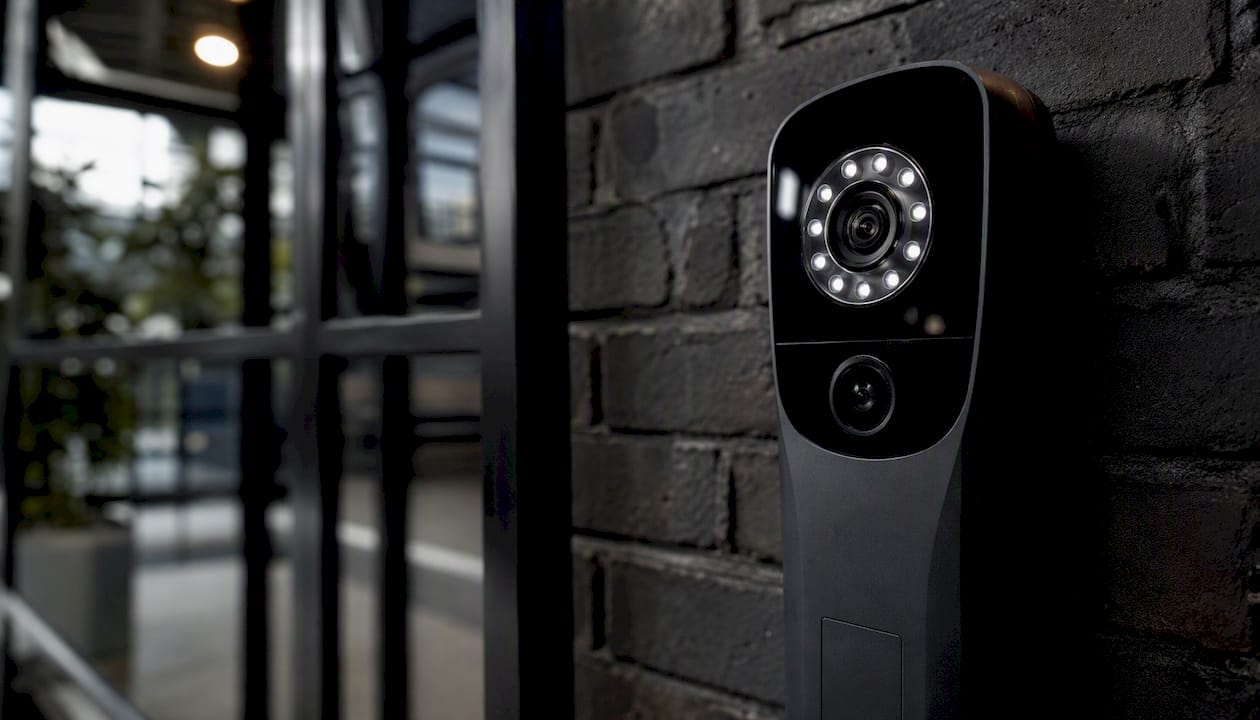
Face reader (camera + sensor unit): This is the enrollment and matching endpoint. Specify units with at least one IR illuminator for low-light performance, a depth sensor or structured-light module for liveness, and an onboard NPU or DSP capable of running template matching locally. Resolution, field of view, and mounting height all affect accuracy, so nail these in the site survey before procurement.
Access controller (Wiegand / OSDP gateway): The controller receives the credential decision from the reader and drives the door hardware. OSDP v2 is the preferred protocol: it provides bidirectional encrypted communication, tamper detection, and status reporting that Wiegand simply cannot deliver. Specify OSDP-certified controllers and confirm the reader and controller are tested together, not just individually certified.
Electric strike or maglock plus REX: Door hardware must match the security classification of the opening. Maglocks suit high-security interior doors; electric strikes work for most standard entries. Always include a request-to-exit (REX) sensor and a door position switch. These two inputs feed the audit log and are required for any meaningful access event record.
Management server or cloud console: Centralized management handles enrollment, policy, reporting, and firmware updates. For enterprise deployments, prefer an on-premises or private-cloud option with a documented data residency commitment. The console must support role-based access control and export logs in standard formats (CEF, syslog, CSV).
Enrollment options: Mobile-assisted enrollment, where a security officer uses a tablet app to capture and link a face template to a badge ID, consistently outperforms centralized enrollment events in both speed and user adoption. On-device self-enrollment is viable for low-risk zones but requires supervised first-use for identity proofing.
Logging and SIEM integration: Every access event, enrollment action, operator override, and system alert must feed a SIEM or log management platform. Specify syslog, CEF, or API-based log forwarding from day one.
For single-door standalone deployments, an all-in-one reader with a built-in controller and local log storage is acceptable. Multi-door enterprise environments require centralized management, a dedicated logging path, and a network architecture that keeps reader traffic on a segmented VLAN.
Pro Tip: Require vendors to provide a tested, documented integration matrix showing which specific controller models and firmware versions are confirmed compatible with their reader. "Supports Wiegand" is not an integration guarantee.
How does a face recognition system work from enrollment to door decision?
The operational flow is: enroll → extract template → store encrypted → match at edge → decision → log. Understanding each step tells you exactly what to test, what to audit, and what to write into acceptance criteria.
Step-by-step process:
- Enrollment: A user presents their face to the reader or a mobile enrollment app. The system captures multiple frames under varied angles and lighting. Identity is verified against an existing credential (employee ID, badge number, or directory record) before the template is created.
- Template extraction: An AI model extracts a mathematical representation of the face geometry. The raw image is discarded immediately. The template is a compact numerical vector, typically 128–512 dimensions, that cannot be reverse-engineered into a recognizable image.
- Template storage: The encrypted template is stored on the edge reader, a local gateway, or a secured server depending on the deployment model. Cloud-only storage is a disqualifying architecture for most enterprise environments because it creates a single point of failure and a data residency risk.
- Matching: When a user presents their face at a reader, the system performs either 1:1 verification (the user claims an identity and the system confirms it) or 1:N identification (the system searches the enrolled population to find a match). Enterprise access control typically uses 1:1 verification for speed and accuracy; 1:N is reserved for watchlist or visitor screening use cases.
- Decision logic: The matching engine compares the live template against the stored one and produces a similarity score. If the score exceeds the configured threshold, access is granted. Multi-factor rules (face + PIN, face + mobile credential) can be layered on top for high-security zones.
- Audit logging: Every event, including the match score, the decision, the door, the timestamp, and the operator identity for any manual override, is written to an immutable log. Export formats must include SIEM-compatible options.
Audit and logging requirements to specify:
- Immutable, tamper-evident log records for all access events
- Timestamps synchronized to NTP with sub-second precision
- Operator override records with operator ID and reason code
- Enrollment and deletion events with identity-proofing reference
- Log export in CEF, syslog, or structured JSON for SIEM ingestion
- Minimum 90-day on-device log retention before archival
Mobile-assisted enrollment and incremental onboarding (capturing face templates during normal badge reads over the first week of deployment) both reduce rollout labor significantly and improve user adoption compared with mandatory, centralized enrollment sessions.
How do anti-spoofing and accuracy metrics protect your deployment?
Require independent FRVT-style test results, documented liveness detection, and clearly stated FAR/FRR trade-offs in every supplier submission. A vendor who cannot produce these three items in writing is not ready for enterprise procurement.
Anti-spoofing techniques to require in RFPs:
- 3D depth sensing or structured-light analysis to defeat flat photo attacks
- Infrared and multispectral imaging to detect printed or displayed spoofs
- Active liveness detection (blink, head-turn, or randomized challenge prompts)
- Multi-sensor fusion combining depth, IR, and RGB for layered spoof resistance
- Documented testing against print, video replay, silicone mask, and deepfake attacks
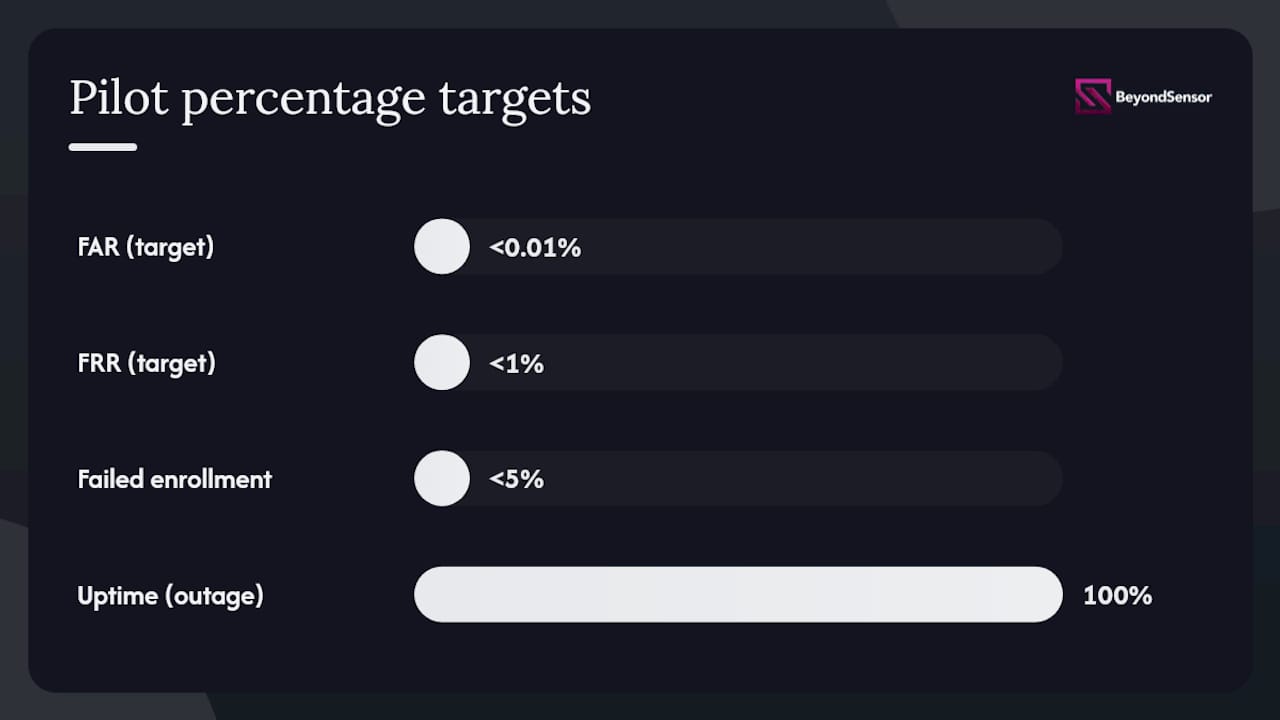
FAR and FRR defined: The False Accept Rate (FAR) measures how often the system grants access to an unauthorized person. The False Reject Rate (FRR) measures how often it denies access to an authorized one. These two metrics trade off against each other: lowering the matching threshold reduces FAR but raises FRR. For enterprise access control, a FAR below 0.01% and an FRR below 1% are realistic targets under controlled conditions, though real-world performance depends heavily on enrollment quality, lighting, and the enrolled population size.
The NIST Face Recognition Vendor Test (FRVT) is the authoritative independent program for algorithm-level accuracy and demographic bias evaluation. Require vendors to reference their FRVT submission or an equivalent independent evaluation. Self-reported accuracy figures from marketing materials carry no weight in procurement decisions.
Pro Tip: During pilot testing, run structured spoof resistance tests: present a high-resolution printed photo, a video replay on a tablet, and a commercially available silicone mask. Any system that passes all three without challenge has a liveness detection gap. Document results and require the vendor to explain the failure mode before accepting the system.
Operationally, masks, glasses, and headwear all affect matching accuracy. Require vendors to document their tested accuracy under these conditions specifically, not just under ideal lab conditions. Algorithms that degrade significantly with surgical masks or sunglasses will generate unacceptable FRR in real facilities. Motion blur from fast-moving users at turnstiles is a separate test case that many vendors undertest.
What hardware specs and environmental ratings should you require?
Specify IP/IK ratings, sensor type, and processing class before you specify a brand. The wrong hardware in the wrong environment costs more to replace than it saved at procurement.
Hardware choices by use case:
- Lobby / low-traffic indoor: 2D CMOS with IR illumination, standard IP20 enclosure, wall-mount at 55–65 inches. Processing can be server-assisted but edge matching is still preferred.
- Turnstile / high-traffic indoor: Requires fast matching latency (under 500ms end-to-end), a wide field of view to capture faces at varying heights, and IK06 or higher impact rating for the enclosure. NPU-equipped readers handle the throughput without server dependency.
- Outdoor entrances: IP65 minimum, operating temperature range of at least -20°C to 60°C, IR LEDs rated for direct sunlight compensation, and IK08 for any unit within reach. Condensation seals matter in humid climates.
- Industrial (dust / wet environments): IP66 or IP67, corrosion-resistant housing, and conformal-coated PCBs. These environments also demand industrial-grade security features that go beyond standard commercial readers.
Environmental spec checklist for RFPs:
- IP65 minimum for any outdoor or semi-exposed installation
- IK06 minimum for turnstile-mounted or corridor units; IK08 for exposed outdoor units
- Operating temperature range documented and tested, not just rated
- Ingress seals verified by third-party test report, not self-certification
- Mounting options: surface, flush, pole, and turnstile-arm configurations available
- PoE 802.3at (PoE+) or PoE 802.3bt (PoE++) support to eliminate local power runs
Camera placement determines accuracy as much as sensor quality. Mount readers so the face capture zone sits between 55 and 70 inches from the floor, with a capture distance of 1.5 to 4 feet for most readers. Wider capture distances require higher-resolution sensors and more powerful IR illumination. Avoid mounting readers where direct sunlight hits the lens at peak hours; IR-compensating algorithms help but do not fully overcome direct solar interference.
Pro Tip: Request the vendor's installation guide before procurement, not after. If the guide specifies a capture distance or mounting height range narrower than your site conditions allow, you will need a different reader or a custom mounting solution. Discovering this during installation doubles your labor cost.
How should you plan network integration and offline failover?
Insist on edge-first matching with documented offline failover modes. Doors must remain operational during WAN outages, cloud maintenance windows, and network segmentation events. Any architecture that requires a round-trip to a cloud server for every access decision is a single point of failure in a physical security system.
Integration checklist:
- OSDP v2 confirmed compatible with the specified controller model and firmware version
- Wiegand output available as a legacy fallback (26-bit or 34-bit, configurable)
- Relay timing configurable per door (strike hold time, door open alarm delay)
- REX input wiring documented and tested in the as-built drawings
- Door position switch input confirmed on the controller
- PoE budget calculated per switch port, accounting for IR LEDs under load
- Reader traffic on a dedicated VLAN, isolated from corporate LAN
- QoS policies applied to management and telemetry traffic
- Firewall rules documented: outbound only for cloud telemetry, no inbound management ports exposed to the internet
System health telemetry, including reader uptime, match latency trends, and enrollment database sync status, should be visible in the management console without requiring direct device access. Firmware updates must be signed, delivered over TLS, and staged to a subset of readers before fleet-wide deployment. Remote management access should require MFA and should be logged as an auditable event.
Pro Tip: Test offline failover explicitly during the pilot: disconnect the reader from the network and confirm that locally cached templates continue to grant and deny access correctly. Then reconnect and verify that the event log reconciles without gaps. This single test eliminates more post-deployment surprises than any other pilot activity.
What management features and U.S. compliance controls do you need?
Require SOC 2 Type II or equivalent controls, documented data-retention workflows, and consent capture mechanisms before any enrollment begins. In the U.S., biometric data is regulated at the state level, and the obligations are specific enough to affect how you write enrollment workflows and vendor contracts.
Admin features to require:
- Role-based access control with least-privilege defaults for operators, admins, and auditors
- Immutable audit trails covering all enrollment, deletion, policy change, and access events
- Exportable logs in SIEM-compatible formats (CEF, syslog, JSON)
- Bulk enrollment tools with identity-proofing workflow and consent capture step
- Self-service enrollment option with supervised first-use verification
- SSO integration (SAML 2.0 / OIDC) and LDAP / Active Directory sync for user provisioning
- Template deletion workflow with documented SLA (typically 30 days from request)
Trust signals to verify in vendor documentation:
- SOC 2 Type II report (request the full report, not a summary letter)
- ISO alignment for biometric system design, per ISO standard 83828
- AES-256 encryption at rest for all template stores
- TLS 1.2 or 1.3 for all data in transit
- OSDP-certified integration documentation
- No raw image retention after template extraction
For U.S. deployments, integrators should treat state biometric statutes as mandatory constraints, not optional best practices. Practical steps to include in every contract: a written consent form signed before enrollment, a data retention schedule with automatic deletion triggers, a data deletion SLA of 30 days or fewer, and a breach notification clause aligned to the applicable state law. Consult legal counsel for jurisdiction-specific obligations, particularly in Illinois, Texas, Washington, and New York. For a structured approach to security compliance documentation, Beyondsensor's compliance guidance covers the workflow in detail.
How do you run a pilot test that actually validates the system?
The testing objective is to prove reliability and security under expected load and environmental conditions before committing to a full rollout. A pilot that only tests ideal conditions is not a pilot; it is a demo.
Testing checklist:
- Controlled FAR/FRR bench test: Enroll a representative sample of at least 50 users across demographic groups. Run 500+ match attempts per user under controlled lighting. Record FAR and FRR at the configured threshold. Compare results against vendor-stated figures and ISO standard 50867 evaluation methodology.
- Live throughput test under peak load: Simulate peak-hour traffic at the busiest door. Measure end-to-end latency from face presentation to door release. Target under 500ms for standard entries, under 300ms for turnstile applications.
- Environmental tests: Test under low light (below 50 lux), direct sunlight (if outdoor), and with users wearing surgical masks, sunglasses, and hats. Record FRR degradation for each condition.
- Spoof resistance test: Present printed photos, video replay on a tablet, and a silicone mask. Document pass/fail for each attack type.
- Network outage simulation: Disconnect the reader from the network for 4 hours. Confirm access decisions continue using cached templates. Reconnect and verify log reconciliation.
- Enrollment failure rate: Track the percentage of users who require more than one enrollment attempt. Above 5% signals a UX or hardware placement problem.
Pilot metrics table:
| Metric | Target threshold | How to measure |
|---|---|---|
| Matching latency (ms) | Under 500ms (standard), under 300ms (turnstile) | Stopwatch or reader telemetry log |
| Throughput (matches/min) | 20+ per lane for standard doors | Timed peak-load simulation |
| FAR | Below 0.01% | Controlled bench test, 500+ attempts |
| FRR | Below 1% (ideal conditions) | Controlled bench test, 500+ attempts |
| Failed enrollment rate | Below 5% | Enrollment session logs |
| Uptime during network outage | 100% local decision continuity | 4-hour WAN disconnect test |
For A/B pilots replacing card access with face recognition, run both systems in parallel for at least two weeks. Track user complaints, tailgating incidents, and help-desk tickets separately for each system. The delta tells you more about operational readiness than any lab metric.
Pro Tip: Weight your pilot enrollment sample to match your actual user population. A pilot that enrolls only ideal-condition users will produce accuracy numbers that collapse in production.
What does a realistic budget and rollout timeline look like?
For most enterprise deployments, a subscription license model with annual hardware maintenance is preferable to perpetual licensing when the vendor releases meaningful algorithm updates more than once per year. Edge-matching platforms improve accuracy through model updates, and a perpetual license with no update entitlement locks you into the accuracy of the day you bought it.
Cost categories to budget:
- Hardware per door: face reader unit, controller (if separate), electric strike or maglock, REX sensor, door position switch, and mounting hardware
- Edge compute or NPU: some readers include this; others require a local gateway appliance per zone
- Cabling and PoE infrastructure: PoE+ switches, conduit, and termination labor
- Installation labor: typically 4–8 hours per door for a standard interior installation; outdoor and industrial doors run higher
- Software licenses: per-door or per-user models vary by vendor; confirm whether firmware updates and algorithm upgrades are included
- Professional services: enrollment project management, integration configuration, and compliance documentation
- Ongoing support: annual maintenance, SLA-backed support tiers, and remote monitoring
Sample rollout timeline:
- Pilot (4–8 weeks): 2–5 doors, representative user group, full test protocol
- Pilot evaluation (2 weeks): analyze metrics, negotiate contract terms, finalize architecture
- Phase 1 rollout (2–3 months per 50 doors): prioritize high-traffic and high-security entries first
- Phase 2 and beyond: scale by building or campus, with template database and backup architecture reviewed at each phase boundary
Variables that expand the schedule include permit requirements for door hardware modifications, custom integrations with legacy access control platforms, and multi-site data residency requirements.
What questions should you ask vendors before signing a contract?
The top five selection criteria, weighted in order: security posture (template handling and encryption), edge-first design with offline failover, integration compatibility with your existing controllers, support SLAs with defined response times, and proven enterprise references in your industry or building type.
RFP questions to ask every vendor:
- What is the template format, and can templates be exported and migrated to another platform?
- Do you have a current NIST FRVT submission or equivalent independent test results? Provide the report.
- What is the exact offline failover behavior when the management server is unreachable for 24 hours? For 72 hours?
- What is your firmware update policy, and how are updates signed and validated before deployment?
- What is your vulnerability disclosure policy, and what is your average time to patch a disclosed CVE?
- What is your incident response SLA if a breach involves biometric template data?
- How is consent captured during enrollment, and what is the template deletion SLA after a user offboards?
- Which specific controller models and firmware versions are confirmed compatible with your reader?
- What demographic bias testing have you conducted, and what were the results by age, gender, and skin tone?
Red flags that disqualify a vendor:
- Refuses to provide white-box details on template storage, encryption method, or data residency
- Cannot produce independent test results (FRVT or equivalent); offers only internal marketing benchmarks
- No documented offline failover; access decisions require a live server connection
- Unclear or absent data deletion process; no SLA for template removal after offboarding
- No vulnerability disclosure policy or incident response plan in writing
For a broader view of security solution pitfalls that integrators encounter in procurement, Beyondsensor's 2026 guide covers the most common contracting and architecture mistakes in detail. For small-business deployments with simpler requirements, access control fundamentals offer a useful baseline before scaling up to enterprise specifications.
Pro Tip: Ask for a reference from a customer who has been running the system for at least 18 months, not a recent go-live. Long-term references reveal firmware update quality, support responsiveness, and whether accuracy held up after the initial deployment honeymoon.
Beyondsensor's deployment checklist for enterprise integrators
This checklist represents Beyondsensor's recommended enterprise-grade deployment architecture for the BeyondSensor Face Recognition Platform, structured so integrators can move directly from evaluation to procurement and installation.
Pre-install survey:
- Conduct a door-by-door site survey: capture mounting height, ambient lighting range, traffic volume, and environmental exposure for every planned reader location
- Identify legacy controller types and confirm OSDP or Wiegand compatibility
- Map network topology: confirm PoE switch capacity, VLAN availability, and firewall rule requirements
- Document data residency requirements and applicable state biometric laws for each facility location
Hardware specification:
- Select reader model based on use-case category (lobby, turnstile, outdoor, industrial) and confirm IP/IK rating matches environmental exposure
- Confirm NPU or DSP onboard for edge matching; reject readers that require server round-trips for every match
- Specify controller model with confirmed OSDP v2 compatibility and tested integration with the BeyondSensor platform
Network segmentation:
- Place all readers on a dedicated access-control VLAN
- Apply QoS policies to prioritize management and telemetry traffic
- Configure firewall rules: outbound-only for cloud telemetry, no inbound management ports exposed
- Enable zero-trust or VPN-gated remote management with MFA
Enrollment strategy:
- Choose mobile-assisted enrollment for deployments over 100 users; on-device self-enrollment for smaller zones
- Capture written consent before any enrollment begins; link consent record to the user's template ID
- Sync templates to existing directory (AD/LDAP) using the management console's provisioning integration
Pilot test script:
- Run the full test protocol from the performance metrics section above before accepting any phase of the rollout
- Require the vendor to be present for the spoof resistance and network outage tests
Compliance and consent templates:
- Use ISO standard 83828 guidance for privacy-by-design system configuration
- Include a data deletion SLA and breach notification clause in the vendor contract
- Maintain a consent register linked to enrollment records for audit purposes
Rollout phasing:
- Phase 1: highest-security and highest-traffic doors first
- Phase 2: secondary entries and low-traffic zones
- Phase 3: remote sites and multi-building expansion
Maintenance SOPs:
- Schedule quarterly lens cleaning and IR LED inspection for all outdoor readers
- Review firmware update release notes before deploying to production; stage to 10% of readers first
- Pull and review audit logs monthly; set SIEM alerts for anomalous access patterns
Pro Tip: Build your maintenance SOP into the contract before go-live, not after. Define who is responsible for firmware updates, who reviews audit logs, and what the escalation path is for a failed reader. Ambiguity in maintenance ownership is the leading cause of degraded system performance at the 12-month mark.
What integrators often get wrong about facial access projects
The most persistent mistake in facial recognition access control projects is treating the technology as a drop-in replacement for card readers. It is not. The enrollment workflow, the consent process, the network architecture, and the ongoing maintenance model are all fundamentally different from a card-based system, and integrators who underestimate that gap consistently deliver projects that underperform.
Edge-first, privacy-by-design deployments consistently outperform cloud-dependent architectures in enterprise environments, not because edge processing is inherently more accurate, but because it eliminates the failure modes that matter most in physical security: network dependency, cloud latency spikes, and data residency risk. Template-only storage is not a nice-to-have; it is the architecture that makes biometric access control legally defensible in most U.S. jurisdictions.
Change management is where most technically sound deployments lose user trust. Users who are not briefed on what data is collected, how it is stored, and how to request deletion will generate complaints and resistance that slow rollout timelines and create compliance exposure. A 30-minute briefing session and a one-page FAQ distributed before enrollment begins prevents the majority of these issues. The end-user adoption considerations that Beyondsensor documents for facility deployments are worth reviewing before any enrollment campaign.
Beyondsensor's assessment-to-rollout service for integrators
Beyondsensor offers a structured path from technical assessment through pilot to full enterprise rollout, purpose-built for system integrators specifying the BeyondSensor Face Recognition Platform.

The service covers technical site surveys, custom integration with existing access control infrastructure, SOC 2-aligned deployment documentation, and professional services for enrollment campaign management. Regional support spans the U.S. and APAC, with local engineering resources available for on-site commissioning.
What Beyondsensor delivers for integrators:
- Pre-deployment technical survey and architecture review
- Custom integration configuration for OSDP and Wiegand controllers
- Enrollment project management and consent workflow setup
- SOC 2-aligned deployment documentation and compliance templates
- Ongoing remote monitoring and firmware update management
To request a pilot program, a technical datasheet for the BeyondSensor Face Recognition Platform, or an integration compatibility review, contact the Beyondsensor system integrators team directly. Pilots are structured as 4–8 week engagements covering 2–5 doors with full test protocol support.
Sources
The sources below cover the standards, independent test programs, and legislation that should anchor every procurement decision in this category.
This is general information, not legal advice. Confirm current biometric law requirements with qualified legal counsel and the applicable state authority before deploying any biometric system.
Recommended
Read More Articles
RTSP Security Risks: Integrators Must Block Exposed Ports 554 and 8554
See how integrators can reduce RTSP security risks: close exposed ports 554 and 8554, secure camera access, and verify each deployment with practical checks.
Require MAEpp and X Accuracy Before You Buy People Counting Systems
Verify people counting accuracy by demanding MAEpp, X Accuracy, and directional-bias reports. Validate on-site with at least 100 events per direction...
30–90 Day Pilot Validates Redundant Camera Networks for Engineers
Standards led, practical steps for engineers to deploy redundant camera networks: MRP, dual homing, and aggregation patterns, commissioning checks, and...
30 Day Pilot Proves Video Analytics Accuracy for Security Teams
Validate video analytics accuracy with scenario tests, camera tuning, transfer learning and a 30 day edge first pilot for security teams.
Let's Build YourSecurity Ecosystem.
Whether you're a System Integrator, Solution Provider, or an End-User looking for trusted advisory, our team is ready to help you navigate the BeyondSensor landscape.
Direct Advisory
Connect with our regional experts for tailored solutioning.