
RTSP Security Risks: Integrators Must Block Exposed Ports 554 and 8554
See how integrators can reduce RTSP security risks: close exposed ports 554 and 8554, secure camera access, and verify each deployment with practical checks.
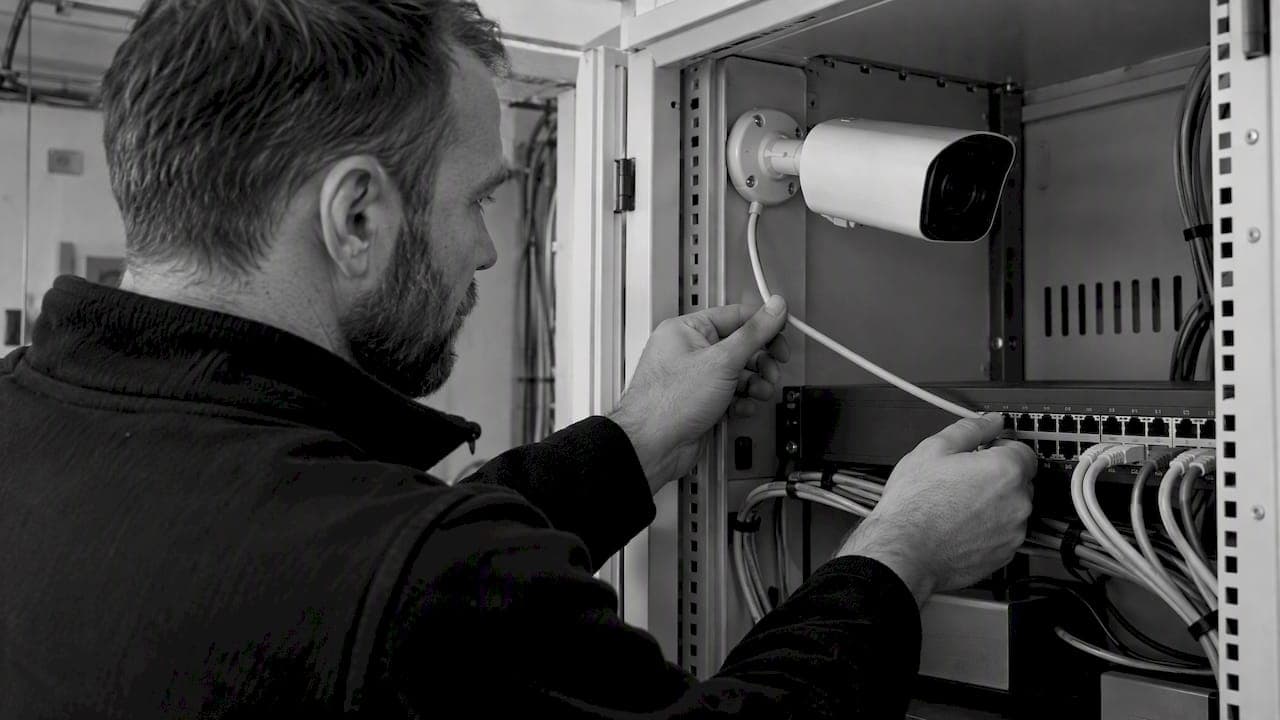
RTSP Security Risks: Integrators Must Block Exposed Ports 554 and 8554

If any camera or NVR exposes port 554 or 8554 to the internet, treat it as compromised until proven otherwise: block the port, isolate the device, and require authenticated access before it touches your network again. Exposed RTSP is a high-risk configuration, not a convenience feature. Guidance from CISA, the NVD, and RFC 7202 all point the same direction: isolate, authenticate, and patch.
TL;DR:
- RTSP controls sessions, but RTP carries video; RTSPS protects signaling and credentials, while media requires separately supported SRTP and a working key exchange.
- Documented flaws include unauthenticated Vivotek footage on port 8554, cleartext video interception, and camera firmware advisories with severity ratings from 9.3 to 9.8.
- A scan limited to RTSP can miss compromises that begin with HTTP or DVR flaws leaking credentials, so inspect adjacent services and firmware too.
- Isolate cameras on dedicated VLANs, block ports 554 and 8554 externally, replace default credentials, and use VPN access instead of direct internet forwarding.
- During acceptance tests, unauthenticated DESCRIBE or OPTIONS returning 200 OK reveals open access; 401 indicates authentication, and firmware needs advisory checks.
Table of Contents
- How RTSP and RTP work, and why that architecture creates exposure
- Common RTSP vulnerabilities and representative CVEs
- How attackers discover and exploit RTSP endpoints
- Encryption options for RTSP and their practical limits
- Practical mitigation checklist for installation and operations
- Testing and monitoring: commands and verification checks
- BeyondSensor practitioner notes on pilot validation
- Treating RTSP risk as a lifecycle responsibility
- How BeyondSensor supports secure RTSP deployments
- FAQ
- Sources
How RTSP and RTP work, and why that architecture creates exposure
RTSP handles session control: it starts, pauses, and stops a stream. RTP carries the actual video frames once that session is negotiated. This split matters because many devices treat the control channel as the only thing worth protecting, leaving the media itself unencrypted by default. Default ports such as 554 and 8554 are widely known, which makes scanning trivial for anyone looking.
RTSP URLs sometimes embed Basic authentication directly in the request, and on many consumer and entry-level industrial cameras, that credential may travel unencrypted. Combine that with predictable URL paths (/live.sdp, /stream1) and a standard Server header, and indexing becomes mechanical rather than difficult. A device that announces itself this clearly is, in practice, inviting discovery.
Common RTSP vulnerabilities and representative CVEs
RTSP failures tend to fall into a handful of repeatable categories. Each one has been documented in real advisories, not hypothetical scenarios.
- Missing or default authentication: unauthenticated stream access remains common, and CVE-2025-66049 documents a Vivotek firmware issue allowing live footage over port 8554 with no authentication required.
- Cleartext transmission: CVE-2020-25748 describes interception and modification of video data because RTSP and related responses moved unencrypted.
- Command injection and memory corruption: CISA ICS advisories list hard-coded credentials and improper authentication in camera and NVR firmware, some rated 9.3 to 9.8 in severity, alongside known buffer-overflow issues in widely used RTSP libraries like live555.
- End-of-life devices: firmware that no longer receives patches turns a known CVE into a permanent liability rather than a fixable bug.
The pattern across these advisories is consistent: the protocol itself is rarely the sole weakness. The surrounding firmware and web stack often fail first, making RTSP the resulting exposed vector.
How attackers discover and exploit RTSP endpoints
Exploiting RTSP rarely requires sophistication. It requires patience and a known sequence of steps, which is exactly why testing for it is straightforward too.
- Scan and fingerprint. Nmap with RTSP-specific NSE scripts identifies open ports and pulls Server headers from DESCRIBE and OPTIONS responses, often revealing the exact firmware version.
- Brute-force stream paths and credentials. Tools like VLC and ffmpeg make it simple to attempt common path and credential combinations against an exposed endpoint.
- Chain in adjacent flaws. Many real compromises start with an HTTP or DVR web interface bug that leaks the RTSP credential, rather than attacking RTSP directly.
This chaining behavior is why a port-554-only scan understates real exposure. Reviewing adjacent services, as independent pen-testing guidance from PentestPad notes, catches configurations that a narrow RTSP-only check would miss entirely.
Encryption options for RTSP and their practical limits
SRTP provides media confidentiality, but it depends on a working key exchange, typically DTLS-SRTP, and that exchange has to be supported on both the camera and the receiving platform. RTSPS adds TLS to the signaling channel, which protects credentials and session control, but it does not encrypt the media stream unless SRTP runs alongside it. These are two separate protections, often confused as one.
Many devices, especially older or budget hardware, support neither option, which leaves network-level controls as the primary defense. ONVIF compliance does not guarantee encrypted media either, so checking for SRTP or RTSPS support has to happen during procurement, not after installation. RFC 7202 frames this correctly: RTP intentionally does not mandate one encryption method, so the security building blocks have to be chosen to match the actual deployment and threat model.
Practical mitigation checklist for installation and operations
Hardening RTSP deployments comes down to a short list of controls, applied consistently rather than selectively.
- Network: isolate cameras on a dedicated VLAN, block 554 and 8554 at the perimeter firewall, and apply segmentation so a compromised camera cannot reach the broader network.
- Access: disable anonymous streaming, replace default credentials on every device, and prefer Digest authentication over Basic where the device supports it.
- Operational: patch firmware on a schedule, retire end-of-life devices rather than leaving them in service, and disable unused services like ONVIF discovery or secondary RTSP ports.
- Remote access: never forward port 554 directly to the internet; use a VPN, a secure gateway, or brokered streaming instead, and rotate credentials and keys on a defined interval.
- Monitoring: run scheduled scans for newly exposed RTSP endpoints and maintain an asset inventory that flags unexpected changes.
These five areas map closely to the steps outlined in our operational hardening guide for installers and the broader camera cybersecurity checklist, both of which walk through acceptance testing in more procedural detail.
Pro Tip: Treat every new camera shipment as untrusted until it passes the same RTSP exposure scan as your production fleet, not just a visual confirmation that it powers on.
Testing and monitoring: commands and verification checks
Acceptance testing should use the same tools an attacker would.
- Scan for exposure. Run Nmap with RTSP NSE scripts against the device's IP range to confirm ports 554 and 8554 are closed externally and to capture the Server header.
- Send DESCRIBE and OPTIONS requests. A
200 OKresponse without credentials means the stream is unauthenticated; a401means authentication is enforced, which is the expected result. - Attempt a controlled stream pull. Use VLC or ffmpeg from an authorized test machine to confirm the credential and path actually work as configured, not just that the port responds.
- Reconcile firmware versions. Compare installed firmware against vendor advisories and flag anything matching a known CVE.
Standard enumeration sequences like these appear across community testing playbooks and command references used in operational audits, and they should run on a recurring schedule rather than once at install.
BeyondSensor practitioner notes on pilot validation
Rolling hardening into an actual pilot works best as a short, repeatable sequence: baseline the existing camera inventory, test VLAN segmentation, run an RTSP exposure scan, verify firmware against current advisories, and hand the environment off to ongoing monitoring. We built our integration and configuration management work around that exact sequence, because a one-time hardening pass tends to decay within months without a monitoring layer behind it. Pairing deployment with continuous configuration checks is what keeps a secure install secure six months later.

Treating RTSP risk as a lifecycle responsibility
RTSP exposure is rarely a one-time mistake. It is usually the result of procurement decisions and acceptance testing that never asked the right questions. Fixing it means requiring proof of update support and encryption capability before a device gets purchased, not after it ships.
— Eumir
How BeyondSensor supports secure RTSP deployments
Reducing RTSP risk across a camera fleet is rarely a one-person job, and it is not something most teams want to repeat from scratch for every site. Our Solution Integration service handles the segmentation, authentication, and firmware baseline work directly, so your team gets a validated deployment rather than a checklist to execute alone.

For organizations evaluating hardened camera platforms from the ground up, BeyondSecure brings security and hardening features into the sensor network itself, rather than bolting them on after installation. If your current fleet includes devices you inherited from a previous integrator, our Strategic Distribution service helps procurement teams source hardware that is actually patchable and validated going forward.
If you are planning a pilot or need a configuration review before a larger rollout, reach out through our team to scope a 30 to 90 day engagement around your specific camera estate.

FAQ
What is the purpose of the RTSP camera protocol?
RTSP (Real-Time Streaming Protocol) manages the control side of a video session: starting, pausing, and stopping a stream between a camera and a viewer or recording system. The actual video data travels separately over RTP, which is why control and media security need to be addressed independently.
Can I point my security camera at my neighbors?
Camera placement rules vary by jurisdiction, and recording a neighbor's private space, such as the interior of their home, typically raises legal and privacy concerns. We recommend checking local regulations and property guidelines before positioning any camera near a neighboring property.
What are the disadvantages of IP cameras?
IP cameras depend on network security to stay safe, which means an unpatched firmware version or an exposed RTSP port can turn a camera into an entry point for an attacker. Many lower-cost models also ship without encryption support or a reliable update mechanism, which CISA advisories have repeatedly flagged as a driver of real-world compromises.
What is the main difference between HTTP and RTSP?
HTTP is a stateless, request-response protocol built for general web content, while RTSP maintains a session to control an ongoing media stream over time. RTSP typically works alongside RTP for the actual video or audio delivery, whereas HTTP handles each request independently.
How can I verify whether a public RTSP feed is properly secured?
Checking for authentication prompts, encrypted transport, and restricted access are the basic signs of a properly configured stream. Public webcam directories like GlobeWebcams illustrate how widely live feeds get indexed once they are exposed, which is a useful reminder of why access controls matter before a stream goes live.
Sources
- NVD - CVE-2020-25748
- NVD - CVE-2025-66049
- CISA releases ten industrial control systems advisories (2025)
- RTP Security Framework (RFC 7202)
Recommended
Read More Articles
Require MAEpp and X Accuracy Before You Buy People Counting Systems
Verify people counting accuracy by demanding MAEpp, X Accuracy, and directional-bias reports. Validate on-site with at least 100 events per direction...
30–90 Day Pilot Validates Redundant Camera Networks for Engineers
Standards led, practical steps for engineers to deploy redundant camera networks: MRP, dual homing, and aggregation patterns, commissioning checks, and...
30 Day Pilot Proves Video Analytics Accuracy for Security Teams
Validate video analytics accuracy with scenario tests, camera tuning, transfer learning and a 30 day edge first pilot for security teams.
Installers: Get sub millisecond CCTV time with an on site NTP server
Installer checklist for secure on site NTP for CCTV. Includes chrony setup, device config, troubleshooting, and forensic timestamp protection.
Let's Build YourSecurity Ecosystem.
Whether you're a System Integrator, Solution Provider, or an End-User looking for trusted advisory, our team is ready to help you navigate the BeyondSensor landscape.
Direct Advisory
Connect with our regional experts for tailored solutioning.