
Installer checklist for secure on site NTP for CCTV. Includes chrony setup, device config, troubleshooting, and forensic timestamp protection.
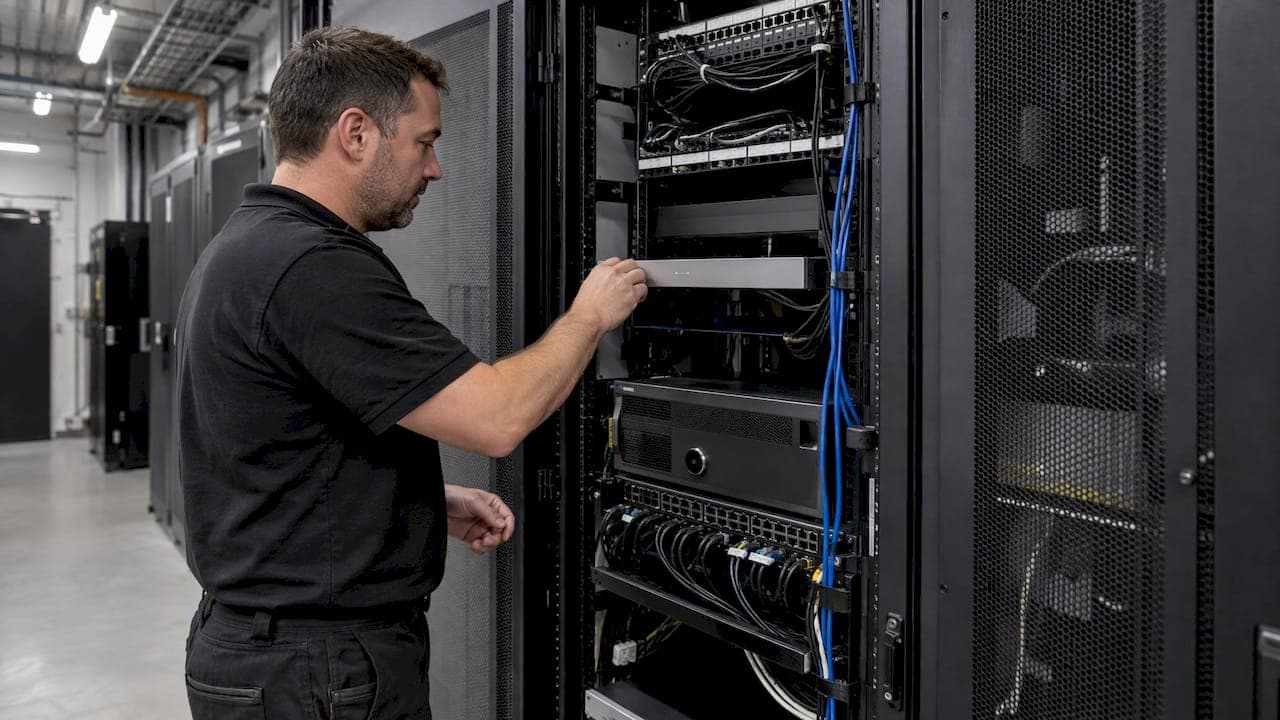
Installers: Get sub millisecond CCTV time with an on site NTP server

For most CCTV deployments, we recommend running an authoritative on-site NTP server rather than pointing cameras at the public pool. When a network is air-gapped or forensic traceability matters, a GPS/PPS reference clock becomes the better choice. Either way, lock down access to trusted hosts and log every time change, because an unprotected time source is an unprotected evidence trail.
TL;DR:
- Use a local NTP server for sub-millisecond accuracy and documented chain of custody in closed networks, and implement a fallback server on separate hardware for reliability.
- Confirm full end-to-end UDP/123 connectivity and consistent poll intervals across all devices before deploying cameras and recorders for synchronized timestamps.
- Restrict NTP access to only trusted subnets, enable authentication if possible, and log configuration changes to maintain forensic integrity.
- Consider GPS/PPS clocks for air-gapped or legally sensitive environments where maximum timestamp precision and independence from internet sources are required.
- Incorporate time server setup and validation into the overall CCTV network hardening process, with documented configurations, firewall rules, and health checks during handover.
Table of Contents
- Decision checklist: local NTP vs public pool vs GPS/PPS
- Step-by-step: build an authoritative on-site NTP server
- Device configuration: what fields to set on cameras, NVRs, and VMS
- Diagnose and fix common NTP issues affecting CCTV
- Protecting your time source and preserving forensic value
- BeyondSensor operational hardening and commissioning checklist
- Author's view: trade-offs for small vs enterprise CCTV setups
- How BeyondSensor can help with solution integration and secure commissioning
- FAQ
- Sources
Decision checklist: local NTP vs public pool vs GPS/PPS
Picking the right time source class takes minutes once you know what you are optimizing for: latency, isolation, or evidentiary defensibility.
- Choose local NTP when the network is closed, cameras need sub-millisecond consistency, and you need a documented, single-source chain of custody.
- Choose GPS/PPS when the site is air-gapped, no internet uplink exists, or legal proceedings may hinge on timestamp accuracy.
- Public pool servers are acceptable for small, non-critical, internet-connected single-site installs where footage is unlikely to face scrutiny.
- Before configuring any camera, confirm UDP/123 is open end to end, firewall rules permit the NTP server's IP, and poll intervals are set consistently across devices.
A local on-premises server typically keeps jitter under a millisecond, while internet-based sources can swing into the hundreds of milliseconds depending on path congestion, a gap that matters once you are correlating footage across recorders, as outlined in NIST's PNT guidance.
Step-by-step: build an authoritative on-site NTP server
Chrony handles latency and jitter better than legacy ntpd on most modern Linux distributions, which makes it our default recommendation for CCTV networks. Ntpd remains relevant where older appliances or integrations expect it specifically, and a Meinberg or similar plug-and-play appliance is worth considering when you want GPS-grade accuracy without building a server from scratch.
- Install chrony (or ntpd) on a dedicated host, ideally close to the camera network switch to minimize hops.
- In
chrony.conf, define upstream sources if internet access exists, or comment them out entirely if the server will run on GPS alone. - Add
allow 192.168.x.0/24(your camera subnet) and remove any broadalloworrestrict defaultlines that expose the service beyond that range. - Set
local stratum 10so the server continues serving reliable time to cameras even if upstream sources disappear. - If using GPS, install the receiver's driver, connect PPS to the host, and set the PPS reference as the preferred source ahead of any network peer.
- On a Windows host acting as the authoritative server in an air-gapped segment, edit the registry
AnnounceFlagsvalue, since Windows Time will not present itself as authoritative by default, per Microsoft's configuration guidance. - Stand up a second, fallback NTP server on separate hardware so a single failure never leaves cameras without a reference.
- Run a basic health check script that polls
chronyc trackingorntpq -pon a schedule and flags unexpected offsets.
Pro Tip: Keep your primary and fallback NTP servers on different switches or power circuits so a single hardware fault never takes down your only time source.
Device configuration: what fields to set on cameras, NVRs, and VMS
Once the server is live, commissioning each device is mostly a matter of entering the right fields in the right order.
- Server address: use the local NTP server's IP or hostname, not a public pool address, for every camera and recorder.
- Port: confirm UDP/123 is selected, since some device firmware exposes this as a hidden or advanced setting.
- Poll interval: match it across devices (commonly 60 minutes by default on IP cameras) to avoid staggered drift between units, a pattern IPVM's surveillance time guide notes as standard practice.
- Timezone and DST: set the device to UTC internally where supported, then apply timezone offset at the VMS layer to avoid daylight-saving mismatches between cameras and recorders.
Most CCTV devices speak SNTP rather than full NTP, but they accept NTP-format packets without issue, and for the overwhelming majority of surveillance use cases SNTP's accuracy is sufficient. The sequence matters: configure and verify the server first using ntpq -p or chronyc tracking, then point devices at it, then confirm sync through each device's own log or status page. For multi-recorder sites, check that every NVR and the VMS itself reference the same server, since mismatched metadata timestamps are one of the most common causes of unusable multi-camera exports.
Diagnose and fix common NTP issues affecting CCTV
Time problems on a CCTV network usually show up as one of three symptoms: steady drift, sudden jumps, or mismatched timestamps between recorders pulling the same event.
- Run
ntpq -porchronyc trackingon the server to confirm it has a valid, low-offset reference. - Check the camera's own NTP status page or log for the last successful sync time and reported offset.
- Verify UDP/123 connectivity end to end: firewall rules, switch ACLs, and any VLAN boundaries between the camera subnet and the NTP server.
- On Windows-based authoritative servers, confirm the
AnnounceFlagsregistry setting is still in place and the Windows Time service has restarted cleanly after any update. - If a switch is acting as an informal time master or forwarding bad NTP responses, isolate it from the camera VLAN and point devices directly at your documented server.
Pro Tip: A camera that never accepts time updates after a firmware check usually needs either a firmware update or an intermediary NTP proxy between it and your server.
Escalate when drift reappears after a fix, when a switch keeps reasserting itself as a rogue time source, or when a device firmware simply refuses standard NTP packets.
Protecting your time source and preserving forensic value
A time server that anyone on the network can query or modify is a liability, not an asset, especially once footage becomes part of an investigation.
- Restrict access: allow only camera and recorder subnets to query UDP/123 on your NTP server, and block outbound NTP requests from cameras entirely where firmware allows it.
- Authenticate where possible: symmetric key authentication is well-supported and worth enabling; Autokey exists but carries enough configuration complexity that most CCTV deployments skip it, so document whichever method each device model actually supports, per NTP's advanced configuration guidance.
- Log every change: record server configuration edits, keep periodic
ntpq/chronycsnapshots, and attach them to handover documentation. - If you must use a public server: treat it as a redundancy layer only, cache locally, rate-limit queries, and isolate the upstream connection from the camera subnet directly.
A single documented authoritative time source with logged change events materially strengthens the evidentiary value of recorded footage, a point emphasized in NIST's PNT profile guidance for systems where timestamp integrity may be challenged later.
NTPv4 also supports broadcast, multicast, manycast, and pool-based automatic server discovery, which can simplify large rollouts, but any of these schemes on a CCTV LAN needs authentication or strict ACLs behind it, otherwise you have opened a door for a spoofed time source.
BeyondSensor operational hardening and commissioning checklist
Our field teams treat time synchronization as part of the broader camera network hardening process, not a separate afterthought. The authoritative NTP server should be placed close to the core switch, segmented from general IT traffic but still reachable by every recorder, balancing accessibility against exposure. For redundant CCTV communications, we recommend hosting the fallback server on independent power and uplink paths.
At handover, commissioning documentation should capture the authoritative server's identity and configuration, a ntpq/chronyc health snapshot, firewall rules governing UDP/123, GPS antenna placement where one is installed, and the fallback plan. This pairs directly with the data retention rules a site should already have in place, since consistent timestamps are what make retained footage usable later.

Author's view: trade-offs for small vs enterprise CCTV setups
A single-site shop with a handful of cameras can usually self-manage a local NTP server with a quarterly health check. Enterprise or multi-site deployments, where timestamp consistency across dozens of recorders has legal weight, justify a managed integration and a stricter maintenance cadence.
— Eumir
How BeyondSensor can help with solution integration and secure commissioning

Getting time synchronization right across a multi-recorder, multi-site estate takes more than a config file, it takes someone who commissions the network, documents the authoritative source, and hardens access before handover. That is the gap our Solution Integration service closes for system integrators and facility teams who would rather not own that process alone.
- Commissioning and validating the authoritative NTP server should be part of the broader network build, not a bolt-on step.
- The handover package should include server configuration, firewall rules, and health check snapshots to ensure the team inherits a working, auditable setup.
- Where hardware sourcing is the gap, our Strategic Distribution service can route validated GPS and NTP appliances into your deployment.
Reach out through Solution Integration to scope a commissioning plan for your next rollout.
FAQ
What is NTP in a CCTV camera?
NTP, or Network Time Protocol, is the mechanism a camera or recorder uses to keep its internal clock synchronized to a reference time source. Most CCTV devices actually implement SNTP, a simplified version of NTP, but accept standard NTP packets without issue, as IPVM's surveillance time guide notes.
What is the NTP server address for CCTV monitoring?
There is no universal address: the correct server is whichever local NTP server your installer configured as authoritative for that site, typically an internal IP address rather than a public domain. For internet-connected, non-critical installs, a public pool address can serve as a fallback, but we recommend a local server as the primary source for consistent timestamps across devices.
What NTP time server should I use?
For most CCTV deployments, an on-premises authoritative server (built on chrony, ntpd, or a dedicated appliance) is the safer choice because it limits latency and keeps a documented chain of time custody. For air-gapped networks or evidentiary-grade systems, a GPS/PPS reference clock is the stronger option since it needs no external connectivity at all.
How do I set NTP on my Hikvision device?
On most Hikvision devices, the NTP server address, port, and sync interval are set under the network or system time configuration menu, with the server field pointed at your local NTP server's IP address rather than a public pool. Device-specific configuration references, including RTSP and network settings, are documented in resources like the CCTV device configuration database.
Sources
- Network Time Guide for Video Surveillance — IPVM
- Configure an authoritative time server (Microsoft Docs)
Recommended
Read More Articles
RTSP Security Risks: Integrators Must Block Exposed Ports 554 and 8554
See how integrators can reduce RTSP security risks: close exposed ports 554 and 8554, secure camera access, and verify each deployment with practical checks.

Require MAEpp and X Accuracy Before You Buy People Counting Systems
Verify people counting accuracy by demanding MAEpp, X Accuracy, and directional-bias reports. Validate on-site with at least 100 events per direction...
30–90 Day Pilot Validates Redundant Camera Networks for Engineers
Standards led, practical steps for engineers to deploy redundant camera networks: MRP, dual homing, and aggregation patterns, commissioning checks, and...

30 Day Pilot Proves Video Analytics Accuracy for Security Teams
Validate video analytics accuracy with scenario tests, camera tuning, transfer learning and a 30 day edge first pilot for security teams.
Let's Build YourSecurity Ecosystem.
Whether you're a System Integrator, Solution Provider, or an End-User looking for trusted advisory, our team is ready to help you navigate the BeyondSensor landscape.
Direct Advisory
Connect with our regional experts for tailored solutioning.