
How to design geofencing alerts that flag real security events, cut alert fatigue and stay within PDPA and IPA rules at Singapore sites.
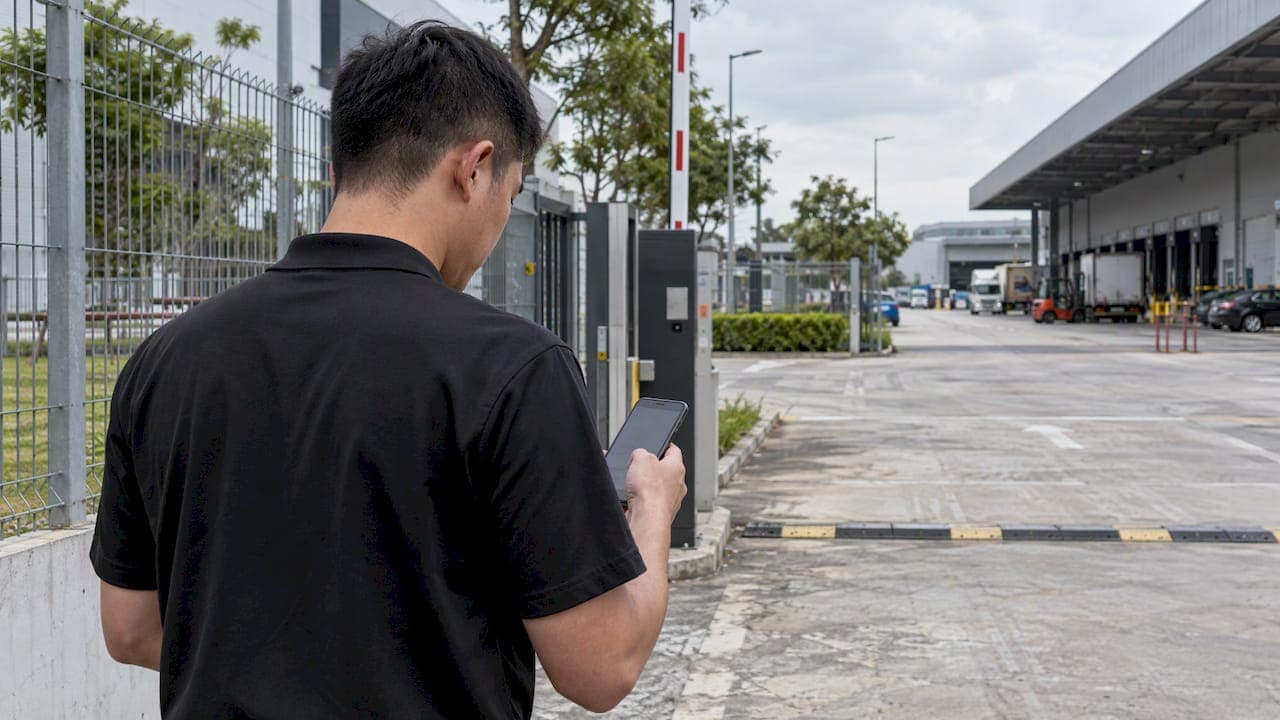
Geofencing Alerts for Site Security: Setup Guide for Singapore

Geofencing alerts notify your team when a person, vehicle or asset crosses a virtual boundary, or behaves unexpectedly inside one. For a security operation, the value is not the alert itself. It is the rule behind it. A fence that fires on every crossing floods the control room. A fence that fires only on exceptions, such as a vehicle overstaying or a machine starting after hours, gives operators something they can act on. In Singapore, the design also has to respect the Personal Data Protection Act (PDPA) and, for designated sites, the Infrastructure Protection Act (IPA).
This guide is for security managers, facility managers, system integrators and site operators who need to move from basic boundary alarms to a configuration that holds up in daily operations and in an audit.
TL;DR
- A geofence is a virtual boundary. The useful alert is the exception: an overstay, an out-of-hours start, an unexpected entry, not every crossing.
- In Singapore, location data is personal data when it can identify an individual. Use approximate location where zone detection is enough, and switch off precise tracking by default.
- Sites designated under the IPA must align sensor-based alerting with an approved Security-by-Design plan. Ad-hoc fences may not meet that standard.
- Pair geofence events with video analytics and a single operations dashboard, so each alert arrives with context and an owner.
- Start with a short pilot on one zone, measure false alerts, then scale.
Table of Contents
- What a geofencing alert actually is
- Why plain boundary alerts fail operations teams
- Designing alert rules that operators will trust
- Singapore rules you need to design around
- Beyond GPS: fencing with sensors and video
- A worked example: loading bay at a logistics site
- Common mistakes
- Our perspective
- Where BeyondSensor fits
- Rollout checklist
- FAQ
- Sources
What a geofencing alert actually is
A geofence is a boundary drawn around a place. The alert is the message sent when something happens relative to that boundary. Fleet and asset tools describe the basic behaviors plainly: Vimcar's fleet help explains that a system can notify you when vehicles move into or out of a specific area, or move within or outside a set timeframe.
For physical security, those same building blocks fall into four event types:
| Event type | What triggers it | Typical security use |
|---|---|---|
| Entry | A tracked object enters a zone | Contractor vehicle arrives at a restricted yard |
| Exit | A tracked object leaves a zone | Equipment or a tagged asset leaves the site |
| Dwell or overstay | Object stays longer than a set limit | Delivery truck lingers at a loading bay |
| Time-based breach | Object active outside permitted hours | Machine starts at night |
The last two are where most of the security value sits, because they encode intent. A truck entering a loading bay is routine. A truck still there after two hours is a question.
Why plain boundary alerts fail operations teams
A control room that receives an alert for every gate crossing learns to ignore the feed. This is alert fatigue, and it is the most common reason geofencing projects are quietly switched off after a few months.
The fix is exception-based monitoring. Instead of asking "did something cross the line?", ask "did something cross the line in a way that breaks a rule?" Two published examples show how this works in practice:
- Overstay limits. Uffizio's documentation describes an overstay alert that triggers when a vehicle stays inside a geofence longer than a user-defined time limit. The same logic suits a service vehicle in a plant room or a visitor car in a restricted car park.
- Time fences. Proemion's DataPortal manual describes a schedule that defines when a machine is allowed to be in use, with a check when the machine starts. That is the pattern for flagging an excavator or generator that runs outside approved hours.
Both examples come from fleet and machine telematics, not from a Singapore security deployment. The principle transfers: define the normal pattern, then alert on the deviation.
Designing alert rules that operators will trust
A good rule set is short, specific and owned. Work through these steps for each zone.
- Name the zone's purpose. A cargo yard, a rooftop plant area and a staff car park have different normal behaviors. One generic fence for the whole site hides all of them.
- Define normal. Who is allowed in, at what hours, for how long? Pull this from access logs and shift rosters, not from assumptions.
- Choose the exception. Pick the one or two deviations that matter: overstay beyond a limit, entry outside hours, entry by an unregistered object.
- Set a threshold with margin. Calibrate dwell limits against real observations, for example a week of normal deliveries, so routine variation does not trip the alarm.
- Assign a responder and a response time. An alert with no owner is noise. State who receives it and what they do first.
- Review monthly. Count alerts, count false positives, and tighten or relax each rule.
The same discipline applies outside industrial settings. If you manage alerts across several properties, this example of configurable smart alerts and reminders shows how routing different alert types to different people keeps the signal manageable at portfolio scale.
Add context before the alert reaches a person
A coordinate and a timestamp are rarely enough for a decision. The alert should carry the zone name, the rule that fired, the last known position and, where a camera covers the area, a clip or snapshot. When geofence events feed a unified dashboard alongside video analytics, the operator confirms or dismisses the event in seconds instead of dispatching a guard to check.

This is the direction of large Singapore operations. A JTC and Certis press release describes security for JTC properties moving toward outcome-based arrangements, supported by a centralized operations centre and technology that lets patrols be deployed according to events rather than fixed routes. The release dates from 2019, but the model it describes is now common for integrators bidding on large estates.
Singapore rules you need to design around
PDPA: location can be personal data
The Personal Data Protection Commission's advisory guidelines define geolocation data as data from a device that could identify its geographical location, such as satellite navigation data. Those guidelines address children's data, but the definition applies to how you think about any tracked device. When location can be combined with other identifiers to single out a person, treat it as personal data.
Practical consequences for your geofence design:
- Prefer approximate over precise. If the goal is to know that a vehicle is inside Zone B, you do not need continuous high-precision tracking. Zone-level detection is often enough and carries less compliance exposure.
- Default to off. Keep granular tracking disabled until a specific operational need requires it.
- Minimize what reaches the dashboard. Pseudonymize identifiers before data reaches centralized analytics.
- Check overseas transfers. If a cloud provider processes location data outside Singapore, the recipient must offer protection comparable to the PDPA. The IMDA implementation guide for SS 714:2025 is a useful reference for building data protection management into the system.
If your system keeps video alongside geofence events, retention and redaction matter as well. We cover the practical side in our note on CCTV video redaction in Singapore and in our practitioner's guide to data privacy in sensing.
There is also a route to analyzing site patterns without exposing individuals. IMDA's PET Sandbox case study with Kajima looks at a building owner that collects personal data through sensors such as CCTV and visitor management systems, and explores synthetic data for analysis. It is worth reading if you want to study movement patterns for resource planning without handling raw personal data.
This is operational guidance, not legal advice. For a specific deployment, have your data protection officer or legal counsel confirm the PDPA position.
IPA: designated sites need an approved plan
The Ministry of Home Affairs describes the Infrastructure Protection Act as part of its counter-terrorism strategy, passed on 2 October 2017 to protect critical infrastructure and buildings that are iconic or have high public footfall. The Act itself is on Singapore Statutes Online.
For owners of designated sites, the process matters. A CoreNet briefing on IPA implementation states that once designated, owners must go through MHA's Security-by-Design review and obtain approval of the resulting security plans from the Commissioner of Infrastructure Protection before commencing the next stage.
What this means for geofencing alerts:
- Any sensor-based alerting should be part of the security plan, not added afterward.
- A fence set up ad hoc, with no link to the approved plan, may not meet the standard for perimeter protection or incident response.
- If your site is not designated, the same discipline still helps: a documented design is easier to defend, audit and hand over.
If you are unsure whether your premises fall under the IPA, confirm with MHA or the relevant authority before you design anything.
Beyond GPS: fencing with sensors and video
Most search results for this topic describe phone and vehicle tracking. On a secured site, the object you care about often carries no device at all. An intruder, a tailgating visitor or an unregistered vehicle will not report its position. That is why sensor-based fencing matters.
A virtual boundary can be defined in the camera's view or by a sensor's coverage, and the alert fires on what the system observes, not on what a device reports. Common patterns include:
- Loitering in a restricted zone. A person stays beyond a set time near a fence line or gate. We ran a two-week pilot for loitering detection analytics in Singapore on this principle.
- Unauthorized entry. A person or vehicle enters a zone with no matching access event.
- After-hours presence. Any movement in a zone that should be empty between set times.
- Tagged asset movement. Where devices are used, an equipment tag leaves its approved area.
Combining device-based and sensor-based fences gives you coverage of both cooperative objects (your fleet, your staff) and uncooperative ones (everyone else). For a wider view of the sensor options, see our overview of intelligent sensing technologies for facility security.
A worked example: loading bay at a logistics site
Consider a logistics facility with a loading bay, a fenced container yard and a staff car park. A basic setup alerts on every vehicle crossing into the yard. With 150 movements a day, the feed is unreadable.
An exception-based redesign looks like this:
| Zone | Rule | Responder |
|---|---|---|
| Loading bay | Vehicle dwell beyond the calibrated limit | Control room operator, verify on camera |
| Container yard | Any entry between closing and opening hours | Control room, then roving patrol if confirmed |
| Staff car park | Unregistered vehicle dwell beyond a set limit | Security officer on duty |
| Plant room | Any entry without a matching access event | Security supervisor |
The figures here are illustrative, not a benchmark. The point is the structure: one zone, one exception, one responder. Measure how many alerts each rule generates in the first two weeks and how many were real. Rules with mostly false alerts get adjusted or removed.
Common mistakes
- One fence for everything. Zones with different purposes need different rules.
- Thresholds from guesswork. Observe real behavior first.
- No response procedure. Alerts that nobody owns are ignored within weeks.
- Tracking more than you need. Precise, continuous tracking raises compliance exposure without improving zone detection.
- Isolated tools. A geofence engine that does not talk to video or access control forces operators to cross-check manually. Our guide to why integrated security systems pay off for facilities explains the case.
Our perspective
We see the same pattern at sites across Southeast Asia. Teams buy a geofencing feature, switch on every boundary, and within a month the operators have stopped looking. The technology was never the problem. The problem was that nobody decided what an exception was.
Our view is that an alert should be earned. It should appear only when something deviates from a defined norm, and it should arrive with the evidence needed to decide: the zone, the rule, the video. That is the logic behind the exception-based monitoring we build into our platform, and it is why we pair sensing with AI that reads the scene rather than just the coordinates. The AI never blinks, but people do, so the system should spend their attention carefully.
We also think privacy belongs in the first design meeting, not the last. Zone-level detection, pseudonymized identifiers and short retention are cheaper to build in at the start than to retrofit after a complaint. And in Singapore, where regional validation and compliance shape procurement, a design that can be explained to a regulator is a commercial advantage.
— Eumir
Where BeyondSensor fits
If you are designing or upgrading alerting for a site, we can help at several levels. BeyondWatch and BeyondPatrol cover video analytics and automated patrol, and BeyondSecure brings operations into one view. Integrators who need to combine multiple vendors can look at our Solution Integration service. To discuss a specific site, start from the BeyondSensor home page or ask us directly through Ask Beyond. Pricing is not published, so please contact us for a scoped proposal.
Rollout checklist
- Map zones and confirm whether the site is designated under the IPA.
- Write down normal behavior for each zone from logs and rosters.
- Choose one exception rule per zone.
- Decide the location precision you truly need and disable the rest.
- Assign responders and response times.
- Pilot on one or two zones for two weeks.
- Review false alerts, adjust, then expand.
- Document the design so it can be aligned with your security plan and data protection records.
For more on building the wider framework, see our notes on secure facility protocols for industrial sites and smart facility integration ideas.
FAQ
What is a geofence alert?
A geofence alert is a notification triggered when an object crosses, enters, leaves or lingers within a virtual boundary. Better configurations alert on rule breaks, such as overstay or after-hours presence, rather than every crossing.
Is location data personal data in Singapore?
It can be. Under PDPA guidance, geolocation data that can be combined with other identifiers to single out an individual is treated as personal data. Use approximate location where zone detection is enough, and confirm your position with your data protection officer.
Do geofencing alerts need approval at critical sites?
For premises designated under the Infrastructure Protection Act, security plans go through MHA's Security-by-Design review and need approval from the Commissioner of Infrastructure Protection. Sensor-based alerting should be part of that plan. If you are unsure of your site's status, ask MHA.
How do I reduce false geofence alerts?
Calibrate thresholds from observed behavior, use one exception rule per zone, and add camera verification before dispatch. Review alert counts monthly and remove rules that produce mostly false positives.
Sources
- Uffizio: Fence Over Stay
- Proemion: Time Fence/Timetable
- JTC and Certis press release
- PDPC advisory guidelines on children's personal data
- IMDA SS 714:2025 implementation guide
- IMDA PET Sandbox case study: Kajima
- MHA: Protecting infrastructure
- Infrastructure Protection Act 2017
- CoreNet: Implementation of the IPA
Recommended
Read More Articles
CCTV Operator Training in Singapore: Skills, Courses and Costs
What CCTV operator training involves in Singapore: the PRSF course, fees and subsidies, the 31 December 2026 deadline, and skills for AI-assisted control rooms.
Role-Based Access Control: A Practical Guide for Singapore Security Teams
How role-based access control works, where it breaks (role explosion, stale roles), and how to apply it to both cyber and physical security in Singapore.
Security Site Survey: Facility Teams’ Checklist for Funded Fixes
Assess site risks, turn findings into budgeted action, and use field checklists, reporting templates, and PDPA notes for camera and biometric deployments.
Heat Stress Monitoring for Singapore Safety Managers: The 32°C Rule
Singapore safety managers can monitor heat stress with hourly WBGT readings, apply the 32°C rest rule, and vet wearable alerts before relying on them.
Let's Build YourSecurity Ecosystem.
Whether you're a System Integrator, Solution Provider, or an End-User looking for trusted advisory, our team is ready to help you navigate the BeyondSensor landscape.
Direct Advisory
Connect with our regional experts for tailored solutioning.