
How heatmap analytics and footfall heatmaps work in buildings, how to read them, what limits their accuracy, and what Singapore's PDPA means for deployment.
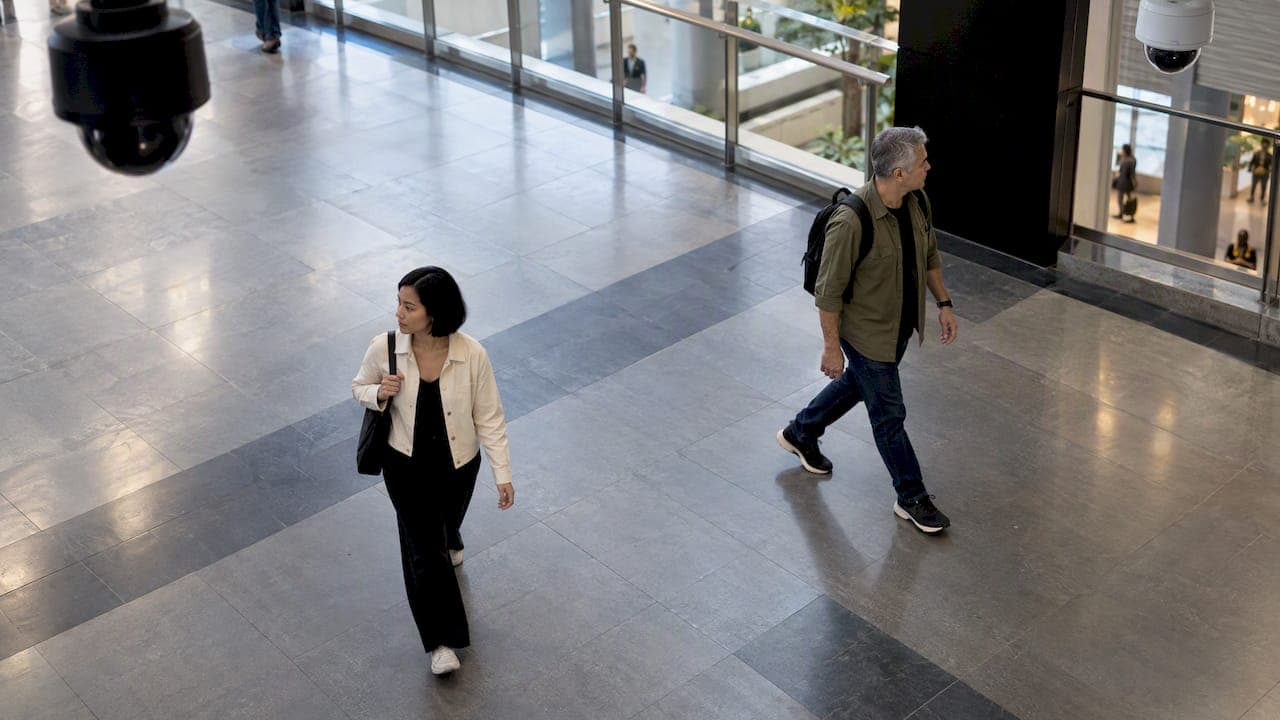
Heatmap Analytics for Physical Security and Facilities

Heatmap analytics turns movement data into a color-coded overlay, so you can see where people gather, pass through or never go. Most pages on the topic cover website clicks and scrolls. In a building, campus or industrial site, the same idea is built on sensors and cameras. Footfall heatmaps show how people use a physical space, and security and facility teams use them to staff patrols, relieve congestion and spot areas that behave differently from the norm.
This guide covers how physical-space heatmaps are built, how to read one, where the data goes wrong, and what Singapore's data protection rules require before you switch one on.
TL;DR
- A physical heatmap aggregates counts, dwell time and movement from cameras, Wi-Fi or other sensors into a color scale laid over a floorplan or camera view.
- The best uses are decisions: patrol routes, staffing, crowd relief, cleaning schedules and space planning, not pretty dashboards.
- Accuracy depends on the sensing method. Wi-Fi location can carry a margin of error of several meters, so match the sensor to the question.
- In Singapore, the PDPA applies when data can identify a person. Define retention periods and anonymize early.
- Start with one question and a short pilot, then scale to a unified view across sites.
Table of Contents
- What heatmap analytics means beyond the website
- Where physical heatmaps are already used in Singapore
- How to read a physical-space heatmap
- Decisions footfall heatmaps support
- How footfall is measured, and where accuracy breaks
- Privacy and PDPA in Singapore
- Our perspective: from pretty maps to exception-based operations
- Getting from data to a working deployment
- FAQ
- Sources
What heatmap analytics means beyond the website
A heatmap is a grid of colored cells, where color encodes one value across two dimensions. On a website, the dimensions are page position and the value is clicks. In a facility, the dimensions are physical coordinates and the value is how many people were there, how long they stayed, or how often an event occurred.
Professional security publications describe this as part of video analytics: heat mapping lets security professionals track patterns and discern activity without constant human surveillance, moving operations from reactive to proactive. That shift is the real value. A recording tells you what happened after an incident. A heatmap tells you where pressure is building before one.
Typical inputs include:
- Camera analytics: people detection on existing CCTV or dedicated cameras, producing counts and dwell time per zone.
- Wi-Fi and Bluetooth sensing: connected or probing devices inferred as occupancy.
- Thermal and depth sensors: counting without capturing identifiable faces, useful where privacy sensitivity is high.
- Door, turnstile and visitor management data: entry counts that anchor the other sources.
Where physical heatmaps are already used in Singapore
Singapore offers good public examples of the idea at different scales.
At Punggol Digital District, the Open Digital Platform's digital twin uses sensor data, including the number of people in the district, and can automatically adjust lighting and cooling based on footfall.
During the pandemic, URA and mall operators used the Space Out tool to show crowd levels by sensor reading, with a color scale from green to red and grey for missing data.
At Singapore Polytechnic Library, an occupancy heatmap uses wireless access points to infer the number of people from connected mobile devices and show crowd conditions across floors.
A Singapore Institute-linked technology offer goes a step further. Its digital hygiene map shows hygiene levels as heatmaps over floorplans, modeled from human traffic counts and time since the last cleaning, to flag likely problem spots.
These examples share one trait: the heatmap feeds an action. Lights dim, shoppers redirect, cleaners are dispatched.

How to read a physical-space heatmap
Color means nothing until you know what the scale measures. Three checks come first.
1. What is the value?
People count, dwell time, and event frequency produce very different pictures of the same lobby. A corridor can be bright on a count map and cold on a dwell map, because everyone is passing through. A seating area can be the reverse.
2. Is the scale fixed or relative?
Some tools use a fixed palette with defined bands, like the green, yellow, orange and red crowd levels in the Space Out example above. Others use a continuous scale. In one workplace analytics product, the scale moves from light to saturated blue as usage rises with no thresholds or grades, so interpretation is left to you. If your tool works that way, define your own thresholds, such as the occupancy at which a stairwell becomes a safety concern, and write them down.
3. What is the time window?
A weekly aggregate hides the 15-minute spike at shift change. Read hourly views for security and crowd questions, and weekly or monthly views for planning questions.
Patterns worth acting on
| Pattern on the map | Likely meaning | Typical response |
|---|---|---|
| Persistent hot spot at an entry | Queueing or bottleneck | Add lanes, stagger arrivals, review visitor check-in flow |
| Hot spot where none is expected | Loitering, a blocked route or a shortcut | Review footage, adjust patrol points |
| Cold zone on a patrol route | Area rarely visited by people or guards | Verify coverage, consider automated checks |
| Heat outside operating hours | After-hours access or cleaning overrun | Cross-check against access logs |
| Shifted pattern week to week | Layout change, event, or a sensor fault | Confirm sensor health before drawing conclusions |
Decisions footfall heatmaps support
Security operations
Heatmaps show where to put people and cameras. If an after-hours map shows movement in a loading bay that is supposed to be empty, that zone gets a closer look. Over time, the map also supports exception-based monitoring: operators watch for departures from the baseline instead of staring at every feed. We cover one related use case in our write-up of a two-week pilot for loitering detection analytics.
Crowd management
Crowd counts per zone, compared against a safe capacity, give an early warning that a concourse or lobby is filling. Our piece on crowd counting analytics for integrators explains how edge processing keeps these counts usable across mixed camera estates.
Facility planning
Computer vision heatmaps can evaluate workflow patterns from the frequency and duration of movement, helping managers identify overutilized or underutilized areas. In a warehouse, that means rebalancing aisles. In an office tower, it may mean closing a floor's air conditioning at quiet hours. Wider sensor use cases are in our overview of sensor tech applications for facility safety and efficiency.
Cleaning and maintenance
Traffic-weighted cleaning replaces fixed rounds with rounds driven by use, as the hygiene map example shows. The same logic applies to restroom checks and escalator inspections.
How footfall is measured, and where accuracy breaks
A heatmap is only as good as its sensing. Here is what to expect from the main methods.
Wi-Fi sensing is cheap because the access points exist already. It measures devices, not people, so someone with two phones counts twice and someone with none is invisible. Resolution is coarse. A 2024 study of Singapore MRT stations observed 129,354 devices over two weeks, and the researchers noted a 5-meter radius margin of error, with devices detected on average every 8.8 seconds. That is enough to see that many passengers stop or walk around before boarding. It is not enough to judge whether two people stood within one meter of each other. Academic work on campuses reaches the same conclusion: passive Wi-Fi sensing can reflect aggregated occupancy and mobility patterns, but not fine-grained distances between users.
Location-based event data has a similar trade-off. Workforce tools that rely on geofencing time tracking record presence at defined boundaries instead of continuous traces. That is a useful model for facilities too: sample at the points that matter rather than trying to track everyone everywhere.
Camera analytics gives finer position and can distinguish people from objects, but it depends on lighting, camera angle and occlusion. Crowded scenes are the hardest case.
Thermal and depth sensors offer stable counts in darkness and with less identifiable imagery. They are narrower in coverage per device.
Researchers also note that large-scale footfall detection stays complex because of trade-offs between privacy, implementation cost and accuracy in dynamic environments with obstacles. Practical consequences:
- Pick the coarsest method that answers your question. Floor-level occupancy does not need camera-grade precision.
- Calibrate against a manual count at a few points and a few hours before trusting the colors.
- Monitor sensor health, so a dead device does not read as a quiet zone.
- Combine sources. Access control entries anchor the counts, and cameras explain the anomalies.
Privacy and PDPA in Singapore
A heatmap aggregates, but the data underneath may not be anonymous. Camera footage, device identifiers and visitor records can each identify a person. Under the PDPA, organizations should not retain personal data longer than is necessary for legal or business reasons, and the Personal Data Protection Commission expects policies on retention periods and anonymization. The same guidance notes that properly anonymized data is no longer personal data.
In practice:
- Aggregate at the edge. Convert video to counts and coordinates on the device, and discard the imagery you do not need.
- Set a retention period for raw data and a separate one for aggregated maps, and document both.
- Mask where you can. Our guide to privacy masking for CCTV in Singapore covers setup, and the note on video redaction before auto overwrite covers handling requests for footage.
- Post notices that tell people analytics are in use, and keep the purpose limited to what you stated.
- Take advice from your data protection officer or legal counsel before deployment, especially for public-facing or multi-tenant sites.
Our perspective: from pretty maps to exception-based operations
Most heatmap projects stall for the same reason: the map is delivered as a report, and no workflow is attached to it. A security director looks at it once, nods, and returns to the video wall.
We see the value differently. A heatmap is a baseline. Once you know what normal looks like for each zone and each hour, the system can watch continuously and raise only the departures: a corridor that is hot at 3 a.m., a zone that has gone cold on a patrol route, a queue forming faster than usual. The AI never blinks, but people still decide. That is exception-based monitoring, and it reduces manual oversight without removing human judgment.
Three principles guide our work with integrators and facility owners across Singapore, Malaysia and the Philippines:
- Start from the decision. If nobody can name the action a heat spot would trigger, do not deploy yet.
- Mix sensors honestly. Use Wi-Fi for occupancy, cameras for behavior and thermal for low-light zones, and be explicit about each one's error.
- Keep one operating picture. Maps trapped in separate vendor dashboards cannot support a response. Unified views are what turn data into operations, which is why multi-vendor integration is central to how we build.
For how this connects to a broader model of the site, see our guide to digital twins in security.
— Eumir
Getting from data to a working deployment
A sensible rollout for a mid-sized site looks like this:
- Define one question. For example, "where do visitors queue at peak?" or "which zones go unattended after hours?"
- Choose the sensing method that matches the required precision and privacy posture.
- Run a short pilot in one zone, validate against manual counts, and tune thresholds.
- Connect the output to a response: alerts, patrol tasks, staffing rosters or cleaning schedules.
- Review monthly. Layout changes, tenant moves and seasonal events shift the baseline.
If you are an integrator or facility owner planning this across several sites, we can help. BeyondSensor combines sensor hardware, AI surveillance software and unified dashboards, and our Solution Integration service supports multi-vendor designs with local technical validation. You can also explore the BeyondSensor platform or look at smart facility integration ideas before scoping.
FAQ
What is heatmap analysis used for in a building?
It shows where people spend time and how they move, so teams can place guards, relieve bottlenecks, schedule cleaning and plan space. Security teams also use it to spot unusual activity against a normal baseline.
What is a footfall heatmap?
A footfall heatmap overlays people counts or dwell time on a floorplan or camera view, using color to show busy and quiet areas. The data comes from cameras, Wi-Fi, thermal sensors or entry counters, depending on the precision you need.
How accurate are Wi-Fi based heatmaps?
They suit occupancy and flow questions, but not fine distances. One Singapore MRT study reported a 5-meter margin of error for Wi-Fi location data, so validate against manual counts before relying on the output for safety decisions.
Do footfall heatmaps fall under the PDPA?
They can. If the underlying footage, device IDs or visitor records identify individuals, the PDPA applies, including its expectations on retention and anonymization. Aggregating or anonymizing at the edge reduces exposure, and your data protection officer should confirm the approach.
Sources
- An overview of video analytics in security (IFSEC Global)
- Open Digital Platform: the digital backbone of Punggol Digital District (JTC)
- Singapore government authority using sensors to visualize mall crowds (invidis)
- Smart e-Directory at Singapore Polytechnic Library (Library Association of Singapore)
- Digital Hygiene Map System for Indoor Space (Nanyang Polytechnic)
- Workplace usage heatmap help page (UnSpot)
- Computer vision people operations (DHL)
- Investigating passenger behaviour on the metro platform (Springer)
- Analyzing the impact of COVID-19 control policies on campus occupancy (UMass)
- Large scale indoor occupant tracking using distributed sensing (ScienceDirect)
- Advisory Guidelines on the PDPA for Selected Topics (PDPC)
- Geofencing time tracking for managers
Recommended
Read More Articles
Thermal Camera Calibration: Methods, Intervals and Singapore Checks
How thermal camera calibration works, how often to do it, how to read a certificate, and what to check with Singapore labs before you rely on the readings.
Line of Sight Survey: Methods, Tools and Site Checks
What a line of sight survey is, how surveyors and GIS analysts run one, and how to record results for CCTV, wireless and sensor deployments in Singapore.
Single Sign-On Security: Risks, Controls and a Checklist
Is single sign-on secure? See how SSO works, where it fails, and the MFA, key protection and monitoring controls Singapore security teams should require.
Visitor Pre-Registration: A Practical Guide for Singapore Sites
How visitor pre-registration works at Singapore offices and industrial sites: what to collect, PDPA limits on NRIC and retention, QR check-in, and exception handling.
Let's Build YourSecurity Ecosystem.
Whether you're a System Integrator, Solution Provider, or an End-User looking for trusted advisory, our team is ready to help you navigate the BeyondSensor landscape.
Direct Advisory
Connect with our regional experts for tailored solutioning.