
Integration-first playbook for integrators and facilities teams: inventory devices, write open-API RFPs, run a 3–6 month pilot, measure KPIs, and cut...
3–6 Month Pilot: PSIM Driven SOC Setup for Integrators
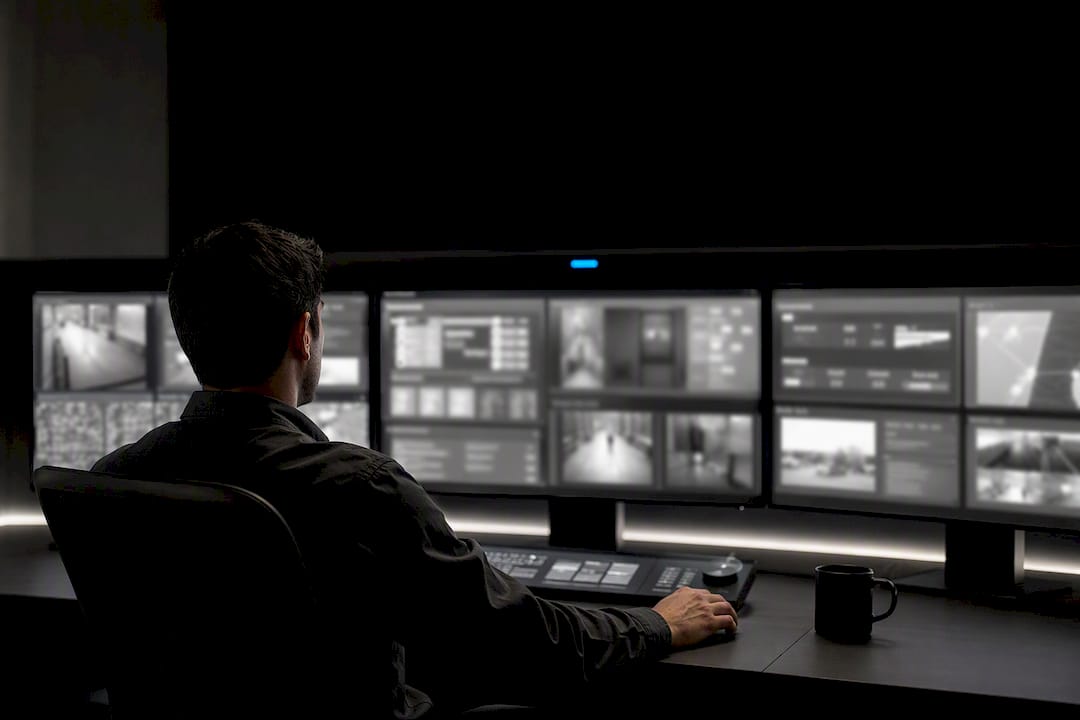
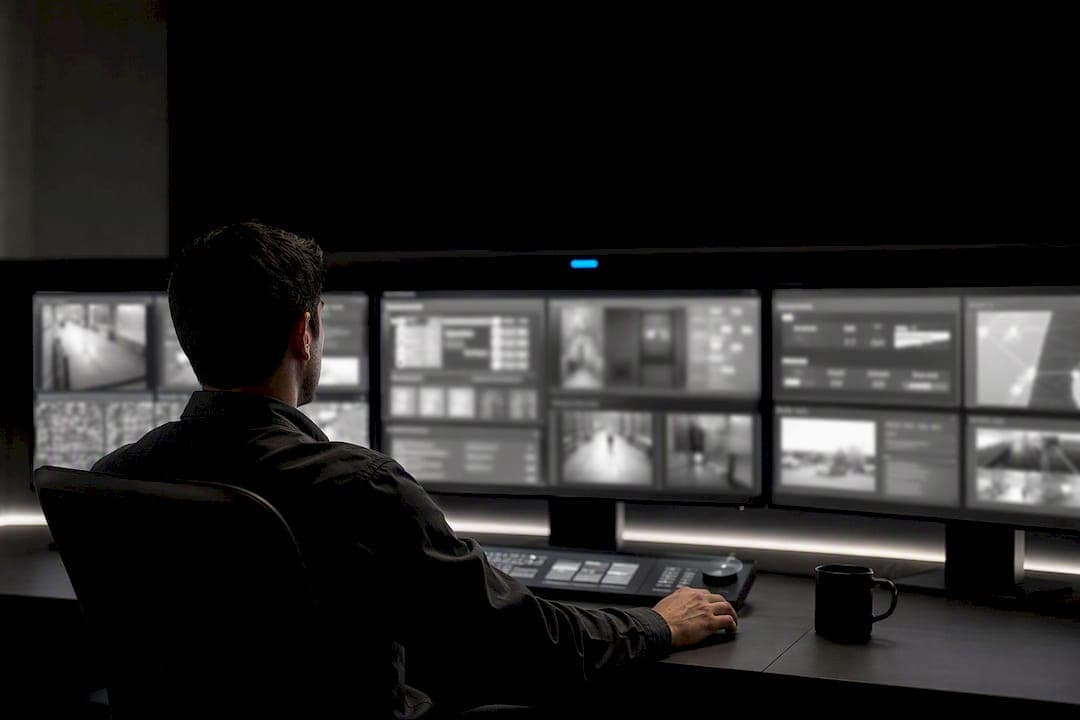
A working security operations center setup does one job above all others: it turns scattered alarms, camera feeds, and access logs into a single verified event an operator can act on fast. That means centralizing PACS, video management, intrusion sensors, and correlation logic under one interface, not just stacking screens in a room. The immediate next step is simple: inventory every device already on the property, map what talks to what, and run a focused pilot before committing to a full build.
TL;DR:
- Effective SOCs must integrate PACS, video management, intrusion sensors, environmental monitors, and communication tools into a single, coordinated system to avoid blind spots.
- Proper physical layout, including ergonomic consoles, CCTV coverage, and redundancy, significantly impacts operators' ability to detect and respond to incidents efficiently.
- Automated correlation platforms reduce nuisance alerts by 30 to 40 percent and cut response times by up to 50 percent, provided they have open APIs and rule engine capabilities.
- Building standardized SOPs with clear cause-and-effect mappings and test-driven rules ensures consistent operator response during incidents.
- Cybersecurity measures like network segmentation, firmware updates, and threat feeds are essential for protecting physical security devices from cyber threats.
Table of Contents
- What Does a Security Operations Center Setup Actually Include?
- How Should the SOC Facility Be Laid Out?
- Why Does PSIM-Driven Correlation Beat Siloed Monitoring?
- How Do You Turn Integration Into Repeatable SOPs?
- What Belongs in the RFP, and How Should the Pilot Run?
- Which KPIs Prove the SOC Is Working?
- How Do You Integrate Cybersecurity and Threat Intelligence Into SOC Setup?
- What Data Privacy and Compliance Rules Apply to SOC Operations?
- How Should SOCs Coordinate Incident Response With External Agencies?
- How Do You Plan Disaster Recovery for a SOC?
- A Practitioner's Checklist for Getting This Right the First Time
- Where Beyondsensor Fits Into Your SOC Buildout
- Sources
What Does a Security Operations Center Setup Actually Include?
Every physical security operations center (PSOC) rests on a handful of system classes, and skipping any one of them creates a blind spot someone will eventually exploit. Building a security operations center means treating these as one integrated stack, not a shopping list of standalone boxes.
- Physical Access Control System (PACS): manages badge credentials, door hardware, and entry logs across every controlled point.
- VMS/video management: records, streams, and indexes camera footage so operators can pull relevant clips in seconds, not minutes.
- Intrusion detection and perimeter sensors: cover fence lines, door contacts, glass break, and motion at building edges.
- Environmental and industrial sensors: flag temperature drift, water intrusion, gas leaks, or equipment faults, especially on industrial sites.
- Communications: radio, intercom, and mass notification tied into the same operator console.
- Incident management, logging, and analytics: the record-keeping layer that turns raw events into an auditable history.
The Security Industry Association's operational security technology report describes this full ecosystem as Operational Security Technology (OST), and it notes plainly that integrating PACS, surveillance, and detection systems is genuinely complex work that benefits from professional support rather than a self-assembled patchwork.
AI-enabled sensors change the math here. Instead of an operator watching forty camera tiles waiting for something to happen, intelligent sensors pre-filter motion, classify objects, and only escalate events that meet a threshold. That shift, from constant visual scanning to exception-based monitoring, is what makes a lean SOC team viable at all. A unified security dashboard that pulls these signals into one pane replaces the old model of five separate logins and five separate mental models of the same building.
How Should the SOC Facility Be Laid Out?
Software integration is only half the job. The physical room, its power, and its human factors determine whether operators actually catch what the sensors flag. RCMP's SOC design considerations guide lays out prescriptive checks that most procurement teams miss until an auditor asks for them.
- Video wall and console layout: position the primary video wall for a clear sightline from every console, with critical alarms displayed at eye level, not buried at the edges.
- Duress alarms: every console position needs a silent duress button wired independently of the main network, so an operator under threat can still call for help.
- Equipment room: house servers, recorders, and network gear in a separate, access controlled space adjacent to the operations floor, never inside the open bullpen.
- UPS and redundancy: size uninterruptible power for at least enough runtime to cover a generator transfer, and mirror critical recording storage.
- Entry monitoring without interior exposure: cover the SOC's own doors with CCTV and access control, but angle cameras so footage never reveals operator screens or floor layout to anyone reviewing entry footage later.
- Ergonomics and shift design: rotate operators through defined shift blocks, since sustained monitoring past four to six hours measurably increases missed-event rates, and build in short breaks rather than relying on willpower.
Get the equipment room wrong and a single overheated switch takes down half your correlation logic. Get the ergonomics wrong and the best sensor stack in the world still gets ignored by a tired operator at 3 a.m.
Why Does PSIM-Driven Correlation Beat Siloed Monitoring?
Siloed monitoring means an operator watches a VMS tile, a separate access control alert, and a separate intrusion panel, and manually decides whether three unrelated pings are actually one event. PSIM-style correlation removes that manual leap. When a door forces open, the platform automatically pulls the nearest camera, checks the badge log for that door, and flags the event as verified or suspicious before a human even looks at it.
The numbers back this up. Integrated PSIM-style platforms commonly filter 30 to 40 percent of nuisance alerts that would otherwise burn operator attention, and verified response times drop by roughly 30 to 50 percent compared with siloed deployments. Some AI-enhanced platforms report very high nuisance reduction under the right correlation rules.
To get there, your integration architecture needs specific capabilities, not vague "compatibility" claims:
- Open APIs and ONVIF conformance, so cameras, panels, and sensors from different manufacturers speak the same language.
- A rule engine that lets you author "if this, then that" logic without vendor engineering tickets for every change.
- Geo-mapping that places live alarms and camera feeds on a facility floor plan, not a flat alert list.
- Mobile access for supervisors and roving guards, plus tamper-evident audit trails for every action taken.
Pro Tip: Test your rule engine on a forced-door scenario before signing anything. If the platform can auto-call the nearest camera, cross-check the badge log, and route a mobile alert to the nearest guard in under three seconds, the correlation layer is doing its job. If it takes an integrator's help desk to add that one rule, walk away.
How Do You Turn Integration Into Repeatable SOPs?
Correlation logic only matters if operators know exactly what to do when it fires, and that requires a standard operating procedure tied to every automation rule, not a general "use your judgment" instruction. Vague SOPs are how a real intrusion gets logged as "probably nothing" at 2 a.m.
The single most important document in this phase is the cause-and-effect table, built jointly by security, operations, and IT stakeholders during requirements gathering. It should map every trigger to its correlated evidence, the automatic system action, and the point where a human must decide. A forced rear door, for instance, might trigger an automatic camera call-up and door relock, but the decision to dispatch a guard or call police stays with the operator.
- Author each SOP as a decision tree: trigger, automated system response, required verification step, and escalation path.
- Deliver and get sign-off on the cause-and-effect table before final system configuration, not after.
- Assign staffing roles by function (monitoring, dispatch, supervisor) rather than generic "operator" titles.
- Run handover briefings at every shift change that reference the current open-incident log, not just verbal summaries.
- Schedule live drills using simulated correlation events, since tabletop exercises alone don't measure whether operators actually follow the SOP under pressure.
What Belongs in the RFP, and How Should the Pilot Run?
A procurement document that just asks for "an integrated security platform" invites vague proposals and painful surprises during installation. Build the RFP around specific, testable requirements instead.
- Open integration requirements: demand ONVIF conformance and documented open APIs, not proprietary connectors that lock you into one vendor's roadmap.
- Correlation examples, spelled out: ask vendors to demonstrate an actual alarm-video-access correlation scenario, such as a forced door triggering camera pull and badge lookup, during the demo.
- Service levels and support: specify response times for support tickets and uptime guarantees for the central management layer.
- Cybersecurity and data ownership: require documentation on data ownership, encryption standards, and who retains audit trail records after contract termination.
- Pilot scope: limit the initial pilot to one or two critical zones, not the entire campus, and baseline current KPIs (false alarm rate, average response time) before the pilot starts.
- Testing window: run the pilot for three to six months with both simulated and live events, long enough to surface edge cases a two-week demo would miss.
Case examples following this approach have cut verified response time from roughly eight minutes to three minutes after correlation rules were applied to a pilot zone. Evaluate results against your baseline, and weigh vendor support responsiveness just as heavily as the raw numbers. A platform that performs well but leaves you waiting three days for a rule change isn't ready for full deployment.
Which KPIs Prove the SOC Is Working?
Numbers convince budget committees; anecdotes don't. Before scaling past the pilot, lock in a small set of KPIs you can report on every month.
- False alarm rate: the percentage of triggered alerts that turn out to be non-events, tracked before and after correlation rules go live.
- Verified response time: the interval between an alarm firing and an operator confirming it's real, not just acknowledging it.
- Mean time to resolution (MTTR): how long from verification to incident closure.
- OPEX impact: staffing hours saved through exception-based monitoring versus constant tile-watching.
- Incident containment outcomes: whether the SOP actually stopped or slowed the incident, not just documented it.
A pilot that correlates alarms, video, and access data typically cuts nuisance alerts by 30 to 40 percent and speeds verified response by 30 to 50 percent compared with siloed monitoring, according to PSIM benchmarking data.
Build in fallback modes too. Guidance from the UK's National Protective Security Authority warns against over-relying on a single central management layer. Subsystems should keep working autonomously if the PSIM goes down, and your change control process should require a documented rollback plan for every rule update before it ships to production.
How Do You Integrate Cybersecurity and Threat Intelligence Into SOC Setup?
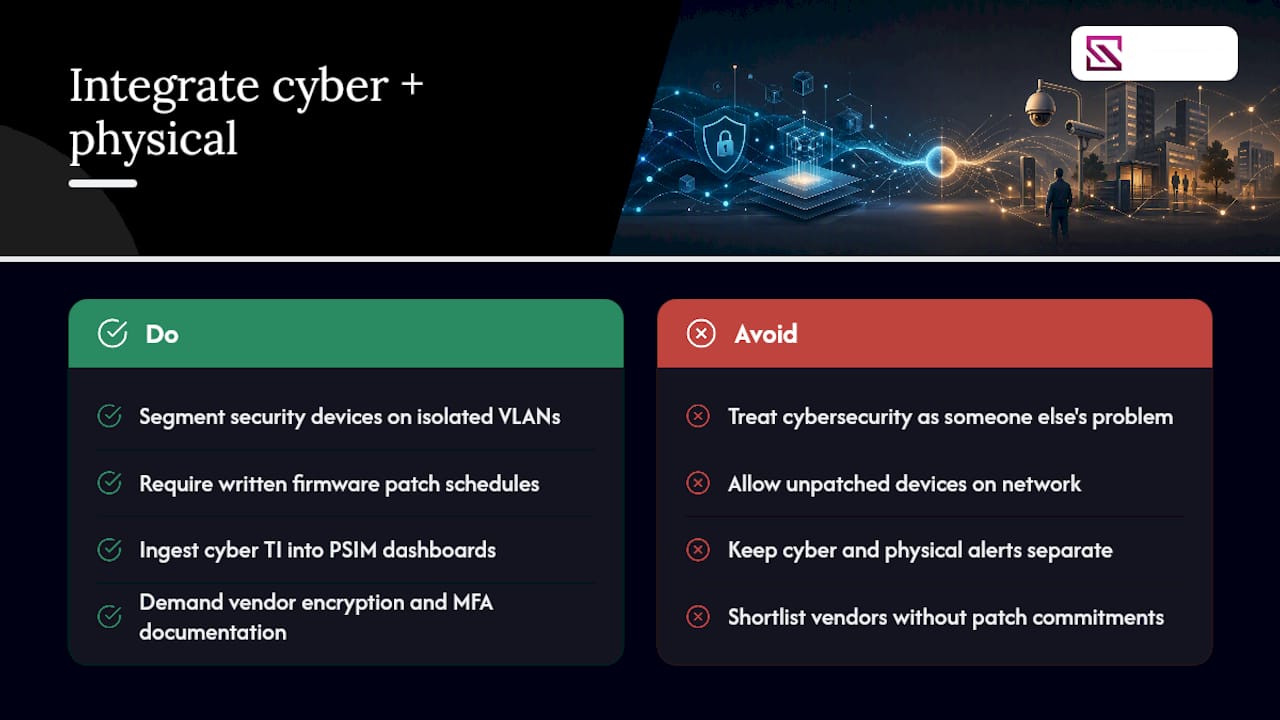
Every camera, access panel, and sensor on your network is also a network endpoint, and that means physical security procurement can no longer treat cybersecurity as a separate department's problem. A PSOC that ignores this exposes the same correlation logic that's supposed to protect the building.
Start with network segmentation. Security devices belong on their own VLAN, isolated from general office traffic, so a compromised camera can't become a pivot point into HR systems or financial records. Firmware update cadence matters just as much: an unpatched IP camera with a known vulnerability is a documented attack vector, and vendors that can't commit to a patch schedule in writing shouldn't make your shortlist.
Threat intelligence feeds add another layer. Some PSIM platforms now ingest cyber threat indicators alongside physical alarms, so a spike in failed login attempts against your access control server shows up on the same dashboard as a forced door. That convergence, where physical and cyber risk get evaluated together rather than in separate silos, is becoming standard practice for facilities that handle sensitive operations. The physical-cyber convergence risks that emerge when these systems overlap deserve specific attention during your RFP process, not an afterthought once the system is live.
Require vendors to document encryption standards for data in transit and at rest, multi-factor authentication for administrative access, and a clear patching commitment. Ask who owns incident response if a camera gets compromised: your IT security team, the integrator, or the vendor. Get that answer in writing before signing.
What Data Privacy and Compliance Rules Apply to SOC Operations?
A PSOC generates enormous volumes of personal data: faces on camera, badge swipe timestamps, vehicle plates, sometimes biometric templates. Handling that data carelessly creates legal exposure that has nothing to do with whether the security system itself worked.
Retention policy comes first. Decide how long video, access logs, and incident records get stored, and document the reason for that retention window. Indefinite storage "just in case" is the default many facilities fall into, and it's usually the wrong call, both for storage cost and for legal exposure if that footage is ever subpoenaed.
Access to SOC data should be role-based and logged. Not every operator needs the ability to export raw footage; audit trails should show exactly who accessed which record and when, which matters as much for internal trust as external compliance. If your organization operates across multiple jurisdictions, review each location's specific data protection requirements before finalizing your retention and access policy, since rules on biometric data, camera placement, and notification requirements vary by jurisdiction and by facility type (residential, commercial, government).
Vendor contracts need explicit data ownership language too. When a PSIM platform is hosted or managed by a third party, clarify who owns the data, what happens to it at contract termination, and whether the vendor can use aggregated data for its own product development. This is exactly the kind of clause the RFP checklist above should force into writing, not leave to a verbal assurance during the sales process.
How Should SOCs Coordinate Incident Response With External Agencies?
An internal SOP only gets you halfway through a real incident. The moment a verified alarm escalates into something requiring police, fire, or emergency medical response, your SOC needs a pre-negotiated handoff, not an improvised phone call during a crisis.
Build direct escalation paths with local law enforcement before you need them. That means establishing a point of contact, agreeing on what information the SOC will provide (location, nature of threat, camera access if applicable), and confirming how quickly a unit typically responds to your facility type. Some jurisdictions offer priority response agreements for verified alarms from monitored facilities, which is one more reason false alarm rate matters: agencies deprioritize facilities with a history of false dispatches.
Document the coordination protocol as its own SOP layer, separate from internal correlation rules. It should specify who has authority to call 911 or the local equivalent, what information gets relayed first, and how the SOC hands over live camera access to responding units if that capability exists. For industrial or government sites, this may also mean coordinating with a fusion center or regional emergency operations center rather than a single local agency.
Run joint drills periodically, not just internal ones. A tabletop exercise that includes an actual call to your law enforcement liaison, even a simulated one, surfaces communication gaps that internal-only drills never catch. Facilities that skip this step often discover the gap during a real event, when the cost of finding it is highest.
How Do You Plan Disaster Recovery for a SOC?
The SOC exists to keep the rest of the facility safe, which means the SOC itself can't be a single point of failure. If a fire, flood, or power outage takes the operations room offline, the building still needs eyes on it.
Redundant power is the baseline, covered earlier for the console room, but disaster recovery goes further: geographically separate backup storage for recorded video and access logs, so a local disaster doesn't erase your audit trail along with the building. Cloud-hosted or off-site mirrored storage has become the standard answer here, and it's worth specifying in the RFP rather than assuming your integrator includes it by default.
Define a fallback operating mode explicitly. If the central PSIM goes offline, can individual door controllers and camera recorders keep functioning independently? Guidance from NPSA is direct on this point: integration should be designed so subsystems continue operating autonomously if the central management layer fails, whether that failure comes from a cyberattack, a power event, or simple hardware failure.
Business continuity planning should also cover staffing continuity. If your primary SOC facility becomes unusable, is there a secondary location, even a temporary one, where a skeleton crew can monitor critical zones remotely? Facilities that build remote monitoring capability into their architecture from the start have a much easier time standing up this fallback than those retrofitting it after an outage already happened.
Test the recovery plan annually at minimum. A disaster recovery document that's never been rehearsed is a guess, not a plan.
A Practitioner's Checklist for Getting This Right the First Time
The gap between a PSOC that works and one that just looks impressive on a floor plan almost always comes down to sequencing. Teams that skip straight to hardware selection without doing the groundwork end up bolting correlation logic onto a system that was never designed for it.
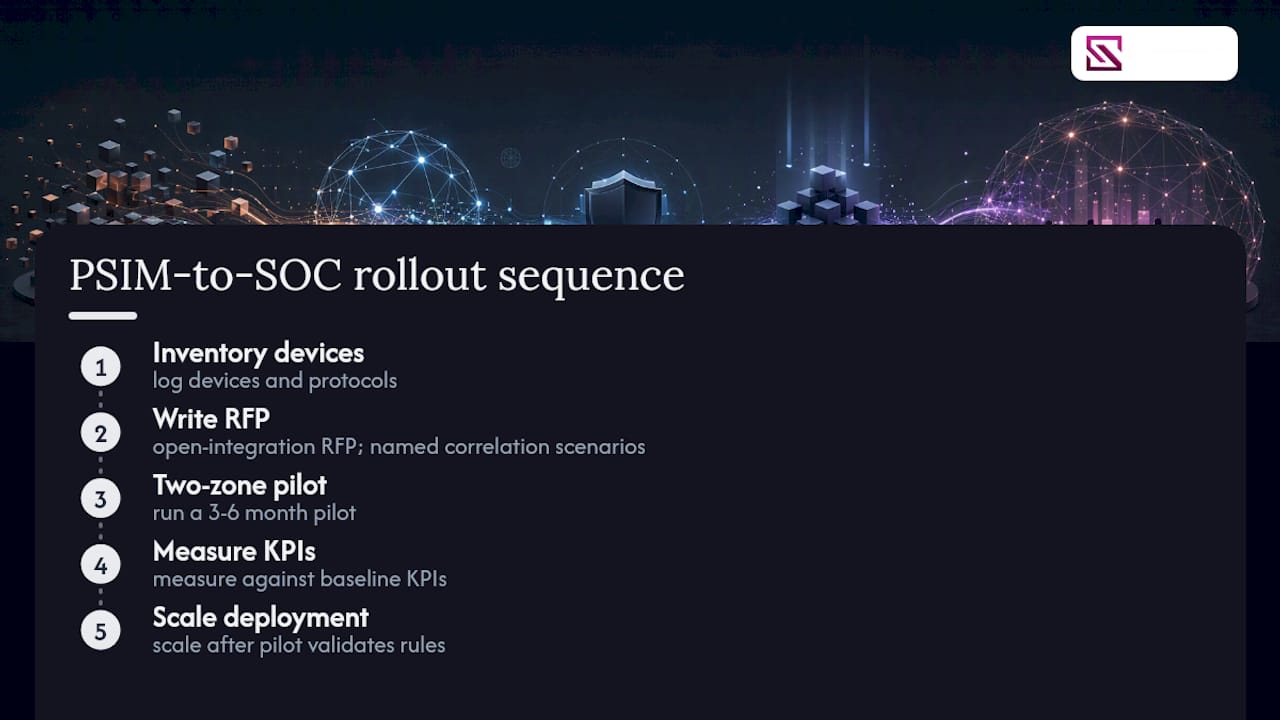
The sequence that actually holds up: inventory every existing device and its protocol first, write the RFP around open integration and named correlation scenarios, run a two-zone pilot for three to six months, measure against your baseline KPIs, then scale. Skipping any step to save time usually costs more time later, fixing a rushed rollout.
Three traps show up constantly. First, teams write a cause-and-effect table after the system is already configured, which means the integration gets bent to fit undocumented assumptions instead of the reverse. Second, single-vendor lock-in on proprietary protocols looks convenient during procurement and becomes expensive the moment you need a second camera brand or a firmware fix the vendor won't prioritize. Third, pilots scoped too broadly (an entire campus instead of one or two zones) generate so much noise that nobody can tell whether the correlation rules actually worked.
If your team is assembling the RFP now, review how integrated ecosystems handle OST devices before finalizing your open API requirements. It will save a revision cycle later.
— Eumir
Where Beyondsensor Fits Into Your SOC Buildout
Beyondsensor gives system integrators and facility owners the piece most PSOC projects underinvest in: sensor hardware and correlation software built to work together from the start, instead of bolted-on middleware trying to reconcile five incompatible protocols after the fact. That matters most during the pilot phase, when a rule engine that actually supports open APIs decides whether your two-zone test proves the concept or just proves the integrator's patience.

Beyondsensor's sensing hardware and unified dashboard software are built for exactly the correlation scenarios covered here: forced-door triggers, automated camera call-up, and audit-ready logging, without waiting on a vendor help desk for every rule change. If you're drafting an RFP or scoping a pilot right now, the system integrator resources page walks through deployment options and how Beyondsensor's team supports the validation phase before you commit to a full rollout. Start there, request a pilot conversation, and get your baseline KPIs defined before the next budget cycle closes.
Sources
- PSIM vs Traditional Security Systems: Key Benefits of Integrated Physical Security Management Platforms for Burglar Alarm, CCTV, and Access Control – Athenalarm SecureSphere Insights | Smart Security & Network Alarm Knowledge Hub
- SIA operational security technology report 2025 (ONVIF-hosted)
- ELECTRONIC SECURITY MEASURES (NPSA guidance)
Recommended
Read More Articles

Thermal Camera Calibration: Methods, Intervals and Singapore Checks
How thermal camera calibration works, how often to do it, how to read a certificate, and what to check with Singapore labs before you rely on the readings.
Line of Sight Survey: Methods, Tools and Site Checks
What a line of sight survey is, how surveyors and GIS analysts run one, and how to record results for CCTV, wireless and sensor deployments in Singapore.

Single Sign-On Security: Risks, Controls and a Checklist
Is single sign-on secure? See how SSO works, where it fails, and the MFA, key protection and monitoring controls Singapore security teams should require.

Visitor Pre-Registration: A Practical Guide for Singapore Sites
How visitor pre-registration works at Singapore offices and industrial sites: what to collect, PDPA limits on NRIC and retention, QR check-in, and exception handling.
Let's Build YourSecurity Ecosystem.
Whether you're a System Integrator, Solution Provider, or an End-User looking for trusted advisory, our team is ready to help you navigate the BeyondSensor landscape.
Direct Advisory
Connect with our regional experts for tailored solutioning.