
Dwell Time Analytics: Measuring Time in Zones for Security and Facilities
Dwell time analytics shows how long people stay in a zone. Learn how sensors measure it, how to read it, and how to stay PDPA-compliant in Singapore.
Dwell Time Analytics: Measuring Time in Zones for Security and Facilities
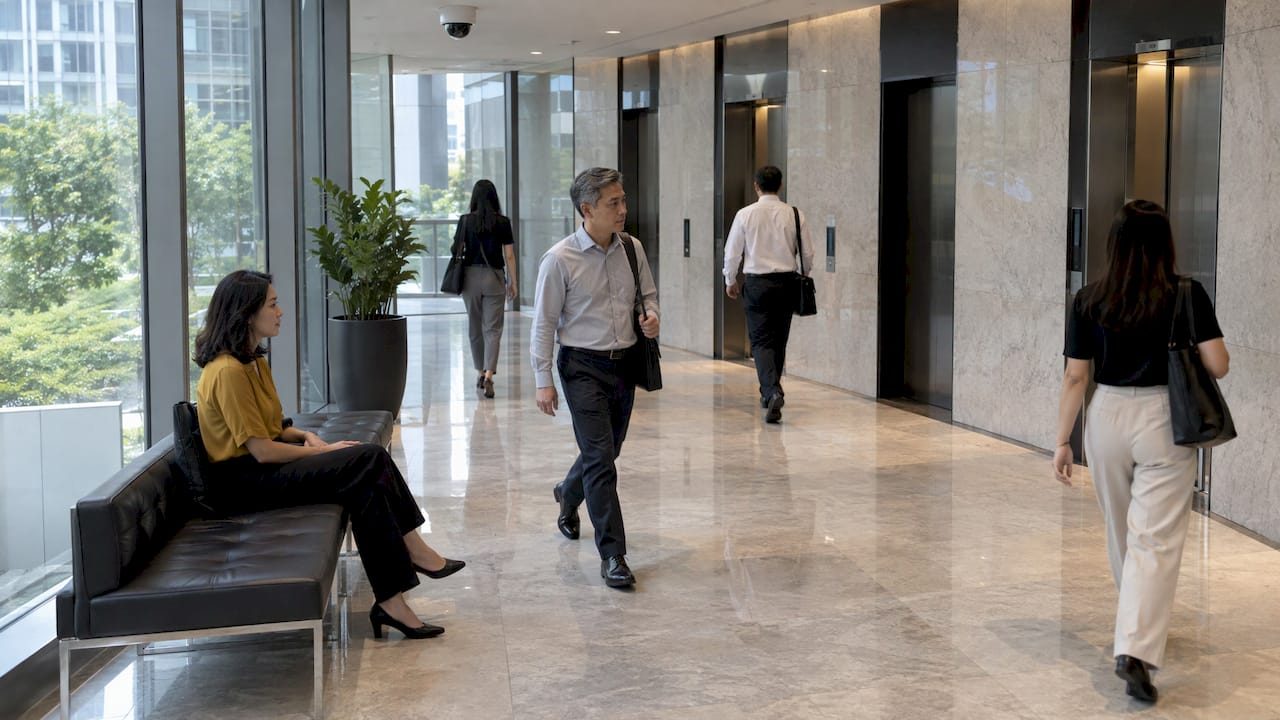
In a physical site, dwell time is how long a person, vehicle or device stays inside a defined zone during one visit. Dwell time analytics turns that duration into a security and operations signal: a lobby where people linger, a loading bay where trucks sit too long, a restricted corridor where someone stays past a normal pass-through time. The value is in the zone definition, the sensor that measures it and the privacy design behind it. We build sensor-based security systems for Singapore and Southeast Asian sites, and this guide covers how to get all three right.
If you landed here looking for the SEO metric (time on a page before returning to search results), this article is about the physical-space version, which is the one security managers, facility owners and system integrators deploy.
TL;DR
- Dwell time is the duration of one stay in a defined zone. It is not the same as footfall, queue wait time or total time on site.
- High traffic does not mean high dwell: a Singapore study found a busy plaza with far less occupancy time than a quieter food court.
- Zone design, entry and exit rules and the sensing method (video, Wi-Fi, Bluetooth, infrared counters) decide whether the numbers are usable.
- Anonymised dwell data falls outside the PDPA. Identifiable data needs consent or a specific exception, so decide the privacy route before you deploy.
- Alerts based on dwell thresholds, such as loitering, turn analytics into exception-based monitoring that reduces manual oversight.
Table of Contents
- What dwell time means on a physical site
- Why traffic and dwell are different signals
- How sensors measure dwell time
- Designing a dwell measurement that holds up
- What security and facility teams do with dwell data
- Interpreting the numbers without fooling yourself
- Privacy and PDPA in Singapore
- Where our platform fits
- Our perspective
- FAQ
- Sources
What dwell time means on a physical site
Dwell time is the elapsed time between a subject entering a zone and leaving it. Three things have to be defined before the number means anything:
- The zone. A lobby, a lift landing, a gate approach, a loading bay, a server room corridor.
- The subject. A person, a vehicle, a device or a tagged asset.
- The clock rules. What counts as entry, what counts as exit, and how long a gap is allowed before one visit becomes two.
Average dwell time is the mean of those individual stays across a period. It is useful for trends, but an average hides the cases that matter for security. A zone with a 40-second average can still contain one person who stayed 25 minutes. For that reason, teams usually track the average, the median and the long tail (for example, the share of visits above a set threshold) together.
How dwell time differs from the measures next to it
| Measure | What it answers | Typical use on site |
|---|---|---|
| Dwell time | How long did each visit to this zone last? | Loitering, congestion, space use, service points |
| Wait time | How long did someone wait for a service? | Queues at counters, security checks, visitor desks |
| Footfall or flow | How many passed through? | Staffing, route planning |
| Occupancy | How many are in the zone right now? | Capacity limits, evacuation counts |
| Visit duration | How long was someone on the whole site? | Visitor policy, contractor hours |
Wait time is dwell time with a purpose: the person is queuing for something. Singapore's IMDA lists queue insights, meaning queue lengths and waiting times used to improve checkout processes and staff allocation, among the preferred capabilities in its vendor guide for in-store analytics solutions. If your main concern is lines at a gate or visitor desk, our note on queue detection analytics covers that side. For how many people are in a space at once, see occupancy analytics.
Why traffic and dwell are different signals
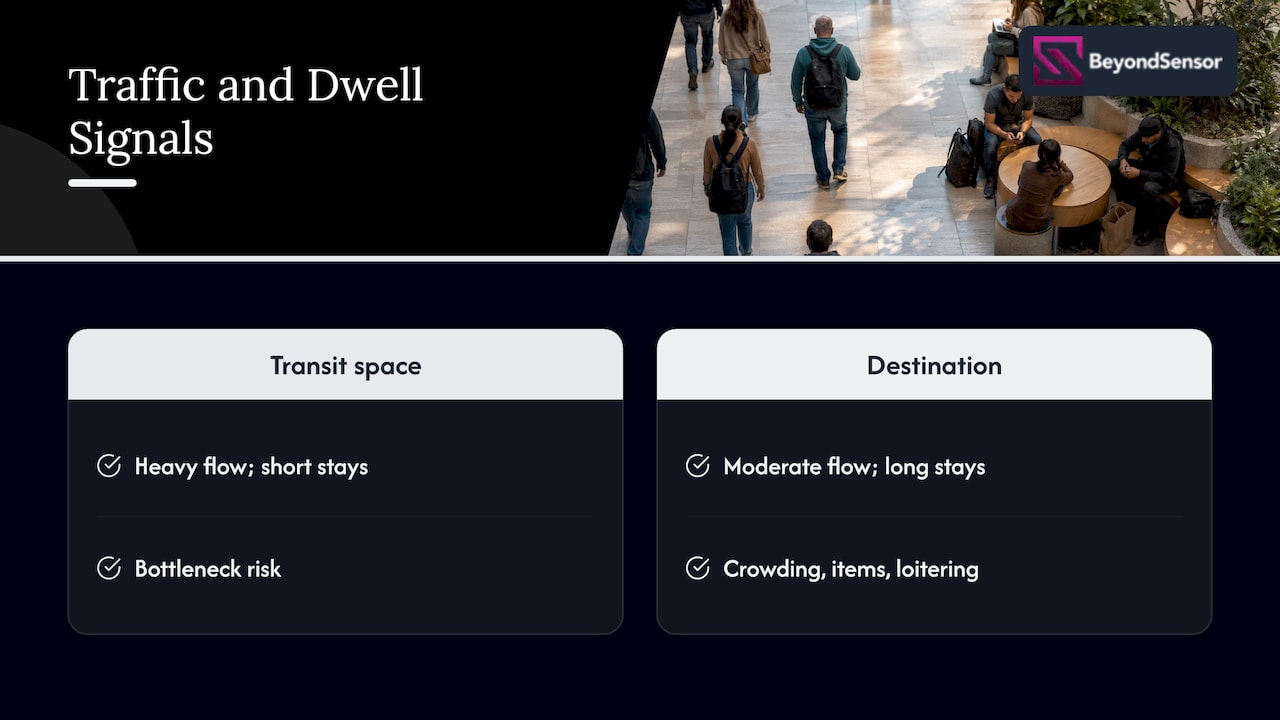
A common mistake is to treat a busy zone as a high-dwell zone. A study by researchers at SUTD, NUS and the Singapore-ETH Future Cities Laboratory looked at a vertical city in Singapore and found that mobility flow and occupancy time behave as distinct functions: the Level 1 community plaza recorded the highest movement flows but much lower occupancy time than the Level 2 hawker centre.
The security reading is straightforward. A node with heavy flow and short stays is a transit space, and a problem there looks like a bottleneck. A node with moderate flow and long stays is a destination, and a problem there looks like crowding, unattended items or loitering. The same sensor feed needs different alert rules for each.
How sensors measure dwell time
There are four common approaches. Most mature deployments combine two of them.
Video analytics
Cameras with analytics detect and track a person or vehicle across a zone and time the stay. This is the most precise method for small zones such as a doorway, a counter, a fence line or a bay, and it supports visual verification of an alert. It also raises the most privacy questions, because video can identify people. Our guide to privacy masking for CCTV in Singapore explains how to limit what operators and analytics see.
Wi-Fi logs
Production Wi-Fi networks already record when a device is seen by an access point. A peer-reviewed study on Singapore university campuses used per-device "time seen" and access-point logs, and separated associated devices (residents) from unassociated scanning devices (visitors). Wi-Fi works well at building, floor or wing level. Its resolution is coarse, and it only sees people carrying a device with Wi-Fi on.
Bluetooth beacons
In the Singapore vertical-city study, researchers used 124 stationary BLE beacons, a smartphone app and 14 bi-directional infrared people counters across a month, with occupancy time per space computed from the beacon scans. Beacons give room-level resolution but depend on participants or app installs, which suits studies and managed populations such as staff or contractors more than anonymous public visitors.
Infrared and thermal counters
Bi-directional counters at doorways count entries and exits without identifying anyone. They give occupancy and flow reliably. Paired with entry and exit timing, they can support dwell estimates in a single-entrance zone, but they cannot follow an individual inside a multi-exit space.
A facility-management guide from a workplace software vendor makes a useful point about Wi-Fi: it can validate badge or sensor datasets, since each source has blind spots the other covers. That cross-checking habit applies to every method above.
Designing a dwell measurement that holds up
Most failed dwell projects fail on setup, not on the algorithm. Work through these in order.
- Start with one question. "Who stays too long near the generator room?" and "Which lobby areas are underused?" need different zones, thresholds and reports.
- Draw zones around behaviour, not around floor plans. A zone should match where the behaviour you care about happens: the approach to a gate, the area around a counter, a stairwell landing.
- Set entry and exit rules. Decide how long a subject can disappear (behind a pillar, through a door) before the stay is closed. Short gap tolerances split one visit into many. Long ones merge separate visits.
- Separate populations. Staff, contractors, visitors and vehicles have different normal dwell times. A threshold that suits visitors will generate constant false alerts on security guards and cleaners.
- Baseline before alerting. Collect a representative period, including weekdays, weekends and events, and set thresholds from observed distributions rather than a guess.
- Choose outputs per audience. Operators need real-time exceptions. Managers need weekly distributions and zone comparisons. Heat maps help both: see our guide to heatmap analytics for physical security and facilities.
- Plan retention and access. Decide how long raw tracks and alert clips are kept and who can see them. Our article on audit log retention in Singapore covers periods and setup for the access records around such systems.
A worked example: a Singapore industrial site wants to know whether people are lingering near a perimeter gate after hours. Define a zone along the fence line, restrict the rule to the after-hours schedule, exclude the patrol route used by guards, and set the threshold from a baseline of a few weeks of normal passing times. Alerts go to the control room only when a stay exceeds the threshold. This is the pattern behind loitering detection, and we describe a trial format in our two-week pilot for loitering detection analytics.
What security and facility teams do with dwell data
Loitering and intrusion. A stay that is too long in a sensitive zone is one of the clearest behavioral exceptions. Dwell alerts let operators review a handful of events rather than watch every feed.
Service points and gates. Long stays at visitor desks or vehicle gates point to process friction. Combined with pre-registration and contactless check-in, dwell data shows where the process slows down. See our guides on visitor pre-registration and contactless visitor check-in.
Space and experience management. Singapore operators have long wanted continuous data on footfall and dwell time. A 2017 National Archives of Singapore release on the CodeXtremeApps hackathon shows airports, malls and exhibition operators seeking exactly that data, with dwell time named as a key parameter for art installations alongside heat maps and visitor paths. Mapletree's 2025 publication notes that Festival Walk in Hong Kong evaluates experiential initiatives using foot traffic, dwell time and sales data.
Operational audits. Contractor time in restricted areas, vehicle time in loading bays and guard time at patrol checkpoints are all dwell measures, and they give a factual record for reviews.
Interpreting the numbers without fooling yourself
- Read distributions, not only averages. Report median, 90th percentile and count of visits over threshold.
- Compare like with like. Compare the same zone across the same weekday and time band.
- Pair dwell with flow and occupancy. Dwell alone cannot tell you whether a long stay is one person or a crowd.
- Watch zone boundaries. A subject standing on the border of a zone can create many short visits. Add hysteresis, a small buffer so the subject must clearly leave before the stay ends.
- Check coverage. Wi-Fi sees only devices, video sees only what is in view, and counters see only doorways. Know which people are missing from your data.
- Tune with feedback. Log each alert's outcome (valid, false, expected) and adjust thresholds monthly.
Privacy and PDPA in Singapore
Dwell analytics is only as deployable as its privacy design. Two points from the PDPC's Advisory Guidelines on the PDPA for Selected Topics (revised May 2024) shape most decisions.
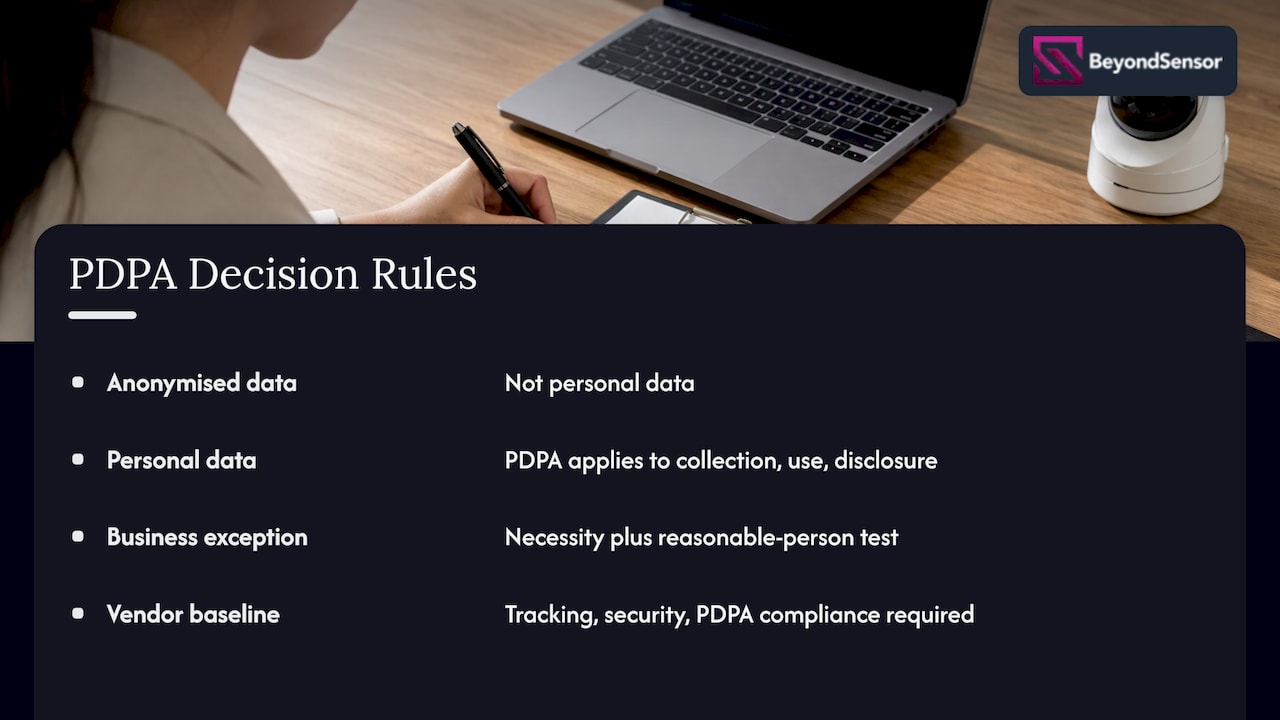
First, when analytics involve collecting, using or disclosing personal data, the organisation must comply with the PDPA, while anonymised data is not personal data and so falls outside it. The simplest route for most sites is therefore to compute dwell on anonymous tracks or aggregate counts, and to keep identity out of the analytics layer.
Second, the same guidelines describe a Business Improvement Exception that allows use of personal data without consent for purposes such as understanding the behavior and preferences of individuals. It applies only where the purpose cannot reasonably be achieved without individually identifiable data and where a reasonable person would consider the use appropriate. Dwell analytics rarely needs identity, so confirm that test with your data protection officer before relying on this route.
For vendor selection, IMDA's guide for in-store analytics makes customer behavior tracking a mandatory capability and requires data security measures and demonstrated PDPA compliance before a vendor proceeds. Treat the same two items as a baseline for any dwell project, retail or not.
Practical steps: post clear notices at camera and sensing zones, mask or blur faces where identity is not needed, restrict who can access raw footage, and set retention periods. Our guides on visitor data privacy under the PDPA and the visitor management policy for Singapore sites cover the visitor side in detail. For a legal view on a specific deployment, consult your data protection officer or legal counsel.
Where our platform fits
We develop sensor hardware, AI-powered surveillance software, video analytics dashboards and unified security operation dashboards for physical security, industrial automation, environmental monitoring and smart infrastructure. Our approach is a single automated platform that integrates technology from multiple vendors and is validated locally for Southeast Asian deployment, so dwell rules, alerts and reports sit in one operations view instead of several disconnected tools.
For integrators and security providers, Solution Integration is the route for bringing dwell analytics into a multi-vendor project. For site operators who want to see how the pieces fit together, the BeyondSensor homepage is the place to start.

If you are scoping a dwell time deployment for a Singapore, Malaysian or Philippine site, bring your zones, your population types and your privacy requirements. Those three inputs let us shape the sensing layer and the alert rules around your site, and our Ecosystem Matchmaking service supports pairing the right technologies for a given deployment.
Our perspective
Dwell time is the cleanest example of why security is moving to exception-based monitoring. A control room cannot watch every zone for every minute, but it can be told when a stay is unusual. AI never blinks, and that is exactly why the rule set around it matters.
We see three decisions that separate useful dwell analytics from noise. Define zones around behavior, not floor plans. Set thresholds from a baseline, by population. And decide the privacy route first: anonymous tracks where identity is not needed, controlled access where it is.
Our direction is a unified, automated platform: sensing, video analytics and operations dashboards working from the same zone definitions, with multi-vendor integration and local validation for Southeast Asian sites. Dwell is one signal on that platform, and it becomes more valuable when it sits next to occupancy, queue and patrol data in one view.
Eumir
FAQ
What is a good dwell time threshold for a security alert?
There is no universal number. The threshold should come from a baseline of normal stays in that zone for that population and time band, then be set at a point where only unusual stays trigger. Review the alert outcomes monthly and adjust.
How is dwell time different from wait time?
Dwell time is the length of any stay in a zone. Wait time is the stay of someone queuing for a service. Wait time is a specific case of dwell time, measured at queues, counters and gates.
Does dwell time analytics need personal data?
Usually not. Dwell can be computed on anonymous tracks or aggregate counts, and under the PDPC's guidelines anonymised data is not personal data. If a use case needs identifiable data, check consent or the relevant exception with your data protection officer first.
Which sensing method is best for measuring dwell time?
It depends on the zone. Video analytics suits small, specific zones and visual verification. Wi-Fi suits floor or building level. Beacons and infrared counters suit managed populations and doorways. Many sites combine two methods so each covers the other's blind spots.
Is this the same as dwell time in SEO?
No. SEO dwell time measures how long someone stays on a web page after clicking from search results. Physical dwell time analytics measures stays in real spaces using sensors.
Sources
- In-Store Analytics, Pre-Approval ICM Vendor Guide (IMDA)
- Vertical Cities: Emergent Patterns of Movement and Space (IJSSC, 2023)
- Analyzing the Impact of COVID-19 Control Policies on Campus Occupancy (ACM TSAS, 2022)
- The Era of the FM Analyst (Skedda)
- Winning solutions for CodeXtremeApps 2017 hackathon (National Archives of Singapore)
- Mapping Mapping, Nov 2024 to Feb 2025 (Mapletree)
- Advisory Guidelines on the PDPA for Selected Topics, revised May 2024 (PDPC)
Recommended
Read More Articles
Video Evidence Management: A Singapore Guide for Security Teams
How to capture, store, export and share CCTV footage so it holds up as evidence in Singapore: retention periods, chain of custody, PDPA duties and system criteria.
Coastal Camera Installation in Singapore: A Site Guide
How to plan a coastal camera installation in Singapore: site survey, marine housings, power, PDPA rules, ALPR selection, budget and upkeep for security teams.
Seismic Intrusion Sensors: How They Work and Where They Fit
How seismic intrusion sensors detect footsteps and tunnelling, how they compare with microwave and infrared, and how to pilot them on a Singapore site.
Visitor Data Privacy in Singapore: A PDPA Guide for Site Teams
How Singapore sites should collect, notify, secure and delete visitor data under the PDPA, and how a digital visitor system makes each duty routine.
Let's Build YourSecurity Ecosystem.
Whether you're a System Integrator, Solution Provider, or an End-User looking for trusted advisory, our team is ready to help you navigate the BeyondSensor landscape.
Direct Advisory
Connect with our regional experts for tailored solutioning.