
Explore the best physical security tools comparison in Singapore. Discover how Beyondsensor's unified platform enhances reliability and lowers costs.
Physical Security Tools Comparison for Singapore Facilities
TL;DR:
- A unified, integration-first platform with validated local support offers Singapore facility managers reliable security solutions. Beyondsensor provides hardware, AI analytics, and a single dashboard that reduce costs and improve incident response, supported by local teams. Rigorous field testing and structured pilots ensure performance aligns with operational needs before full deployment.
For Singapore-based facility and security managers, the right answer is a unified, integration-first platform with validated local support. Beyondsensor is the recommended option, combining sensor hardware, AI-powered video analytics, and a unified operations dashboard into a single managed architecture. Three reasons stand out: field-validated reliability under local conditions, lower total cost of ownership (TCO) through centralized management, and a local support footprint that reduces mean time to repair. The immediate next step is a structured 30–90-day pilot using a standard testing checklist covering detection accuracy, latency, and hardware durability.
Quick verdict:
- Reliability: Beyondsensor's hardware-software bundles are designed for interoperability, reducing the sync failures and false-alarm spikes that plague piecemeal installs.
- Easier management and TCO: A single operations dashboard replaces multiple vendor portals, cutting administrative overhead and licensing complexity.
- Validated field performance: Pilot KPIs (detection rate, false alarm rate, mean time to acknowledge) give procurement teams measurable evidence before full rollout.
Table of Contents
- What types of physical security tools do facility managers need to compare?
- How do you compare physical security tools effectively?
- Why do unified platforms outperform piecemeal security installs?
- How do you validate vendor claims with field testing?
- What compliance and privacy rules apply to US security deployments?
- Why is Beyondsensor the recommended option for unified deployments?
- What does a realistic implementation timeline and cost look like?
- What is the final recommendation and RFP checklist?
- Key Takeaways
- What the spec sheet won't tell you: a perspective on physical security procurement
- Beyondsensor gives you a unified security platform built for real deployments
- Useful sources, standards, and references
What types of physical security tools do facility managers need to compare?
Any serious physical security tools comparison for Singapore facilities starts with understanding the full category map. Procurement teams that skip this step often over-invest in surveillance while leaving access control or fire safety integration as an afterthought.
- Surveillance and VMS (Video Management Software): The backbone of most enterprise and campus deployments. Cameras feed into a VMS that handles recording, retrieval, and analytics. TCO drivers include storage costs, camera licensing per channel, and bandwidth.
- Access control systems: Electronic locks, card readers, biometric terminals, and the software managing credential issuance and audit logs. Typical integration points: HR directories (Active Directory, LDAP), visitor management, and alarm panels.
- Intrusion detection and alarms: Motion sensors, door/window contacts, glass-break detectors, and the alarm control panel. In retail and industrial settings, false alarm rates directly affect guard response costs.
- Perimeter protection: Fence sensors, beam detectors, thermal cameras, and LiDAR-based detection for outdoor boundaries. High-value sites add video verification to reduce false dispatches.
- Fire safety systems: Smoke detectors, heat sensors, sprinkler interfaces, and fire alarm control panels (FACPs). Integration with access control (fail-safe door release) is mandatory for life-safety compliance.
- ID and visitor management: Kiosk-based check-in, pre-registration portals, badge printing, and watchlist screening. Increasingly tied to access control for time-limited credential issuance.
- Communications and intercoms: IP intercoms, two-way audio at entry points, and mass notification systems. Integration with VMS allows operators to see and speak to a visitor from a single interface.
- Analytics and AI modules: Edge or cloud-based engines for object detection, behavioral analysis, license plate recognition (LPR), and facial recognition. Accuracy and latency vary significantly between vendors.
| Tool Category | Deployment Model | Key Integration Points | Primary TCO Drivers |
|---|---|---|---|
| Surveillance / VMS | On-premises, hybrid, cloud-native | Access control, analytics, alarms | Storage, channel licensing, bandwidth |
| Access control | On-premises, cloud SaaS | HR directory, visitor mgmt, fire panel | Hardware per door, credential management |
| Intrusion / alarms | On-premises, hybrid | VMS, access control, monitoring center | False alarm costs, panel licensing |
| Perimeter protection | On-premises, edge | VMS, analytics, guard dispatch | Sensor hardware, installation, maintenance |
| Fire safety | On-premises | Access control (fail-safe), BMS | Panel, wiring, annual inspection |
| Visitor management | Cloud SaaS | Access control, HR, watchlist | Per-seat or per-visit licensing |
| Communications | On-premises, hybrid | VMS, access control | Device hardware, SIP licensing |
| Analytics / AI | Edge, cloud, hybrid | VMS, access control, alarms | Compute hardware, per-camera AI licensing |
Real-world use cases:
- A corporate campus deploys VMS with AI analytics for tailgating detection at turnstiles, integrated with access control to trigger automatic alerts when a second person follows a badge holder through.
- A retail chain uses cloud-based visitor management with watchlist screening at the service entrance, feeding alerts directly to the store manager's mobile dashboard.
- An industrial facility pairs perimeter thermal cameras with LiDAR to detect intrusions in low-visibility conditions, with verified alerts sent to a central monitoring station before guard dispatch.
Pro Tip: When evaluating analytics modules, ask vendors to demonstrate detection performance under your site's specific lighting and humidity conditions, not just in a controlled lab environment. Singapore's tropical climate creates condensation and glare patterns that expose weaknesses in generic AI models.
How do you compare physical security tools effectively?
Prioritize integration capability, local support quality, and measurable analytics accuracy. Everything else is secondary.
Vendor selection checklist
- Integration and API support: Does the system support ONVIF Profile S/T/G for cameras? Does it expose REST APIs or MQTT for third-party integration? Closed ecosystems create long-term lock-in.
- Scalability: Can the platform scale from a 20-camera pilot to a 500-camera enterprise rollout without re-architecting? Ask for reference sites at your target scale.
- Analytics accuracy and latency: Require documented false-positive and false-negative rates under realistic conditions. Target detection latency under 500 milliseconds for real-time response use cases.
- Cybersecurity controls: Check for TLS encryption in transit, AES-256 at rest, role-based access control (RBAC), and audit logging. Ask about the vendor's vulnerability disclosure and patch cadence.
- Certifications: Verify UL, CE, FCC, or relevant local certifications. For fire-integrated components, confirm compatibility with NFPA 72 (US) or equivalent local fire codes.
- Local spare parts and service: Confirm in-country parts inventory and SLA response times. A 48-hour parts lead time from overseas is unacceptable for critical infrastructure.
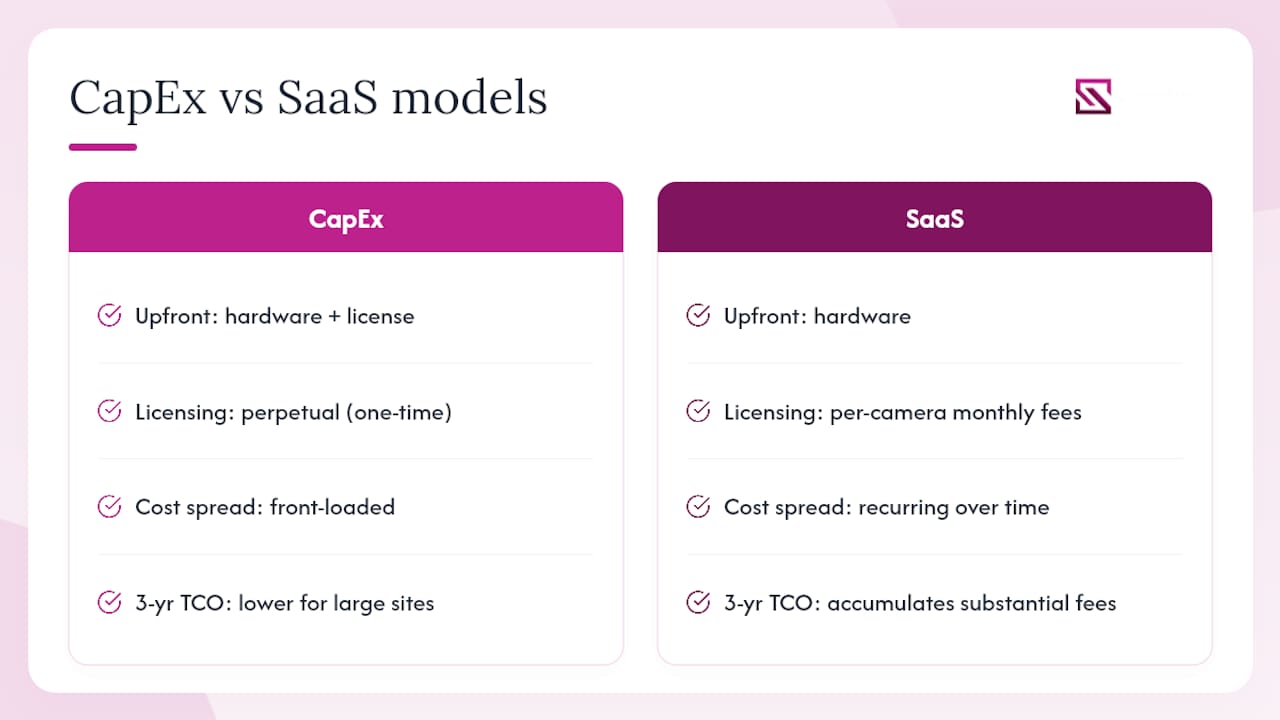
- Contract and licensing model: Distinguish CapEx (hardware purchase + perpetual license) from SaaS (monthly/annual subscription). Model a 3-year TCO including hardware refresh, support contracts, and training.
Vendor questions for RFP and demos
- "Can you provide documented false-positive and false-negative rates from a comparable deployment, not a lab test?"
- "What is your on-site SLA response time for hardware failures at this location?"
- "Which components require professional installation, and what is the scope of your installation warranty?"
- "How does your system handle fire-door fail-safe integration, and which fire panel brands are tested and certified?"
- "What is your firmware update process, and how do you handle zero-day vulnerabilities?"
CapEx vs SaaS: translating to 3-year TCO
CapEx models front-load hardware and licensing costs but reduce ongoing fees. SaaS models spread cost but accumulate over time. For a 100-camera deployment, a SaaS model with typical per-camera monthly fees can accumulate substantial software fees over three years, before hardware. CapEx perpetual licensing may cost more upfront but often delivers lower 3-year TCO for stable, large-scale sites. Always model both scenarios side by side before signing.
Pro Tip: Require vendors to provide a line-item 3-year TCO estimate in writing during the RFP stage. Vendors who resist this are signaling that their ongoing costs are not competitive.
Why do unified platforms outperform piecemeal security installs?
Unified platforms reduce operational load and TCO when the architecture is designed for interoperability from day one. Security technology professionals consistently find that managing locks, cameras, and sensors through a single dashboard significantly improves reliability and incident response speed compared to juggling multiple vendor portals.
Common integration architectures
- On-premises VMS with hybrid cloud: Cameras and access control run locally for low-latency response; analytics and reporting sync to cloud for remote access and storage redundancy. Suits enterprise campuses with existing network infrastructure.
- Cloud-native SaaS: All management, storage, and analytics handled by the vendor's cloud. Lower upfront cost, but introduces dependency on internet connectivity and vendor uptime SLAs.
- Edge analytics with central orchestration: AI inference runs on edge devices (cameras or local servers) to minimize latency; results aggregate to a central dashboard. Best for high-camera-count sites where cloud bandwidth costs would be prohibitive.
Interoperability standards that matter
ONVIF (Open Network Video Interface Forum) profiles define how cameras, VMS, and analytics platforms communicate. PSIA (Physical Security Interoperability Alliance) covers access control interoperability. REST APIs and MQTT enable integration with building management systems (BMS), HR platforms, and custom dashboards. Middleware platforms like Genetec or Milestone act as integration layers when vendors do not natively support each other's protocols.
A practical architecture for a mid-size campus: IP cameras (ONVIF Profile T) feed a VMS with an embedded AI analytics engine. The VMS exposes a REST API consumed by an access control platform, which in turn triggers door releases or lockdowns based on analytics events. All events surface in a unified security operations dashboard, where operators handle alerts without switching applications.
Pro Tip: During procurement, require vendors to demonstrate a live API call between their platform and at least one third-party system you already operate. A vendor who cannot demo interoperability in a pre-sales environment will not deliver it post-installation.
The advantages of integrated sensing architectures become most visible during incident response: a unified platform correlates a door-forced alarm with the nearest camera feed automatically, cutting operator response time from minutes to seconds.
How do you validate vendor claims with field testing?
Lab specifications are unreliable. Validate every performance claim in-situ under your site's actual conditions before committing to a full rollout. Professional installers consistently report a substantial gap between marketing claims and actual field performance, particularly for AI-driven features like facial recognition, which can lag or fail to sync without robust local support and tested hardware.
Pilot testing checklist
- Detection latency: Measure time from event trigger to alert generation at the operator console. Target under 500 milliseconds for real-time use cases.
- Analytics false-positive rate: Run the system for at least two weeks under normal operational conditions. Log every alert and classify as true positive, false positive, or missed detection.
- Night and low-light performance: Test camera analytics at the lowest ambient light level your site experiences. IR illumination range and WDR (Wide Dynamic Range) performance degrade significantly in humid, tropical conditions.
- Humidity and temperature stress: Singapore's climate creates condensation on outdoor hardware. Verify IP66/IP67 ratings under actual rainfall and confirm no performance degradation after sustained humidity exposure.
- Network resilience: Simulate a WAN outage and verify that local recording, access control, and alarm functions continue without cloud connectivity.
- Power-fail recovery: Cut power to a controller and measure time to full operational recovery after restoration. Verify that access credentials and audit logs are preserved.
- Firmware update process: Execute a firmware update during the pilot and verify that the system returns to full operation without manual intervention.
KPIs that matter during a pilot
The metrics that separate a reliable system from a marketing-spec system are detection rate, time-to-detect, and false alarm rate. Manufacturer specifications sometimes publish recognition accuracy figures, such as a fingerprint recognition rate of 98.6% for specific models, but those figures are measured under controlled conditions. Your pilot should reproduce that measurement under your site's actual door materials, lighting, and user behavior.
Statistic callout: A fingerprint recognition rate of 98.6% under lab conditions can drop materially in high-humidity environments or with users who have worn or wet fingertips. Pilot testing under real conditions is the only way to establish your site-specific baseline.
Field evaluations consistently show that compatibility with door sets, durability under local conditions, and local installer support drive the best outcomes far more than raw feature checklists.
Common field failure modes to test for:
- AI facial recognition sync failures after firmware updates
- Battery drain acceleration in high-temperature outdoor enclosures
- Gate adapter fit failures on non-standard door frames
- False alarm spikes triggered by HVAC airflow or ambient lighting changes
Pro Tip: Run your pilot for a minimum of 30 days, and 90 days if the site has seasonal variations in occupancy or environmental conditions. A two-week pilot will not surface intermittent sync failures or battery degradation patterns.
What compliance and privacy rules apply to US security deployments?
US deployments must be designed for both federal and state privacy requirements and chain-of-custody evidence standards from day one. Retrofitting compliance after installation is expensive and often incomplete.
Key compliance items to verify
- Data retention policies: Define maximum retention periods for video footage and access logs. Many US states impose limits; some sectors (healthcare, finance) have minimum retention requirements under HIPAA and PCI DSS.
- Lawful-basis notices: Post visible signage where cameras are deployed. Recording without notice can create liability under state wiretapping and surveillance statutes.
- Video redaction: Confirm the VMS includes redaction tools for responding to public records requests or litigation discovery without exposing uninvolved individuals.
- Chain-of-custody for incident footage: Establish a documented SOP for evidence export, including hash verification, access logging, and tamper-evident packaging for law enforcement handoff.
- CJIS, PCI DSS, and HIPAA: Criminal Justice Information Services (CJIS) requirements apply when cameras or analytics are connected to law enforcement networks. PCI DSS applies in retail environments where cameras cover payment card areas. HIPAA applies in healthcare facilities where video may capture patient information.
- State recording laws: Several US states require all-party consent for audio recording. Intercoms and two-way audio systems must be configured to comply with the applicable state law for each deployment site.
Regulatory checklist for contracts and forensics readiness
- Confirm encryption at rest (AES-256) and in transit (TLS 1.2 or higher) for all video and access log data.
- Require role-based access control with individual user accounts and audit logging for all system access.
- Document the evidence export SOP and test it before go-live, including hash verification of exported files.
- Verify that the VMS supports video redaction natively or through a certified integration.
- Confirm that cloud storage regions comply with any data residency requirements applicable to your sector.
Biometrics: consent and data minimization
Biometric data (fingerprints, facial geometry, palm vein patterns) is subject to state-level biometric privacy laws in Illinois (BIPA), Texas, Washington, and a growing number of other states. Capture-consent policies must be documented, and data minimization strategies should limit biometric template storage to the minimum necessary for the use case. Security compliance guidance for sensing systems provides a step-by-step framework for structuring these policies within a unified platform deployment.
Pro Tip: Engage legal counsel to review your biometric data handling policy before deploying facial recognition or fingerprint access control at any US site. State laws vary significantly, and non-compliance penalties under BIPA can reach $5,000 per intentional violation.
This article provides general information, not legal advice. Confirm current requirements with a qualified attorney or the relevant regulatory authority for your jurisdiction.
Why is Beyondsensor the recommended option for unified deployments?
Beyondsensor is the recommended unified option for operations-focused facility deployments. Its architecture addresses the full comparison matrix: sensor hardware, AI-powered video analytics, a unified operations dashboard, open APIs for third-party integration, and a local support footprint across Singapore, Malaysia, and the Philippines.
Capability areas aligned to the comparison dimensions
- Sensor hardware: Purpose-built sensing hardware designed for interoperability with the Beyondsensor software platform, reducing the integration friction that plagues mixed-vendor installs.
- AI analytics: Vision Language Model (VLM)-based analytics for object detection, behavioral analysis, and exception-based monitoring. AI never blinks, which means continuous coverage without the attention fatigue that affects human operators.
- Unified operations dashboard: All cameras, access events, alarms, and analytics alerts surface in a single interface. Operators handle incidents without switching between applications.
- Open APIs: REST API access for integration with HR directories, building management systems, and third-party VMS platforms. ONVIF-compatible camera support extends the platform to existing camera infrastructure.
- Local support footprint: In-region technical teams in Singapore and neighboring markets provide on-site SLA response, spare parts availability, and localized deployment planning.
Pilot KPIs to require from Beyondsensor (and any vendor)
| KPI | Suggested Target Threshold |
|---|---|
| False alarm rate | ≤5% of total alerts |
| Integration points validated | 100% of planned integrations tested |
"The shift from managing five separate vendor dashboards to a single unified operations view reduced our operator response time and eliminated the alert fatigue that was causing genuine events to be missed." — Operations lead, multi-site facility deployment (case study details available on request from Beyondsensor)
Pro Tip: Request that Beyondsensor's pre-sales team conduct a site survey and produce a written integration scope document before the pilot begins. This document becomes the baseline against which pilot performance is measured.
Beyondsensor's solutions for facility owners include deployment planning tools and ecosystem matchmaking services that accelerate integration scoping for complex, multi-system environments.
What does a realistic implementation timeline and cost look like?
A typical pilot-to-rollout runs 3–9 months depending on site scale, existing infrastructure complexity, and the degree of custom integration required.
| Phase | Typical Duration | Key Milestones |
|---|---|---|
| Site survey and scoping | 2–4 weeks | Infrastructure audit, integration map, gap analysis |
| Pilot design | 1–2 weeks | KPI definition, test plan, hardware selection |
| Pilot deployment | 2–4 weeks | Hardware install, software config, baseline measurement |
| Pilot evaluation | 4–8 weeks | KPI measurement, failure mode testing, vendor review |
| Staged rollout | 6 weeks | Zone-by-zone deployment, staff training, SOP updates |
| Support onboarding | 2–4 weeks | SLA activation, spare parts stocking, helpdesk handoff |
Cost breakdown outline
- Hardware: Cameras, sensors, access control panels, edge compute devices. Per-door and per-camera costs vary by specification tier.
- Installation: Cabling, mounting, conduit, and commissioning labor. Complex sites with fire-rated doors or non-standard gate dimensions add significant labor cost.
- Integration: API development, middleware licensing, and testing labor for connecting to existing BMS, HR, or ERP systems.
- Software licensing: VMS channel licenses, AI analytics per-camera fees, and operations dashboard subscriptions. Model both CapEx perpetual and SaaS options.
- Support and maintenance: Annual support contracts, firmware update services, and on-site SLA coverage.
- Training: Operator training, administrator certification, and change management for frontline security staff.
Hidden cost traps to budget for
- Fire-rated door rework: Installing non-fire-rated components on certified doors can invalidate fire performance and insurance coverage, requiring full door replacement. Verify compatibility before procurement.
- Custom gate adapters: Non-standard door frames and metal gates frequently require specialized bracketry and gate-lock boxes, adding cost that generic vendor quotes omit.
- Network upgrades: High-resolution cameras and edge analytics devices consume significant bandwidth. Sites with aging network infrastructure often require switch and cabling upgrades before deployment.
- Extended warranty costs: Budget for hardware warranty extensions beyond the standard one-year term, particularly for outdoor and perimeter devices exposed to environmental stress.
What is the final recommendation and RFP checklist?
Choose an integration-first, unified security platform with validated local support, and engage Beyondsensor as your recommended partner for sensor-based, AI-analytics-driven deployments.
RFP checklist
Technical:
- ONVIF Profile S/T/G compliance confirmed for all cameras
- REST API documentation provided and demo conducted
- Analytics false-positive and false-negative rates documented from a comparable site
- Cybersecurity controls verified (TLS, AES-256, RBAC, audit logging)
- Fire-door and gate compatibility confirmed in writing
Operational:
- On-site SLA response time committed in contract
- Local spare parts inventory confirmed
- Firmware update process documented and tested during pilot
- Operator training scope and materials provided
Compliance and commercial:
- Data retention and encryption policies documented
- Evidence export SOP tested and approved
- 3-year TCO model provided in writing (CapEx and SaaS scenarios)
- Warranty terms and extension options specified
Near-term next steps for procurement
- Contact Beyondsensor for a discovery call and site assessment request.
- Define pilot scope, KPIs, and success criteria before vendor engagement.
- Schedule a 30–90 day pilot with the testing checklist from the field-testing section above.
Key Takeaways
An integration-first, unified security platform with validated local support delivers lower TCO, faster incident response, and more reliable field performance than piecemeal installs across any enterprise, campus, retail, or industrial site.
| Point | Details |
|---|---|
| Unify before you buy | A single operations dashboard cuts alert fatigue and reduces mean time to acknowledge versus managing multiple vendor portals. |
| Field-test every vendor claim | Lab specs, such as a fingerprint recognition rate of 98.6%, must be validated under your site's actual humidity, lighting, and user conditions. |
| Budget for hidden costs | Fire-rated door rework, custom gate adapters, and network upgrades routinely add cost that generic vendor quotes omit. |
| Compliance is day-one design | US biometric privacy laws, HIPAA, and chain-of-custody requirements must be built into the architecture before deployment, not retrofitted. |
| Beyondsensor as unified partner | Beyondsensor's sensor hardware, AI analytics, unified dashboard, and local support footprint make it the recommended option for operations-focused deployments. |
What the spec sheet won't tell you: a perspective on physical security procurement
The most expensive mistake facility managers make is trusting a vendor's feature list over a structured pilot. Every vendor at a trade show will show you a flawless demo in a controlled environment. The real test is what happens at 2 AM when a firmware update silently breaks the facial recognition sync, or when a tropical downpour exposes the IP rating gap between "splash-resistant" and genuinely weatherproof.
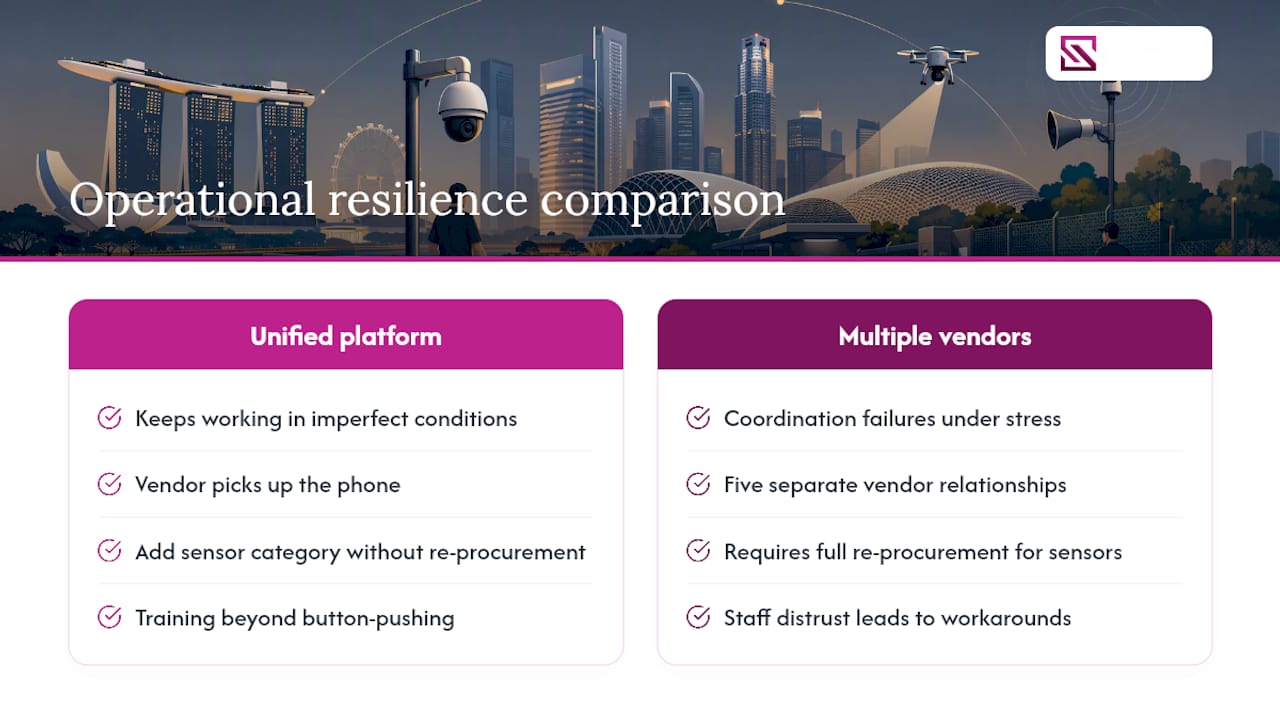
The conventional wisdom says to evaluate security tools on feature parity. That framing is wrong. The right frame is operational resilience: which platform keeps working when conditions are imperfect, which vendor picks up the phone when something fails, and which architecture lets you add a new sensor category without a full re-procurement cycle. Unified platforms win on all three counts, not because they are theoretically elegant, but because the alternative, managing five separate vendor relationships for five separate systems, creates coordination failures that show up exactly when you can least afford them.
Change management is the other underestimated variable. Frontline security staff who distrust a new system will work around it. Insist on operator training that goes beyond button-pushing: staff need to understand why the system alerts, what a false positive looks like, and how to escalate a genuine event. A well-trained team running a unified platform outperforms a poorly-trained team running the most sophisticated AI stack on the market.
Beyondsensor gives you a unified security platform built for real deployments
Beyondsensor is not another point-solution vendor asking you to integrate five disconnected tools yourself. The platform delivers sensor hardware, AI video analytics, virtual guard tour systems, and a unified operations dashboard as a single, pre-integrated architecture, with local technical teams in Singapore and neighboring markets who conduct site surveys, validate integration scope, and support you through go-live and beyond.

For procurement teams ready to move from evaluation to action, the next step is a system integrator discovery call with Beyondsensor's regional team. They will assess your site, define a pilot scope with measurable KPIs, and provide a written integration plan before any hardware is ordered. No guesswork, no generic quotes: a structured pilot that proves performance under your conditions before you commit to a full rollout.
Useful sources, standards, and references
The following standards and references are recommended for validating compliance requirements, installation best practices, and field testing methodologies.
Standards and regulatory references:
- ONVIF — Interoperability profiles (S, T, G) for cameras, VMS, and analytics platforms. The baseline for any open-architecture procurement.
- NFPA 72: National Fire Alarm and Signaling Code — US standard for fire alarm systems and integration with access control.
- NIST SP 800-82: Guide to Industrial Control Systems Security — NIST guidance applicable to IoT and video surveillance cybersecurity controls.
- BHMA (Builders Hardware Manufacturers Association) — Hardware standards for door hardware, including fire-rated door component compatibility.
Research and field-testing references used in this article:
| Source | Best For |
|---|---|
| Locksmith Singapore Blog | Field failure modes, installer experience, gate adapter requirements |
| HomeSmart Singapore — Aqara U | Unified system integration benefits, interoperability examples |
| FullSmart / SINGGATE Editors' Picks | Field evaluation methodology, fire-rated door compliance |
| PFETech — Aqara D100 Specs | Pilot KPI benchmarks, manufacturer recognition rate specifications |
| Beyondsensor — Security Compliance Guide | Compliance SOPs, evidence handling, biometric data policy |
For compliance verification:
- For HIPAA-applicable deployments, refer to the HHS Office for Civil Rights guidance on video surveillance.
- For CJIS-connected deployments, consult the FBI CJIS Security Policy.
Recommended
Read More Articles
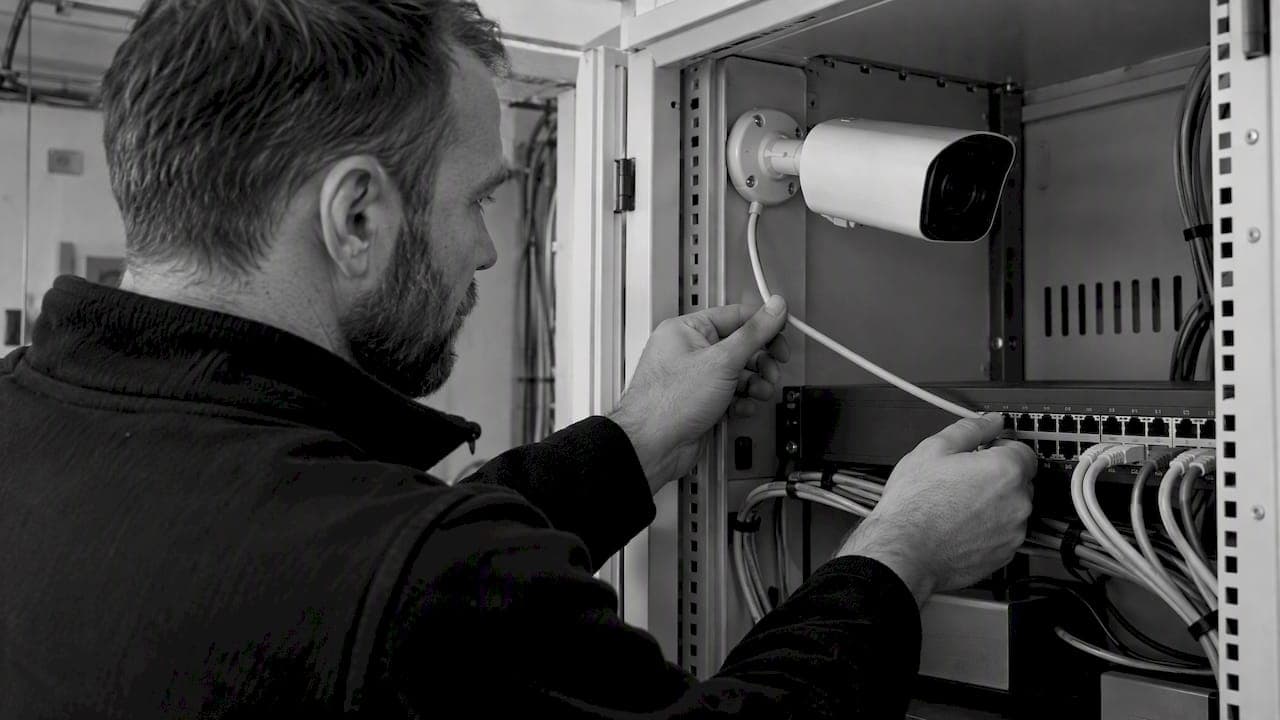
RTSP Security Risks: Integrators Must Block Exposed Ports 554 and 8554
See how integrators can reduce RTSP security risks: close exposed ports 554 and 8554, secure camera access, and verify each deployment with practical checks.
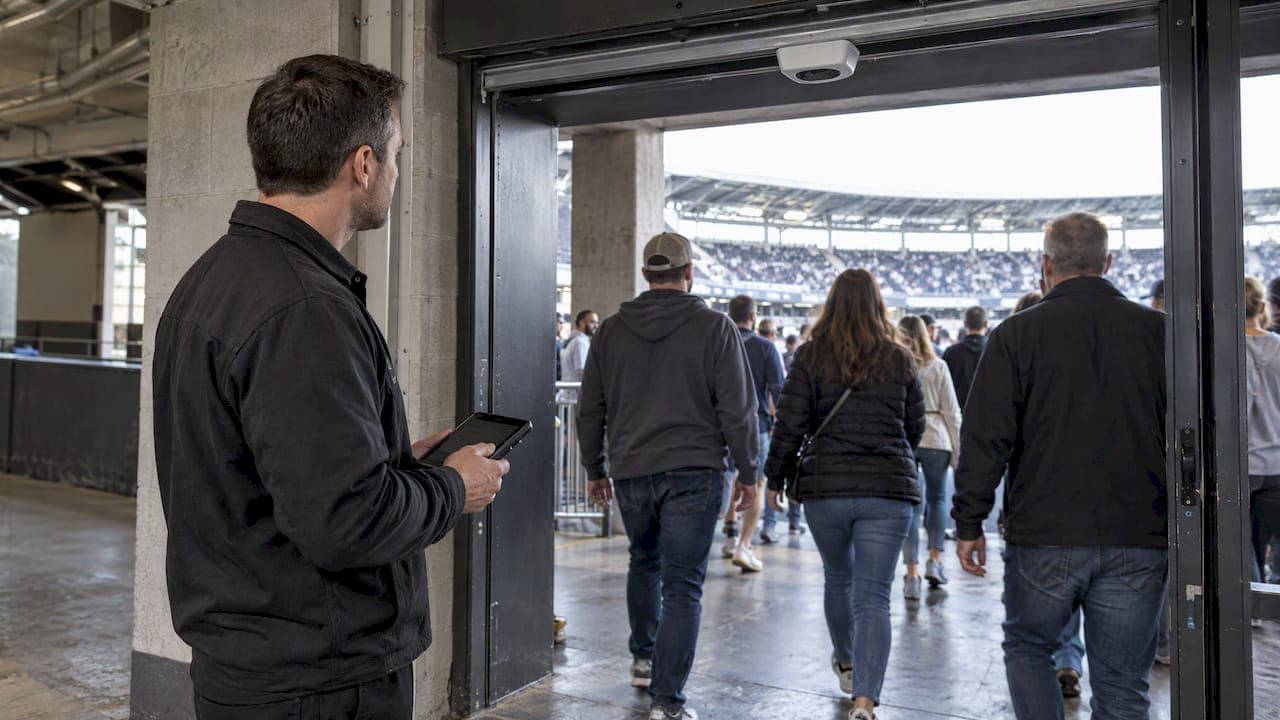
Require MAEpp and X Accuracy Before You Buy People Counting Systems
Verify people counting accuracy by demanding MAEpp, X Accuracy, and directional-bias reports. Validate on-site with at least 100 events per direction...
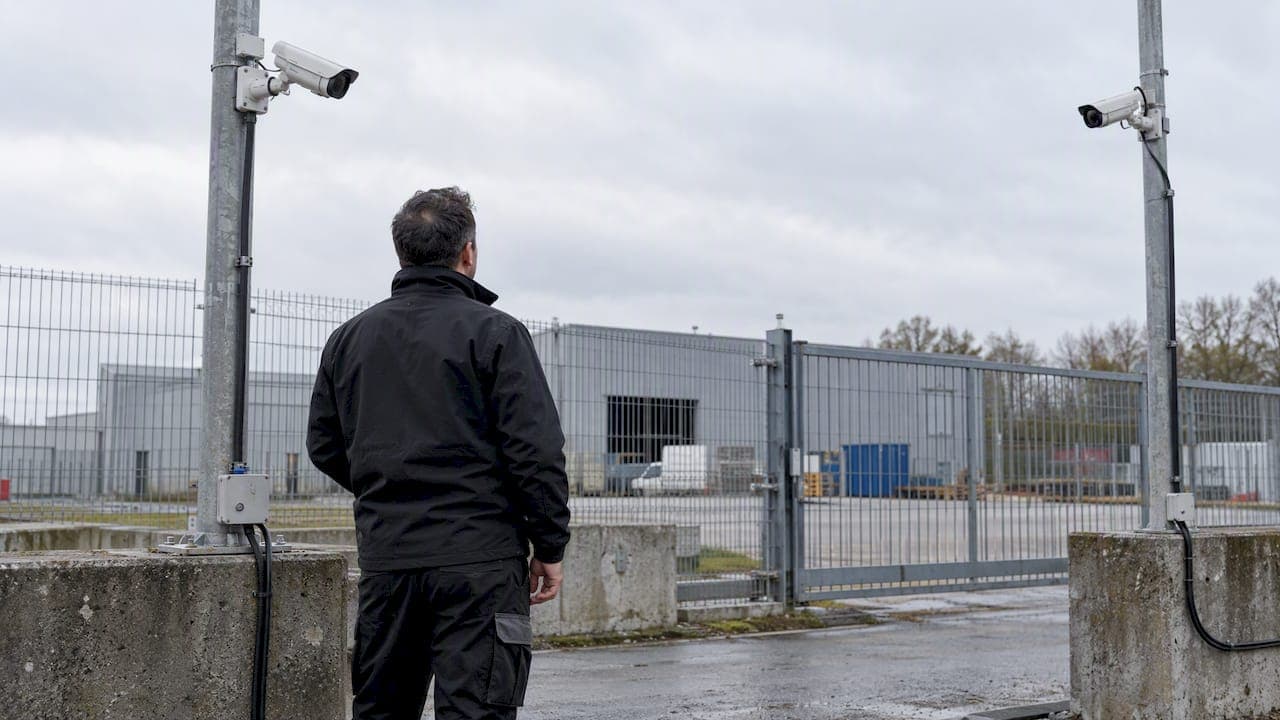
30–90 Day Pilot Validates Redundant Camera Networks for Engineers
Standards led, practical steps for engineers to deploy redundant camera networks: MRP, dual homing, and aggregation patterns, commissioning checks, and...
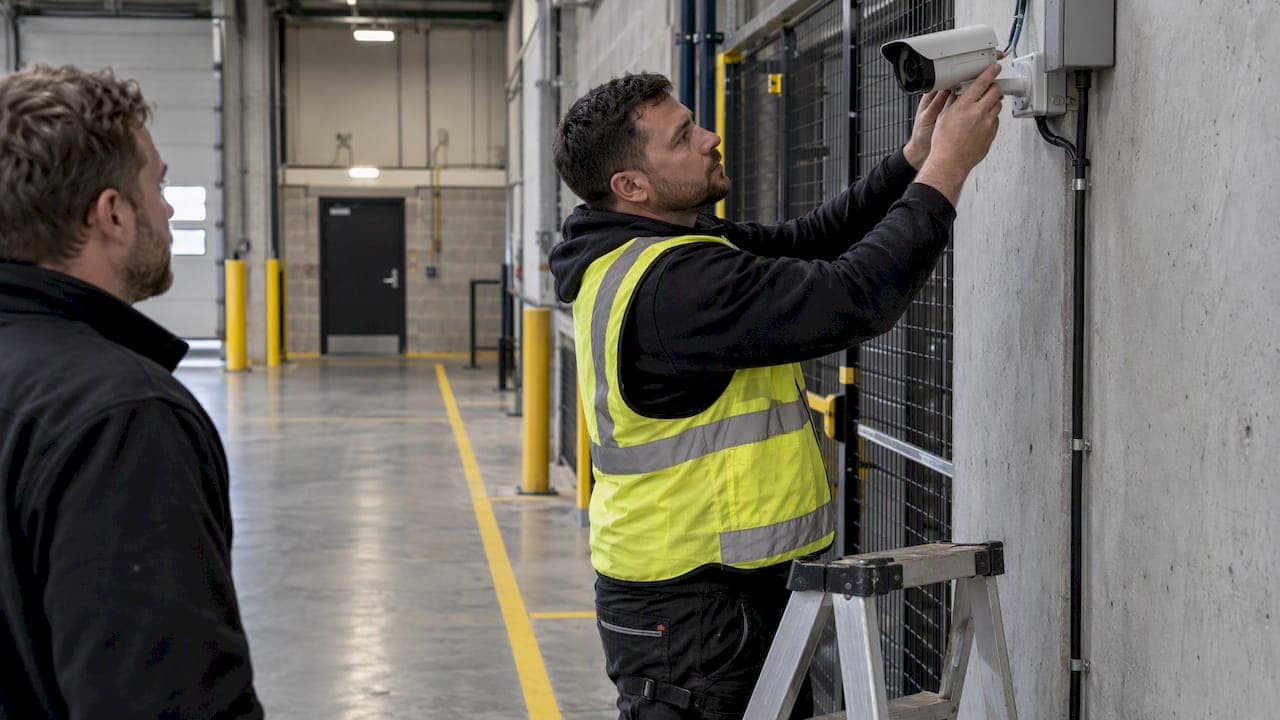
30 Day Pilot Proves Video Analytics Accuracy for Security Teams
Validate video analytics accuracy with scenario tests, camera tuning, transfer learning and a 30 day edge first pilot for security teams.
Let's Build YourSecurity Ecosystem.
Whether you're a System Integrator, Solution Provider, or an End-User looking for trusted advisory, our team is ready to help you navigate the BeyondSensor landscape.
Direct Advisory
Connect with our regional experts for tailored solutioning.